


Table of contents
New version of Easy8 that keeps growing with you
Performance boost: Less waiting, more doing
Aura at your service 24/7: Join the early access
Built for how larger teams work
Project budgets: New year, new rates, same history
Project Scrum: One sprint, several projects
Assets and Configuration Management: Forms that guide you
Connect Easy8 MCP server for smoother AI workflows
Your data, your rules: Webinars on data security and sovereignty
New version of Easy8 that keeps growing with you
Last month we introduced a new Easy8: a fresh design, Aura, and a faster app. This month we’re building on it.
Pages open even faster on large databases, MCP connects your Easy8 data with Claude or Microsoft Copilot, giving them seamless access to the data they need to handle more of your routine work. And teams that juggle many projects, budgets and assets get tools that fit the way they actually work.
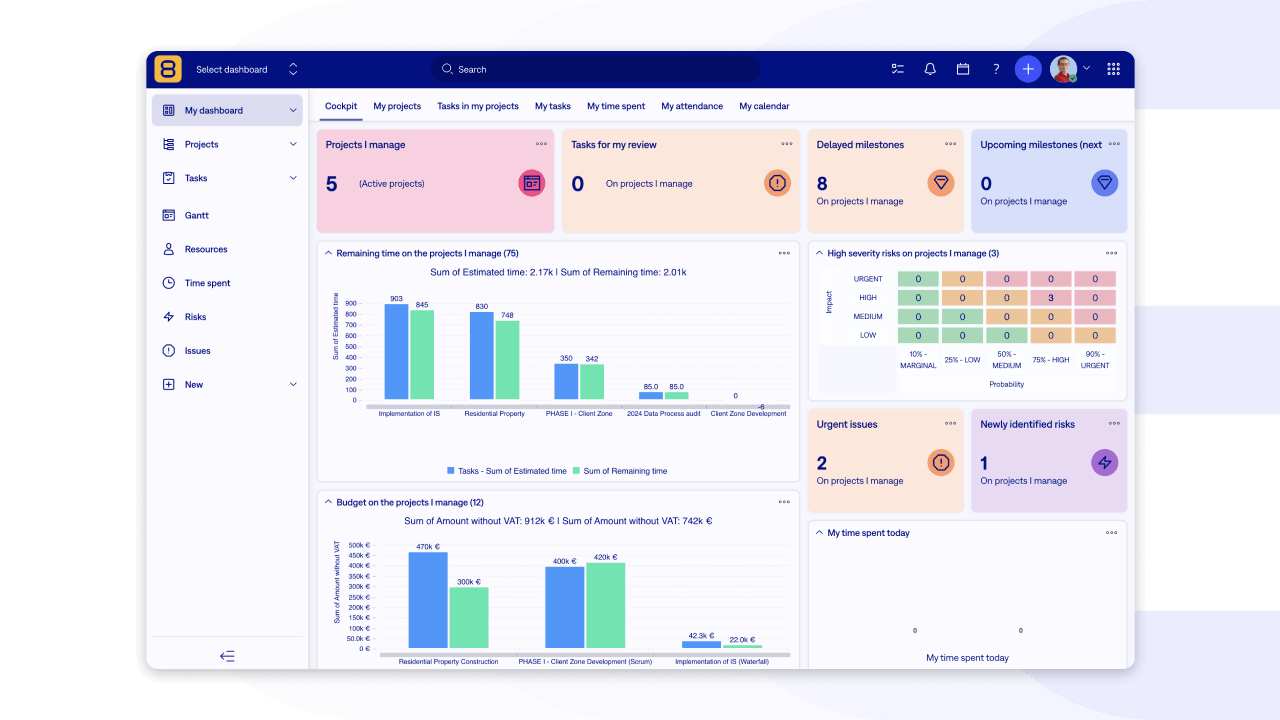
Performance boost: Less waiting, more doing
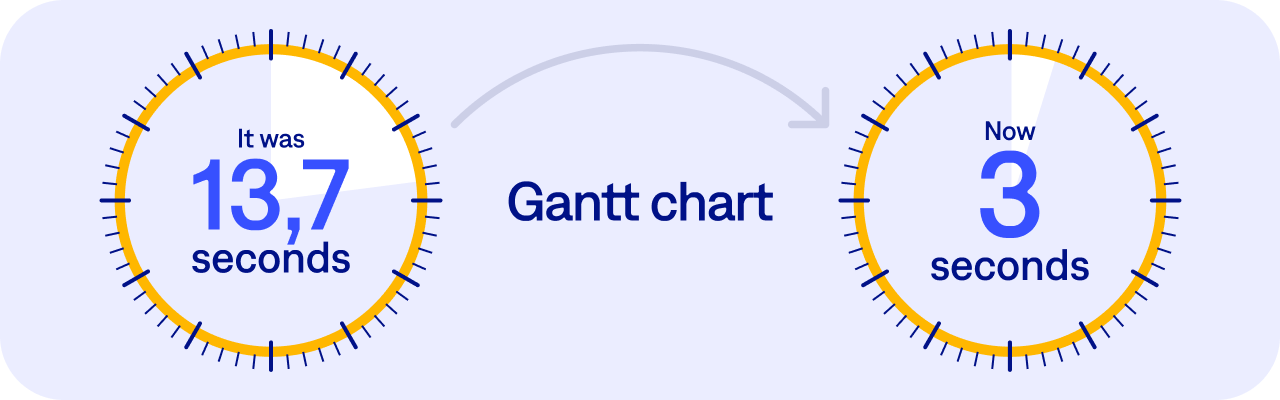
Right now, the app responds 25% faster on average, and the slowest 5% of requests are 30% faster. The bigger your Easy8, the more you'll notice it: on very large databases with thousands of projects, pages load up to 71% faster. On big instances, opening a task is now twice as fast, and editing one is four times faster.
You'll notice the difference most where it matters:
- A Gantt chart with 930 tasks opens about 4.6 times faster
- The work breakdown structure (WBS) of a project with over 1,600 subprojects loads 68 times faster
- A time report with 22,000 entries is ready 4 times faster
- Filters on number and date custom fields run up to 60 times faster
We measured all of this on large databases, logged in as a normal user without admin rights.
Aura at your service 24/7: Join the early access
Aura keeps growing into a practical AI work companion, right inside Easy8. It can now work with your attachments, projects and Helpdesk tickets.
What's new:
- Attachments: Ask Aura to summarise a document, analyse an image, or find specific information in a file attached to a task or chat.
- Project updates: Aura can change selected project fields and checks that the change really went through.
- Helpdesk: With Easy8 HelpDesk, Aura can update details such as the ticket owner, the SLA deadline or whether a ticket is waiting for a reply.
- Projects from templates: Create new projects from your existing templates.
- Your language: Aura replies in the language you write in, including its progress updates.
- More control: Changed your mind? Stop the answer at any time and edit your request.
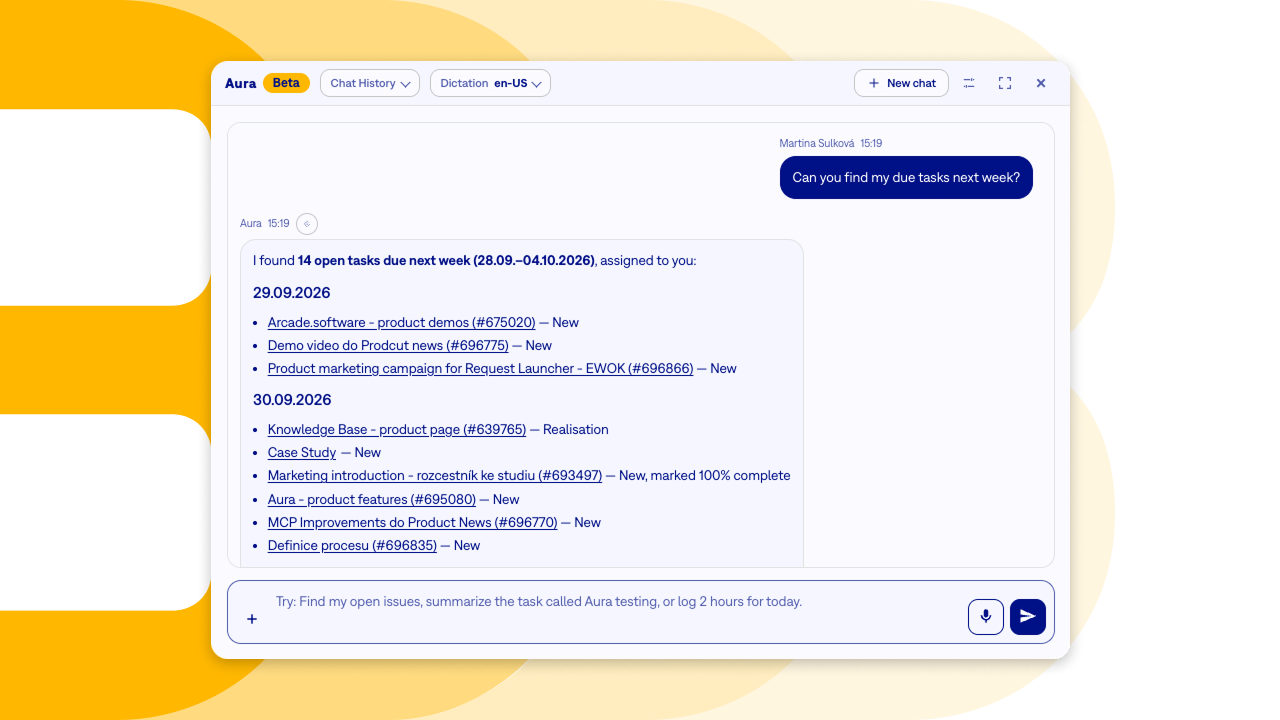
Aura comes with the Business and Platform plans. It stays off by default, and we switch it on only with your consent. Do not hesitate!
Built for how larger teams work
Growing teams often run into the same needs: their rates change over time, their sprints span several projects, and their asset records need to stay clean. This month's improvements answer exactly those requirements.
Project budgets: New year, new rates, same history
Picture this: your company agrees a higher hourly rate with a client, valid from 1 January. You know the new price in December, but you don't want to change anything before the new year starts. And above all, you don't want last year's budgets and reports to suddenly show different numbers.
With rates that have a validity period, you set it up once, in advance, and Easy8 takes care of the rest.
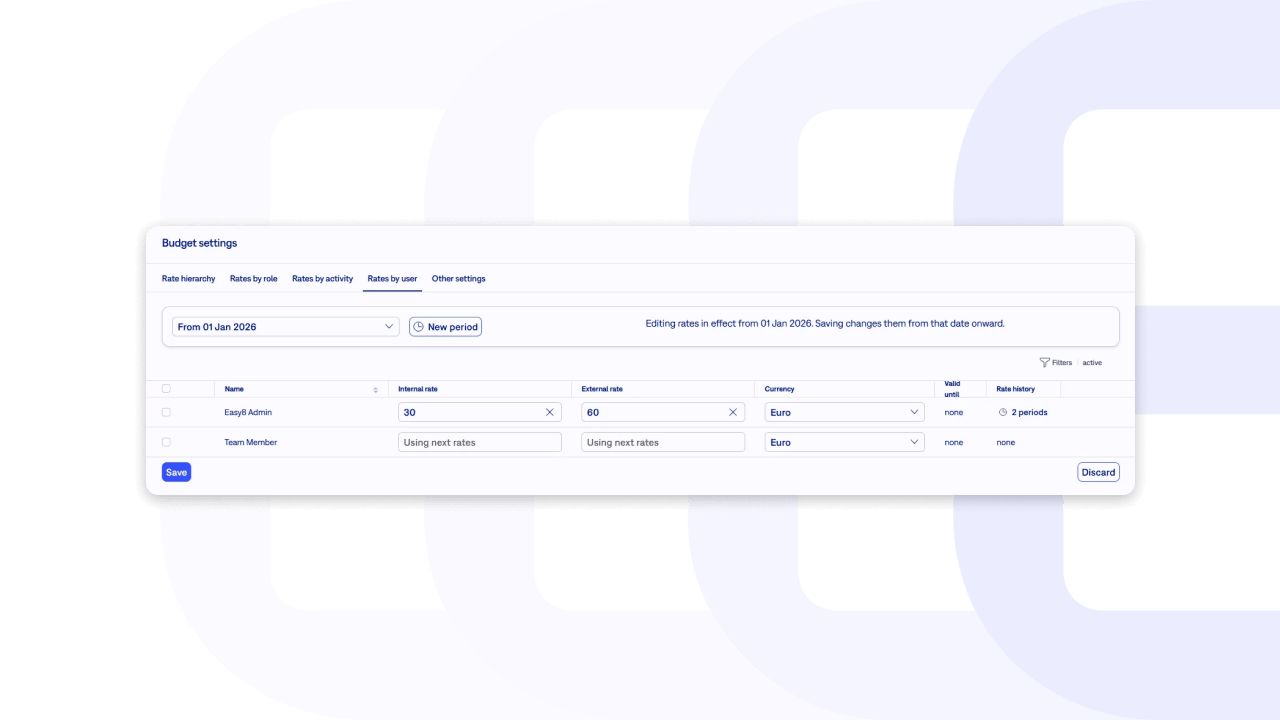
What's new:
- Rates with a validity period: Set rates for roles, activities and users from a specific date, and prepare next year's rates ahead of time.
- The right rate, automatically: Every time entry uses the rate that was valid on the day the work was done, so costs stay correct even across a rate change.
- History that stays untouched: Past projects, budgets and reports keep the rates that applied at the time.
- A clear overview: Rate tables show which period each rate belongs to, and a history view lists exactly when each rate was valid, from and until.
What it means for you:
- No more manual rate changes on 1 January.
- Reliable reports for project managers and finance, year after year.
- A quick answer when a client or your accountant asks why an invoice from March shows a different rate than one from October.
Note for administrators: If an integration updates rates through the API, it now needs to send the validity period with each change. Without a date, the change applies as the base rate for all periods.
For more details, see the Release notes.
Project Scrum: One sprint, several projects
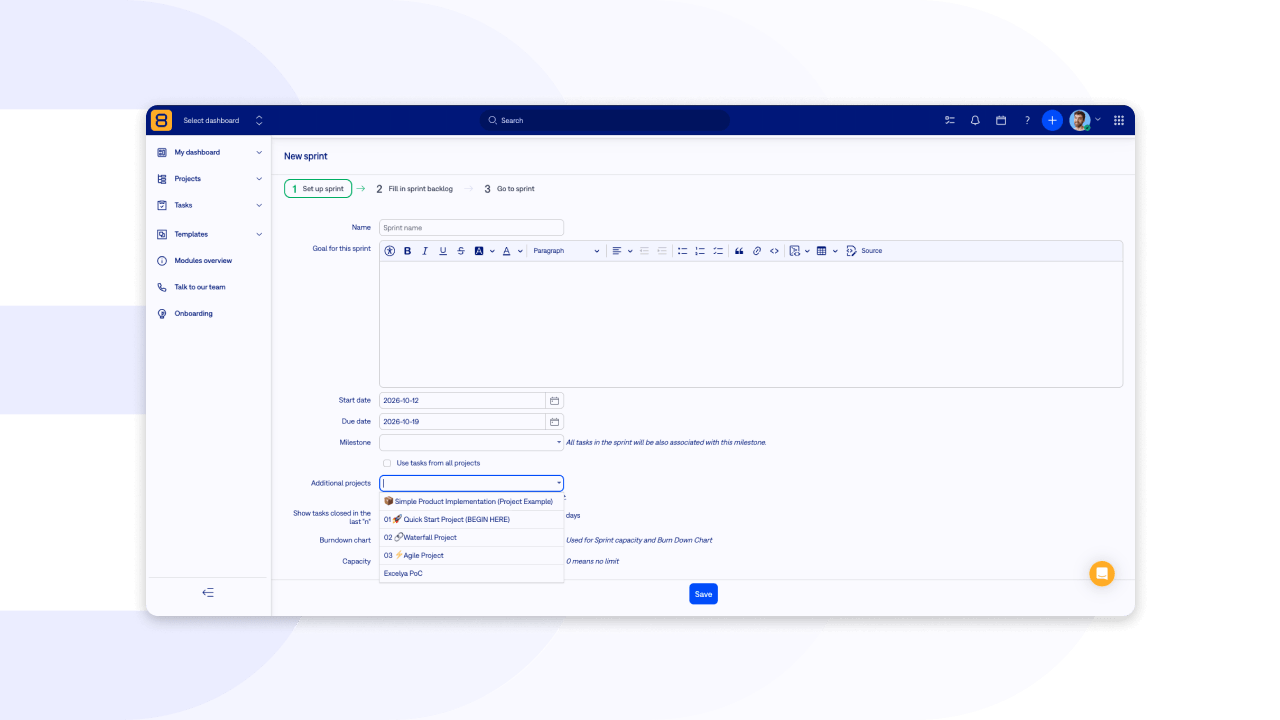
Real teams rarely work in just one project. A development team might plan its sprint in its main project, while the work also comes from projects for bugs, deliveries or requests.
- Until now: On a project’s Scrum Board, you could add tasks either from that project only, or from all projects at once. There was no way to limit the choice to the projects your team actually works with.
- Now: You choose specific projects whose tasks your team can add to the sprint. Everything else stays out of the way.
For example, the Blue Team project is the main project of a development team and has Scrum Boards turned on. The team adds its Bugs, Delivery and Requests projects to the selection. Tasks from those projects then go straight onto the Red Team Scrum Board, and the team plans and works in one place.
For more details, see the Release notes.
Assets and Configuration Management: Forms that guide you
Asset records are only as useful as the data in them. Two new features help your team keep that data clean:
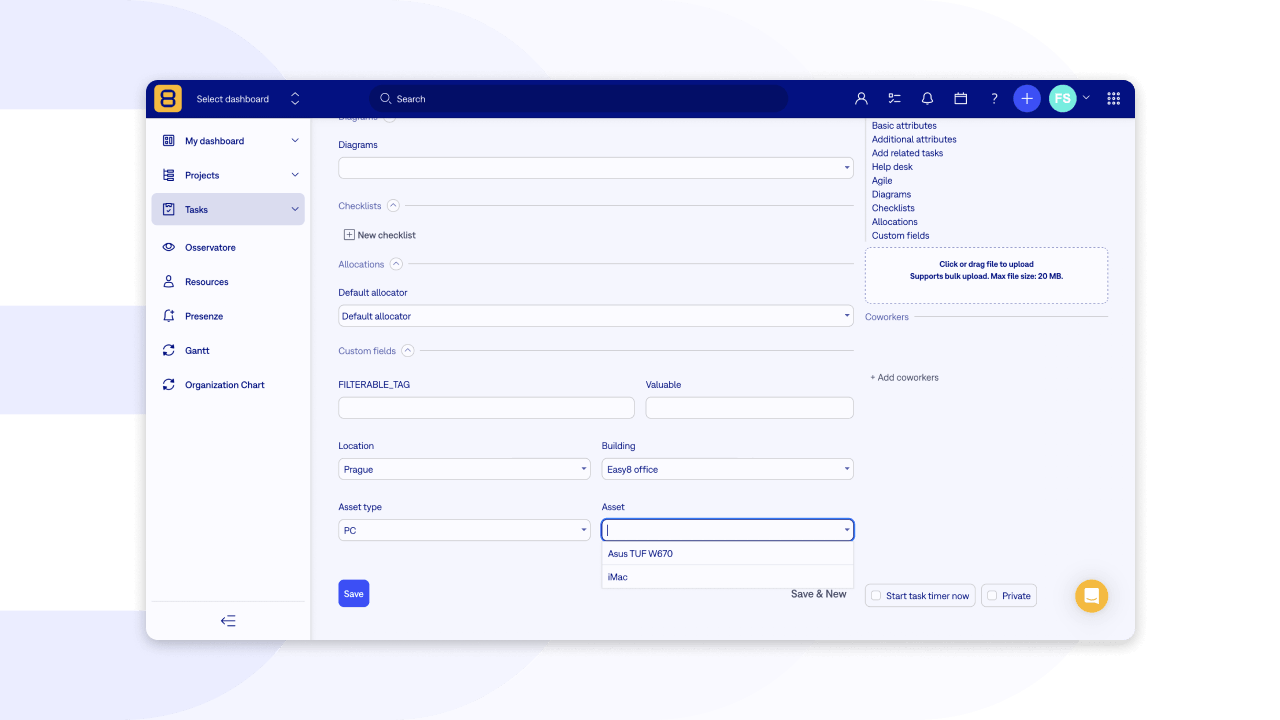
- Custom field groups: Related fields sit together in clear groups, so even long asset forms stay organised and easy to fill in.
- Cascading fields: Each choice narrows down the next one. Pick a printer, and you see only that printer's vendors and models.
What it means for you:
- Faster form filling, with no scrolling through long lists of options.
- Fewer mistakes, because only valid combinations are offered.
- Reliable asset data you can trust in reports and audits.
For more details, see the Release notes.
Connect Easy8 MCP server for smoother AI workflows
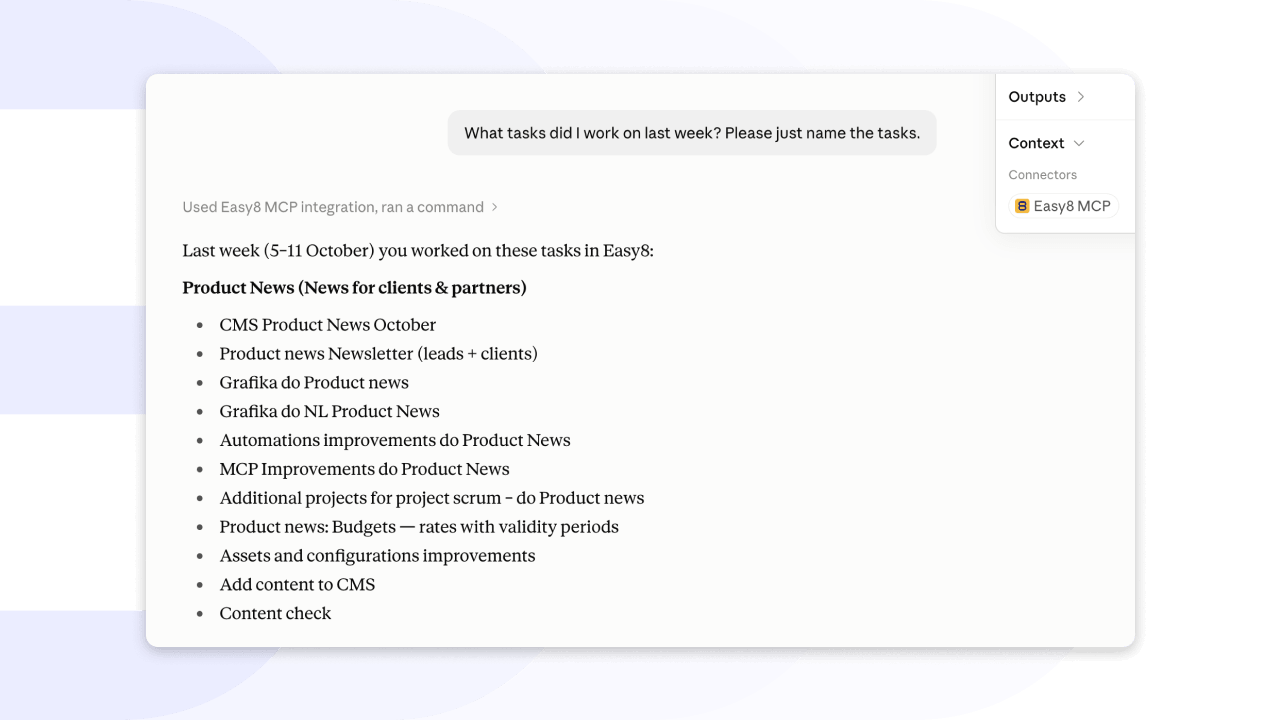
With the Easy8 MCP server, AI assistants such as Claude or Microsoft Copilot Studio work directly with your Easy8 data, always within your permissions. This month they can do a lot more of the routine work for you.
Planning a sprint? Ask your assistant “Which tasks in the current sprint have no story points?” or “Move my open tasks from the September sprint to October.”
Preparing for sales conversations? Try “Rank my accounts with no activity in the last 60 days by ARR.” Your assistant now works with live CRM data, including quotes and contract values, so you no longer need to export anything.
Your AI agent/assistant also sees more of each task, including custom fields and attached images such as a screenshot of a bug, and every answer links straight to the record in Easy8.
If you prefer to work in the browser, Web MCP lets an AI agent triage tasks or log time on the page you have open, with no extra setup. It’s an early standard and currently works in Chrome 146 and newer behind a browser flag. Before you enable it, keep in mind that the agent has the same rights as you, and text on a page can contain instructions meant to mislead it. Choose agents that ask before they change anything.
Whatever your AI assistant does, it follows your workflow and permissions, and every change appears in the task history. If a change isn’t allowed, Easy8 rejects it completely, so a task never ends up half-updated.
Note for administrators: After the upgrade, remove the old dynamically registered OAuth applications and let the AI clients connect again. Manually configured applications stay as they are.
Your data, your rules: Webinars on data security and sovereignty
Where does your data live, who can access it, and how do you keep control as AI becomes part of everyday work? Our webinar series answers exactly that. Catch up on the sessions you missed, and join us live for the next ones.

Watch the recordings:
- 17.09.2026: The Project Management stack of 2026: How to build a context layer for AI without losing control
- 08.10.2026: Good AI vs. Bad AI: How to use AI in your company without giving away your competitive edge
Upcoming sessions:
- 29.10.2026 at 14:00 (CET): Different shades of on-premises: Air-gapped, self-hosted, and managed server explained
- 19.11.2026 at 14:00 (CET): How teams migrate from Jira Server or Data Center efficiently using a proven step-by-step process
For more technical details, see the latest Release notes for version: 16.1.0.
