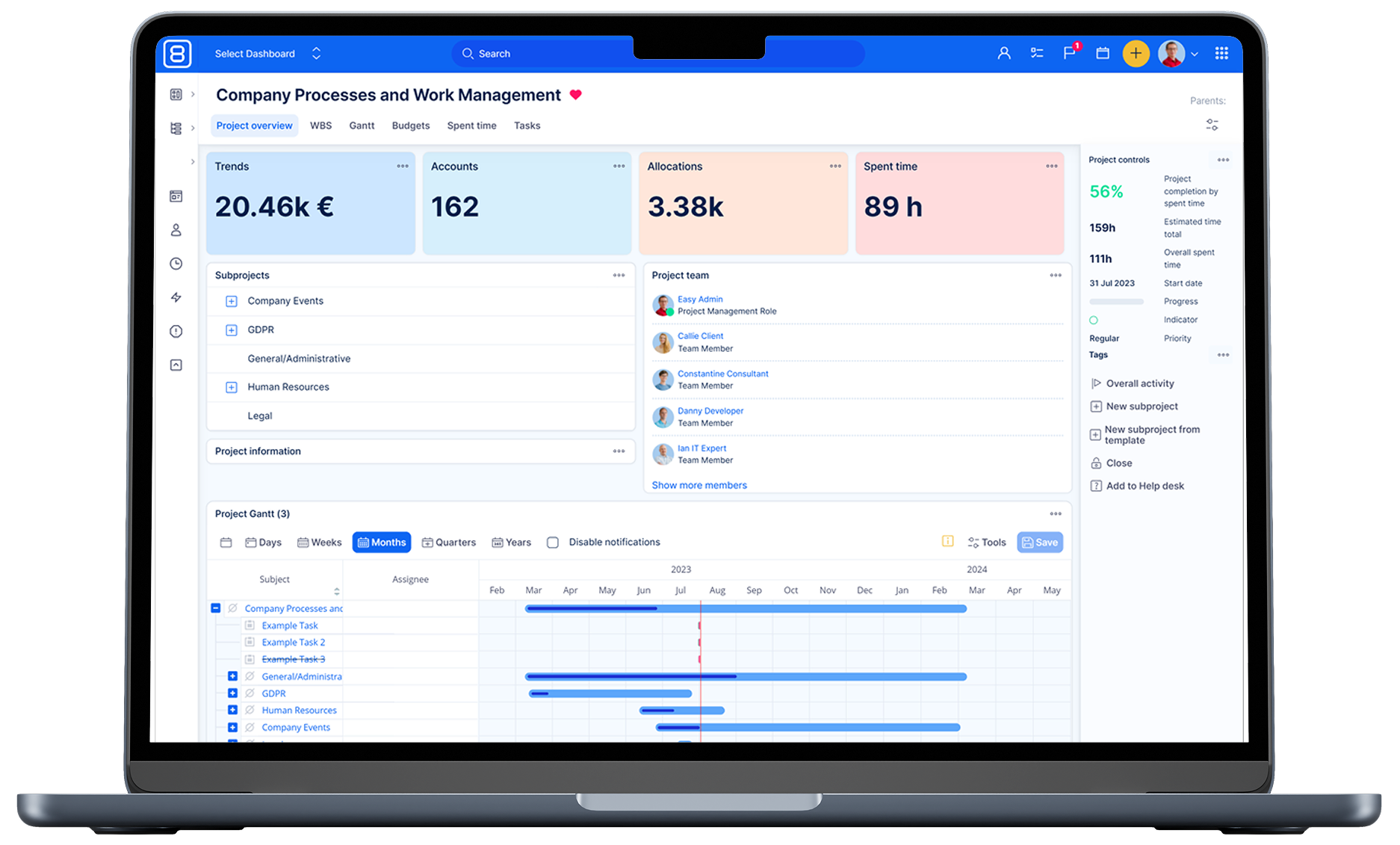
Break down the information silos to serve customers better
Connect your teams within a centralised system to foster genuine collaboration and deliver unified and well-informed customer experience.

Data-Driven Decisions
Enable teams to access CRM data, share segmentation, and make informed decisions.

Efficient service delivery
True collaboration across all teams makes time & material services easy to deliver.

Customer-Centric Insights
Assign each ticket to a specific customer for service cost insights and easy reporting on service contracts.

Instant status updates
Support teams are always informed about development progress and can provide instant updates to customers.
Trusted by the best


Key capabilities

Unified ecosystem
The help-desk module is the native part of the Easy8 management platform. Tickets and tasks are then the same thing just handled differently and using specific features which can be combined.

Breaking the silos
Typically, a ticket analyzed by a customer service operator needs just one click to become a bug report and hit the right backlog in your development team. Including customer communication, pictures and other assets collected in support sessions. Furthermore, the support team still has an insight into the development progress control of the SLA as having all information instantly available.

Enables successful customer journey
Another typical silo is CRM and a second Help Desk system. Teams share the mission but frequently not the insight. Imagine that your support team can simply prioritize tickets by segmentation which is shared with Sales as it comes from CRM. Imagine that sales representatives have instant information about issues of their customers and become valid partners in the customer journey. They benefit too, making sales calls according to the sentiment of the client. Imagine that CRM simply shows you projects and tickets of specific customers.

Effective cross-team collaboration
A very common use case is wide cooperation on custom development and following support when various specialists of different natures contribute to issue resolution while logging time on different tasks and even projects. Still, the Customer connects it all and making time for material reports and bills is a matter of a few clicks.
Manage your inbound, prioritize and measure operations
Easy8 is flexible in a way how to organize your inbound, queues and priorities. It allows for having dedicated support projects for Key customers automatically prioritized based on domains or other attributes, managing internal or contractual SLAs. All are easily organized on flexible dashboards. Something goes wrong? Alerts and the Easy8 warning system will let you know.

Integrated channels
E-mail integration and customer zone as main channels

Configurable dashboards
Configurable dashboards to see operational status, KPIs and results

Chat integration
In-app chat integration is fully supported

Better control
Control pre-paid hours contracts

SLA setup
SLA definition – individual SLA setup and internal SLAs

Quick ticket handle
Easy button to quick handling tickets across queues, teams and persons

Collect data
Collecting spent time across whole company for time material contracts

Auto-configuration
Auto-configuration through customer identification

Warning system
Fully integrated and configurable warning system
Managing IT Assets and or any other evidence
Access and Configuration management (ACM) is now available as a native module of Easy8. This flexible tool is designed to make basically any evidence and let this evidence deeply interact with Tickets/Tasks, Users, Projects or even CRM data. Typically, tickets for the internal help desk work directly with Asset evidence same as users do, so users see what assets they use and for what asset they need support.

- Complete asset evidence providing every piece of the physical asset from buildings to furniture or hardware
- Managing company servers and personal computers as demonstrated on our trial demo data
- Managing other company devices such as network components, printers or production machinery
- Managing software packages and licenses assigned to users and computers
- Corporate carpool management including the process of regular maintenance

- Complex program management based on project-related program goals
- Designer of custom tables and solutions that work smoothly with native attributes and even custom fields in the system
- Managing real assets for delivery custom built products to clients and customers
- Includes standard system features such as filters, dashboards, alerts
- Data import option available as well as an integration with other systems via API
Read more about Customer service

8 best EU project management tools to overcome the CLOUD Act
Not all "EU-hosted" software is truly outside US jurisdiction. If your organisation handles sensitive data, intellectual property, or public-sector workloads, understanding the difference could save you from costly compliance risks. Here are eight European project management platforms worth consider.

The best 8 air-gapped project management tools for 2026
If your work runs behind an air gap, most project management tools drop out before the evaluation even begins. We compared the eight strongest on-premise platforms that run fully offline, from licensing and deployment effort to security certifications: read the comparison and choose the one that fits your environment.

Jira price increase 2021-2026: Every rise calculated
Jira Cloud prices have risen every October for five years, and the sixth increase lands on 13 October 2026. Each rise looks small on its own, but they compound. Find out what Jira actually costs per user from October, and what to check before your renewal date.