


Less expensive alternative for Jira on-premises
Jira Server was discontinued in 2024 and Jira Data Center is now on a fixed countdown: new customers can no longer buy it, and every instance goes read-only in 2029. If you run Jira on your own servers, the question is what each option costs you – and whether a less expensive on-premises alternative fits your team.

Table of contents
Three options for Jira on-premises users
1. Move to Atlassian Cloud
2. Stay on Data Center until 2029
3. Switch to a Jira alternative
Why on-premises is disappearing – and why you still have a choice
Alternative to Jira on-prem
One vendor for the complete stack
From Jira to Easy8: Six actionable steps
Jira pricing vs. Easy8 pricing
Freedom from lock-in: Open-source available, cloud or server
Try a cost-saving alternative to Jira
TL;DR
Jira Server is gone and Jira Data Center is being phased out by March 2029. Your choices are Atlassian Cloud, a Data Center licence for the remaining years (existing customers only), or an on-premises alternative. Easy8 runs on your own server from €6.90 per user per month with a 25-user minimum – and your data stays where it is.
For the full Data Center timeline, read our guide to the end of Jira Data Center. This article focuses on what your options cost and how a less expensive alternative compares.
Three options for Jira on-premises users
Atlassian has published a clear timeline for Data Center: sales to new customers ended on 30 March 2026, existing customers can buy licences and expansions until 30 March 2028, and all Data Center licences expire and become read-only on 28 March 2029. That leaves you with three paths.
1. Move to Atlassian Cloud
Atlassian presents its Cloud offering as the logical next step. For many organisations, though, the move is far from straightforward: internal policies, data protection obligations such as GDPR, and security requirements that you cannot – or will not – compromise on.
If your team needs to keep data on its own infrastructure, Atlassian Cloud does not solve the problem. It simply moves it.
2. Stay on Data Center until 2029
If you already hold a Data Center licence, you can renew until March 2028 and run the product until March 2029. Two facts are worth having on the table when you budget for this period:
- Data Center is sold in fixed user tiers rather than per user, so you pay for the tier band your headcount falls into – for Jira, the entry tier is 500 users.
- Data Center list prices have risen repeatedly. According to an independent analysis by The Jira Guy, the February 2025 increase averaged around 23% across Jira, Jira Service Management and Confluence tiers.
Staying is a valid bridge. It is not a long-term plan, and every renewal is money spent on a product with a fixed end date.
3. Switch to a Jira alternative
Switching tools is often perceived as a high-risk, complex transition, particularly for high-impact teams. Yet it is also a strategic opportunity to modernise operations, optimise your costs, consolidate fragmented toolsets, and improve cross-team collaboration through more adaptable technology.
With Easy8, the switch is a cost-efficient decision. There are no inflated tier packages – you pay per user for what your team actually needs, with a perpetual licence available if you prefer to own the software outright.
You can also watch the recorded webinar on how to migrate data from Jira to Easy8 to see the process in detail.
Why on-premises is disappearing – and why you still have a choice
In recent years, the B2B software market has shifted heavily towards SaaS, and many vendors have abandoned on-premises delivery altogether.
The reason is straightforward: cloud software is easier and cheaper to deliver. With on-premises, everything is more demanding for the vendor – delivery, installation, configuration, support, bug fixing, licence enforcement and more. That is a rational business decision for a vendor. It leaves you, the customer, with the bill and the compliance risk.
You still have a choice. Easy8 has shipped on-premises for 20 years and treats it as a core business, not a legacy line. You get the same product on your server as in the cloud, updates you install when you decide, and no forced migration to the cloud.
Cloud or on-premises deployment? Have a choice.
Alternative to Jira on-prem
If your organisation is tied to Jira, migration does not have to be a burden. With Easy8, it is a chance to strengthen operational control, reduce costs and gain long-term flexibility without compromising on security.
Easy8 is a reliable, low-risk Jira alternative designed for companies that require on-premises data hosting but do not operate at the scale or budget of large enterprises.
Easy8 is open-source available: you receive the source code, can audit it and modify it to your needs, and are never locked out of your own data. At the same time, you can rely on a network of data centres and cloud deployment options worldwide if your requirements change.
Over the years, Easy8 (formerly Easy Redmine) has evolved from a community Redmine application into a professional project management platform called WorkOps that competes with any application on the market. That experience is why you get both cloud or on-premises with the same product.
“With 20 years of experience and a full understanding of the challenges related to its own server application delivery, our company commits to providing Easy8 as a locally installable application. On-premises delivery is a key aspect of Easy8's business strategy with the same importance as the SaaS business. We are convinced about the future of on-premises and open source and we believe that organisations have the right to choose.”
- Filip Morávek, founder and CEO at Easy8
Easy8: One vendor for the complete tech stack
Many Atlassian customers need to replace not only Jira but also Confluence, Jira Service Management or Bitbucket. That can make the search for alternatives overwhelming.
You can replace the whole stack with one vendor and one implementation partner:
- Jira: replaced by the Easy8 Essentials edition, with the option to upgrade to Business.
- Confluence: replaced by Knowledge Base, built with Atlassian users' documentation needs in mind.
- Jira Service Management: replaced by Easy8 Help Desk.
- Bitbucket: replaced by GitLab and the Easy8 GitLab integration.
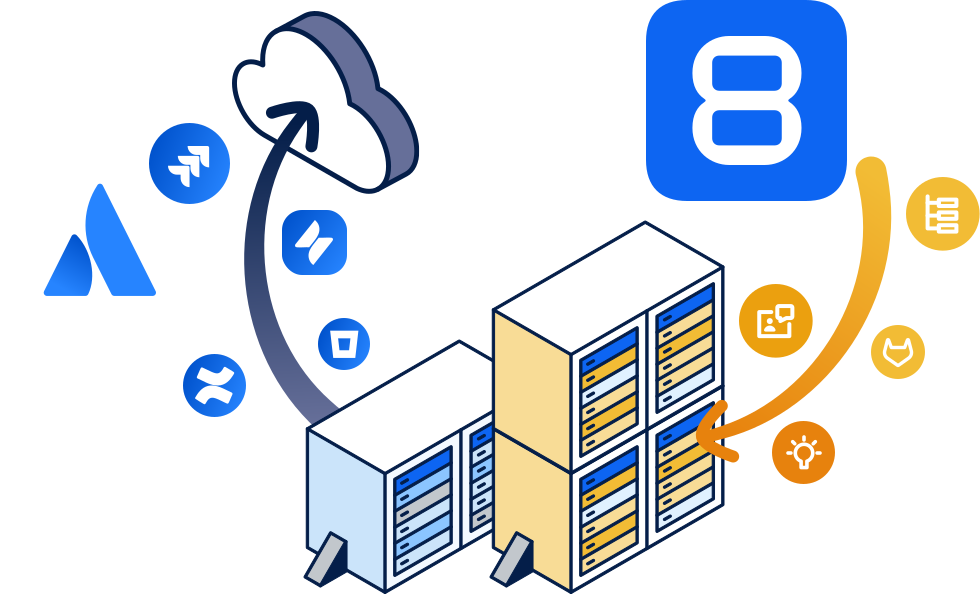
Moving to the cloud or staying on-premises
From Jira to Easy8: Six actionable steps
A migration between two complex systems is more than a data export. Here is what the transition from Jira looks like in practice, and what you do at each step.
1. Map what you actually use. List your projects, workflows, custom fields and Marketplace apps, and mark what is still in active use. Anything you do not need is not worth migrating.
2. Run a test import with an Easy8 expert. Run the Jira importer against a trial instance and walk you through the result. You check issue counts, attachments, links and user mapping before anything goes live.
3. Pre-configure Easy8 before your users arrive. Roles, trackers, dashboards and workflows are set up to mirror how your teams work today, so the first login is familiar rather than a blank slate.
4. Move your documentation from Confluence. Knowledge Base is built on MediaWiki technology and the BlueSpice distribution, and the Confluence importer carries your pages across. You review page hierarchy and permissions after import.
5. Reconnect service and development. Easy8 Help Desk links tickets directly to the projects, epics and bug backlogs your R&D teams work in, so the connection your support team relies on today is preserved.
6. Re-point Bitbucket to GitLab. The GitLab importer has been tested to keep the links between commits and tasks intact, so the Bitbucket–Jira integration carries over to the Easy8–GitLab stack.
Jira pricing vs. Easy8 pricing
You should always know how much you are paying and what for. Here is how Easy8 pricing works – and where it differs from Jira Data Center.
- Per user, not per tier: Easy8 on-premises costs €6.90 per user per month for the Essentials edition and €13.90 for Business, in 5-user increments. Jira Data Center is sold in fixed user tiers, so a team of 120 pays for the 500-user band.
- A realistic minimum: Easy8 on-premises starts at 25 users; cloud starts at 10. You are not asked to buy licences for people you do not have.
- Perpetual licences available: you can buy the on-premises software outright with a year of updates and support, and keep using it indefinitely. Updates are never mandatory. Ask sales for perpetual pricing.
- TCO calculations on request: over several years, an application on your own server is typically cheaper than a subscription. Sales will prepare a detailed total-cost-of-ownership comparison for your team size.
- Fewer add-ons to buy: Gantt Charts, WBS, Resource Management and Project Budgets are native to Easy8. In Jira, the equivalent capabilities usually come from Marketplace apps with their own licence and maintenance costs.
- Four plans: Essentials, Business, Platform and Enterprise – all priced per user, so you can see on the pricing page exactly what your team would pay.
- Certified Value Added Resellers: if you value a long-term relationship with your current Atlassian partner, Easy8 works with certified VARs and is open to onboarding new ones.
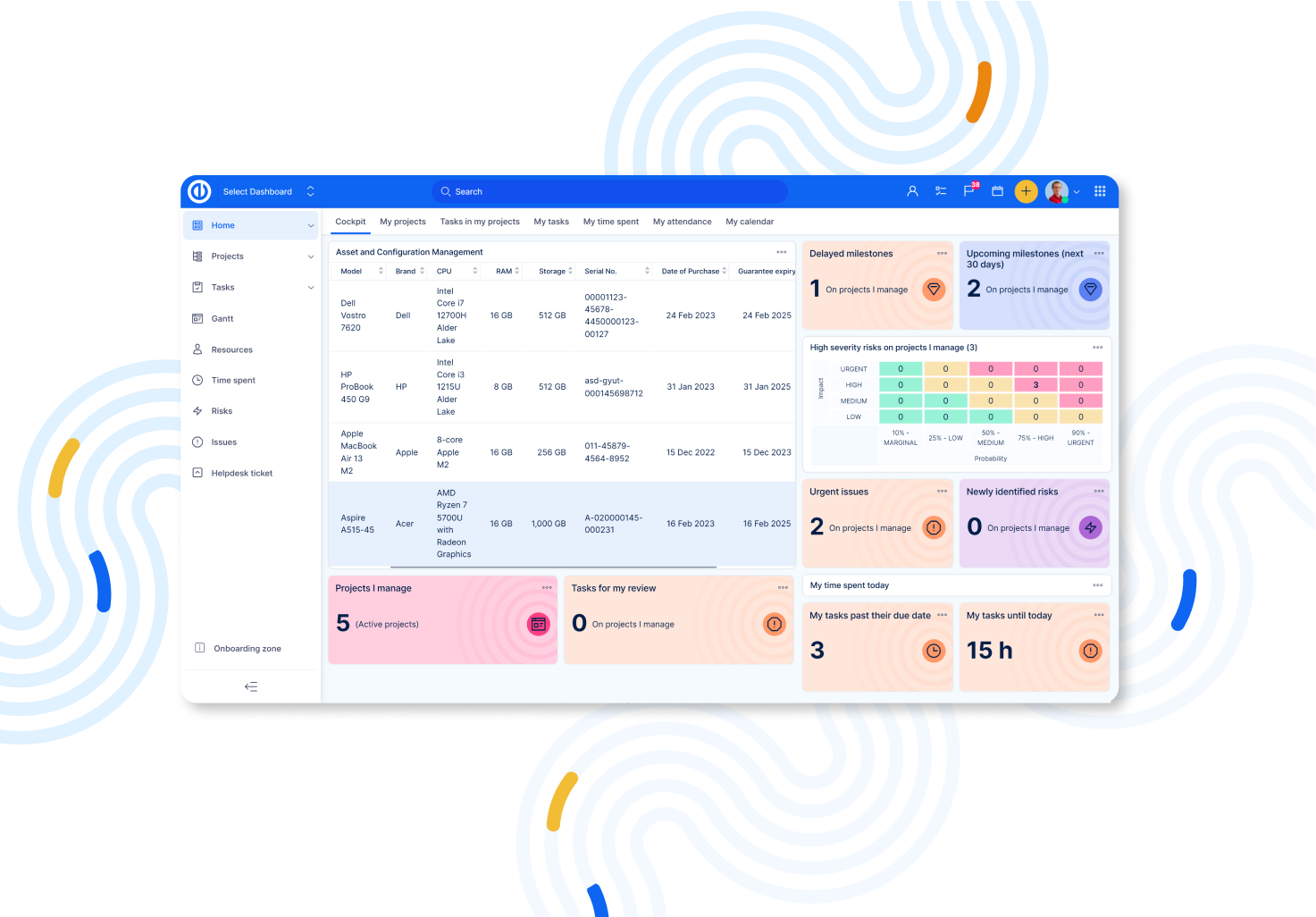
Easy8 Private WorkOps Platform overview
Freedom from lock-in: Open-source available, cloud or server
Some vendors make leaving deliberately inconvenient. Easy8 takes the opposite approach – the principles of open software are part of how the product is built and sold, not just the code.
What that means for you:
- Easy8 is the same product in the cloud and on-premises, so moving between them is technically simple.
- Easy8 is open-source available: you own a copy of the code and can modify it to your needs.
- Standardised software can be turned into a specific solution for your organisation, well beyond a well-integrated product.
- Cloud or server freedom: there are no technical or commercial obstacles to changing your mind – stay on your own server or move to Easy8 Global Cloud, Private Cloud or EU Sovereign Cloud.
- Updates are never mandatory.
Try a cost-saving alternative to Jira
Easy8 gives you on-premises deployment from 25 users, priced per user, with a perpetual licence if you want to own the software. Jira's self-hosted option is sold in tiers starting at 500 users, is no longer available to new customers, and reaches end of life in March 2029.
You get Waterfall PM capabilities – Gantt Charts, WBS, Resource Management, Project Budgets – along with Agile boards, straight out of the box. Help Desk, Knowledge Base, Time Tracking, B2B CRM, and Easy AI assistants are part of the same platform rather than separate add-ons.
For a feature-by-feature view, read our detailed comparison of Jira vs. Easy8.
Keep your data on your own server, pay per user instead of per tier, and stop budgeting for add-ons. Try Easy8 free for 30 days and see what Easy8 project management software would cost your team.
Frequently asked questions
What is the best Jira alternative?
Many teams seek alternatives due to Jira's complexity, cost, or specific feature needs. Several tools offer compelling options, each with unique strengths suited for different kinds of teams and workflows. Among them is Easy8, which provides open source solutions to 25+ team members.
Organizations considering switching from Jira may find Easy8 particularly appealing due to its hybrid project management capabilities, extensive feature set, greater data control, and lower operational costs—all crucial factors for modern, security-conscious, and cost-sensitive teams.
What are the disadvantages of using Jira?
Jira’s flexibility and depth come with a steep learning curve and significant administrative overhead, as teams must master complex configurations and dedicate resources to ongoing maintenance. Large instances can suffer performance bottlenecks and require disruptive re-indexing, while licensing and add-on costs quickly escalate.
Over-customisation risks process fragmentation and upgrade headaches, and native reporting tools are limited without additional plugins or BI integrations. Finally, the crowded UI and integration complexity can hinder adoption and create data silos if not carefully managed.
What is the difference between Jira and Redmine?
Jira is a proprietary, enterprise-grade issue tracking and agile project management platform developed by Atlassian, featuring built-in Scrum and Kanban boards, advanced reporting, and seamless integration with the wider Atlassian ecosystem under commercial licensing.
Redmine is a free, open-source, Ruby on Rails–based project management and issue-tracking tool emphasizing self-hosting flexibility, hierarchical projects, built-in Gantt charts and calendars, and extensibility through community-driven plugins.
As a result, organizations seeking polished UX, enterprise support, and rich analytics tend to choose Jira despite licensing costs, while teams prioritizing customizability, budget-friendliness, and open-source control often opt for Redmine.

Related articles

Pay less for Jira: Get a proper Jira alternative!
Do you want to avoid the high costs that burden medium-sized teams requiring both waterfall and agile tools in an all-in-one project management solution? Read our comparison of Easy8 and Jira pricing to see how Easy8 delivers greater value for larger teams of 25 or more.

Nothing should hold you back. Not even Jira.
Did you end up tying your coffee breaks to reloading or starting up JIRA because it just takes so long? While the coffee is nice, the frustration is not – especially when you are under time pressure and you need to deliver.

Effortless project management without Jira bulk editing
If you've ever tried to edit multiple projects at once in Jira, you know that the process can be quite tedious. But does it have to be like that? Let’s find out!
