


Release notes for version: 15.10.0
Workflow override per project
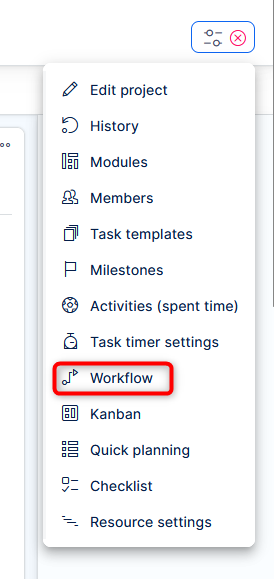
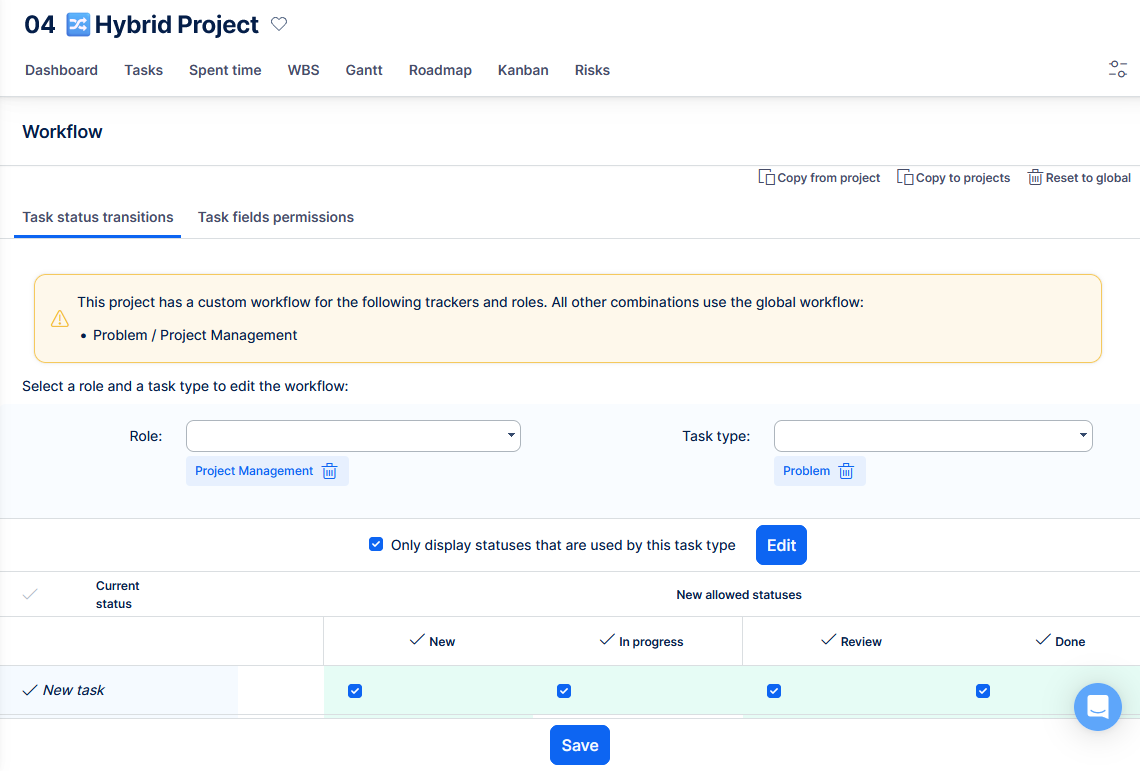
You can now manage task workflow setting at the project level, so different projects can have their own status transitions and field permissions without changing the global workflow. Project admins can also copy workflow settings from another project, copy them to multiple projects, or reset a project back to the global workflow.
New section in setting at the project level
It shows status message about global settings used vs project specifics.
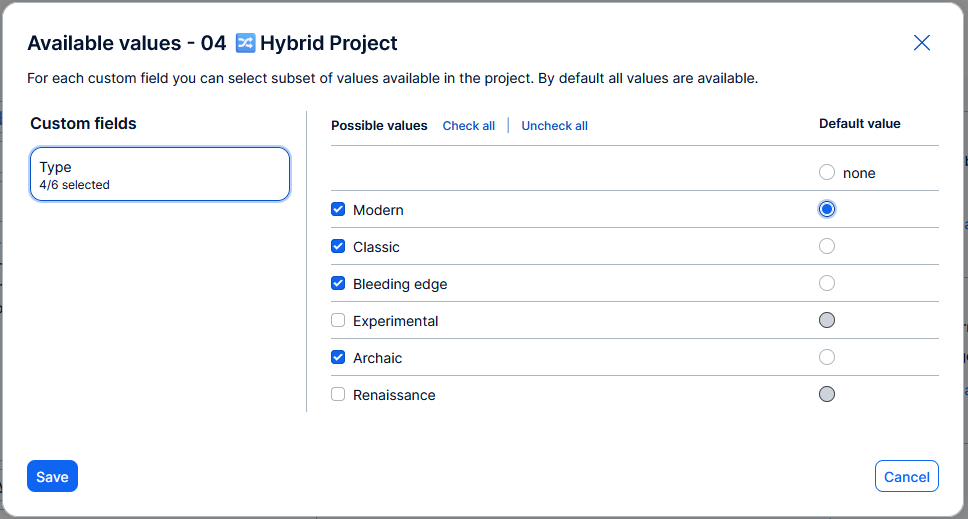
List custom fields - allowed values per project
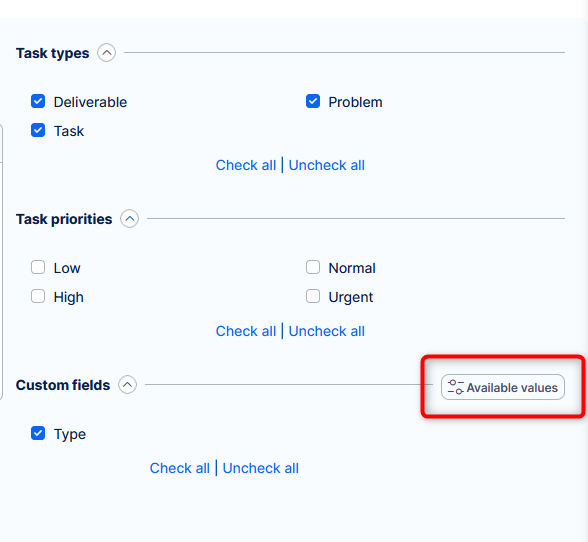
You can now limit task custom field values per project and set a project-specific default value. This gives each project more relevant options while keep data consistent and lean without necessity for duplicite fields.
New button within in Edit project >> Task custom fields, which opens an intuitive configurator of CF values in relevant fields.
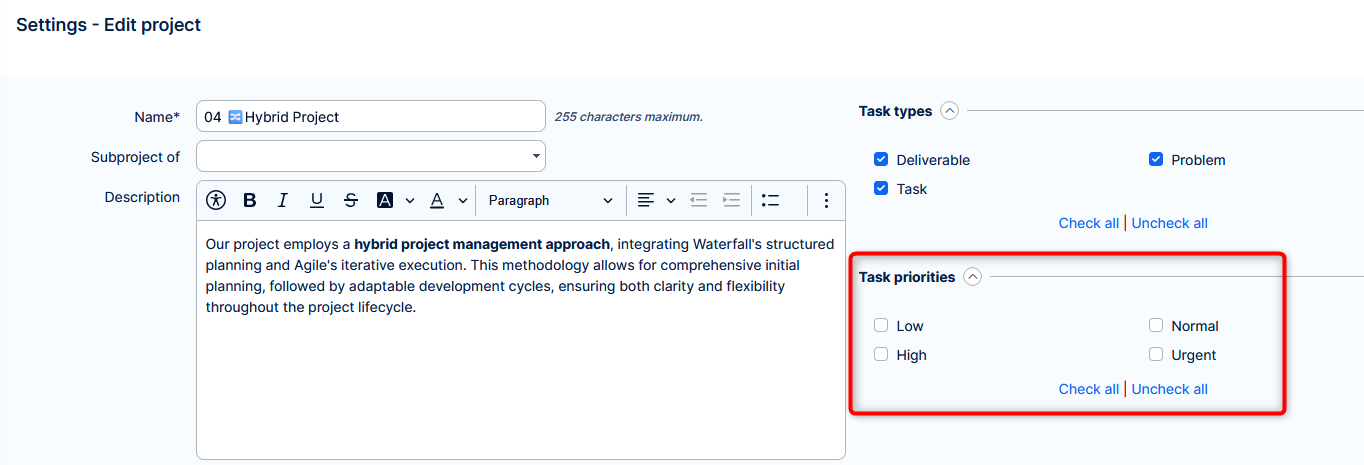
Disable priorities per project
It is now possible to limit which priorities are available within each project, so users only see project-relevant options and are less likely to choose the wrong priority. This filtering now applies consistently across task forms, bulk edits, lists, autocomplete fields, scheduling, and helpdesk SLA settings.
A new section in Edit project. The default state is no selected priority => all priorities are allowed => no action needed after updating to this version.
Modernized test cases
A visible revisit of test case functionality from just data evidence to interactive objects. The noticeable changes include:
- Reusable test steps
- Clear test overview on task detail
- Test plan streamlining
- Test executions native pass/fail status attribute
Reusable steps
In addition to the current fields Scenario and optional Result, the test cases now allow distincts steps. They can be test case specfic, or saved and shared and reused.
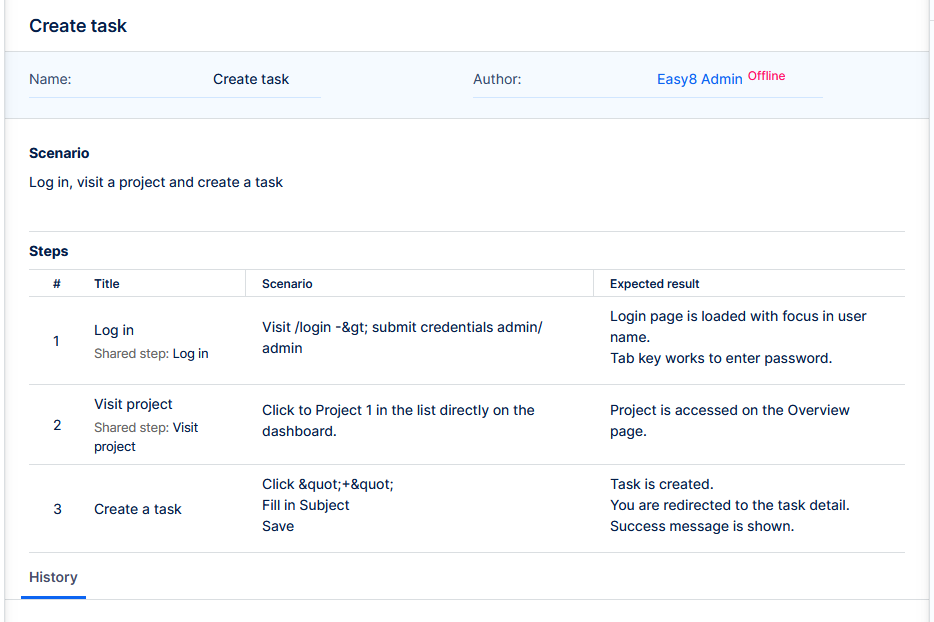
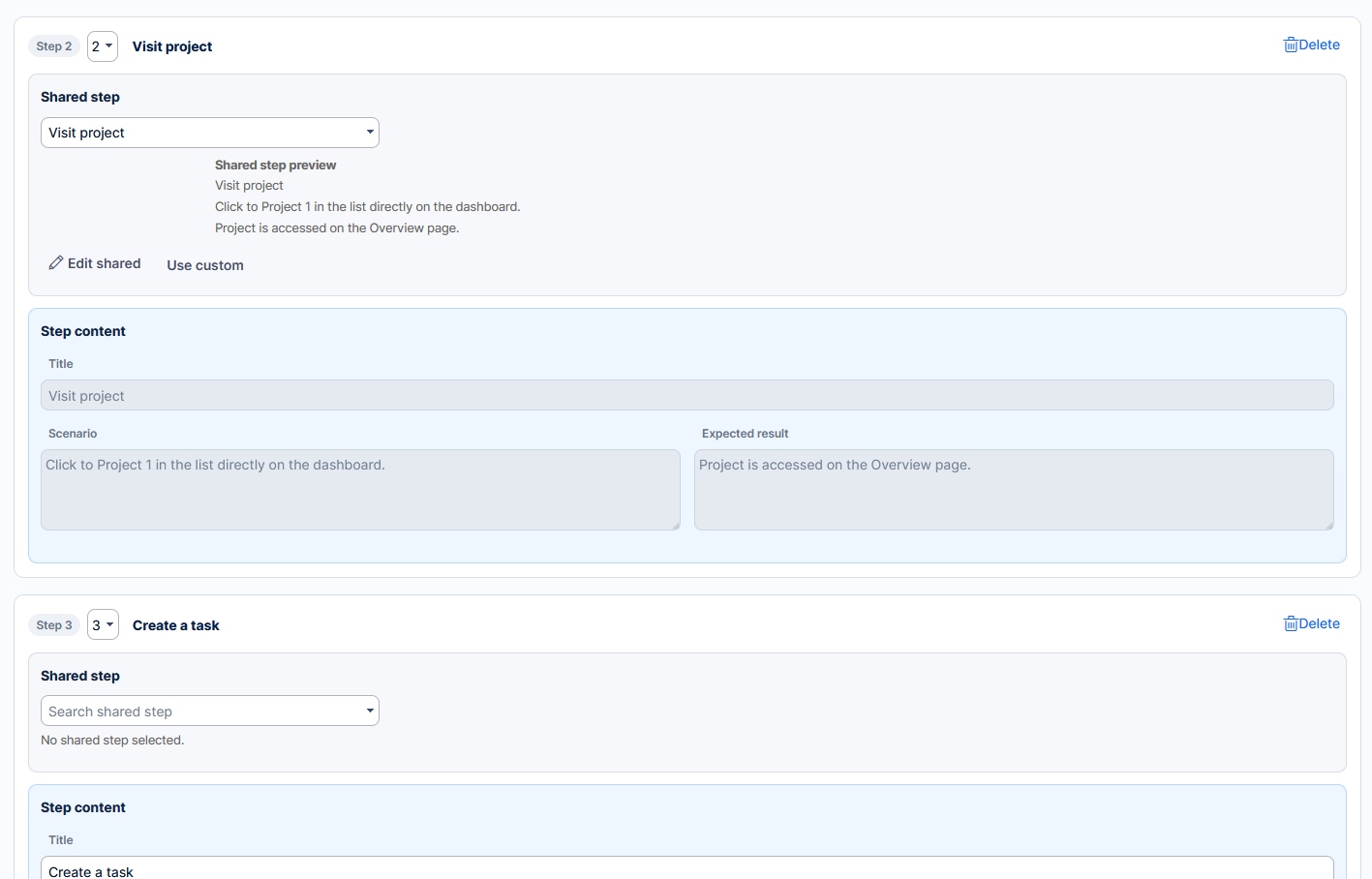
There is a separate list of shared steps, and each shows where it is used.
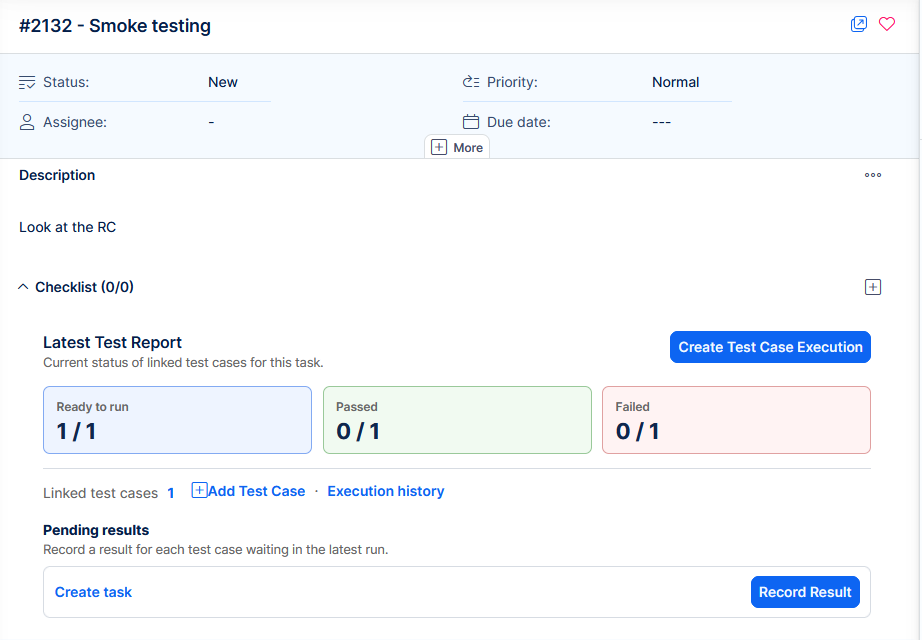
Test overview on task detail
The task represents the job of the tester. It shows statistics and actions for their testing.
Test plan streamlining
Test plans harness multiple test cases and now provide more interactive option to record results.
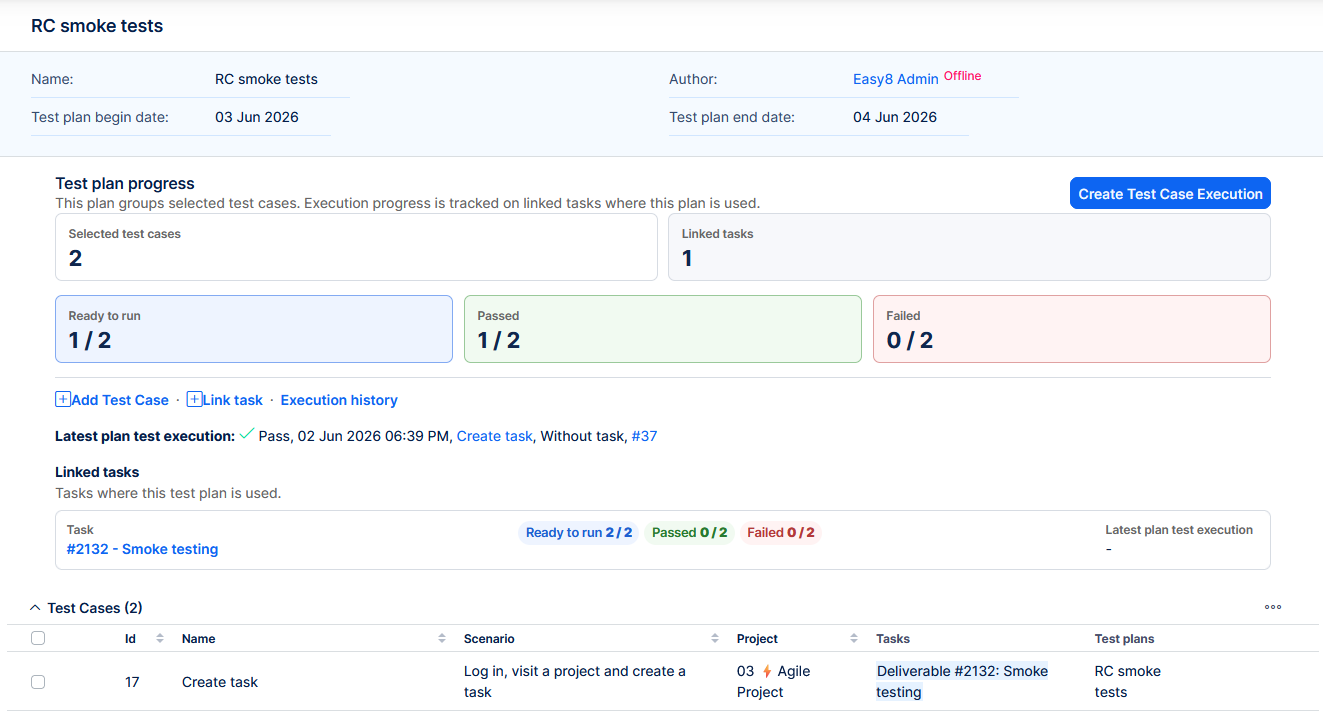
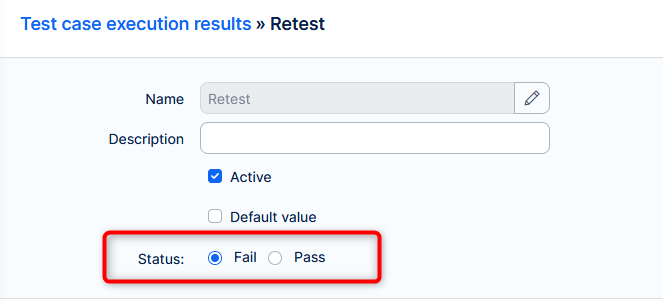
Executions - native pass/fail status attribute
While creating/editing test case execution results, you also state explicitly whether it represent a pass or fail result.
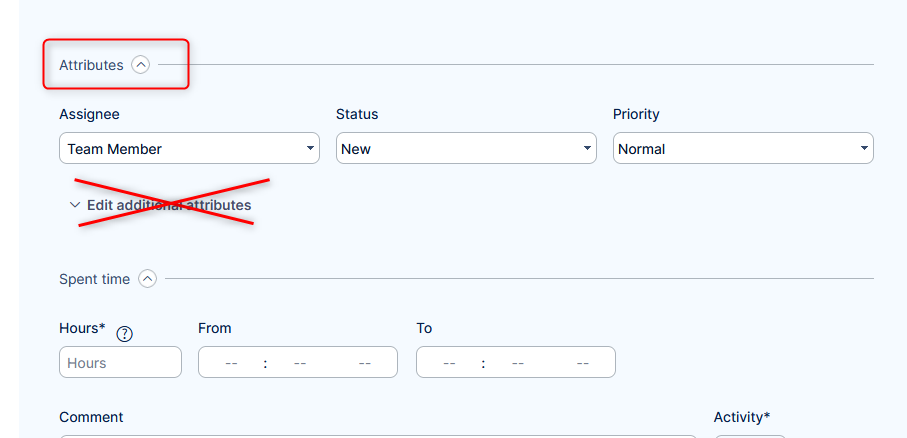
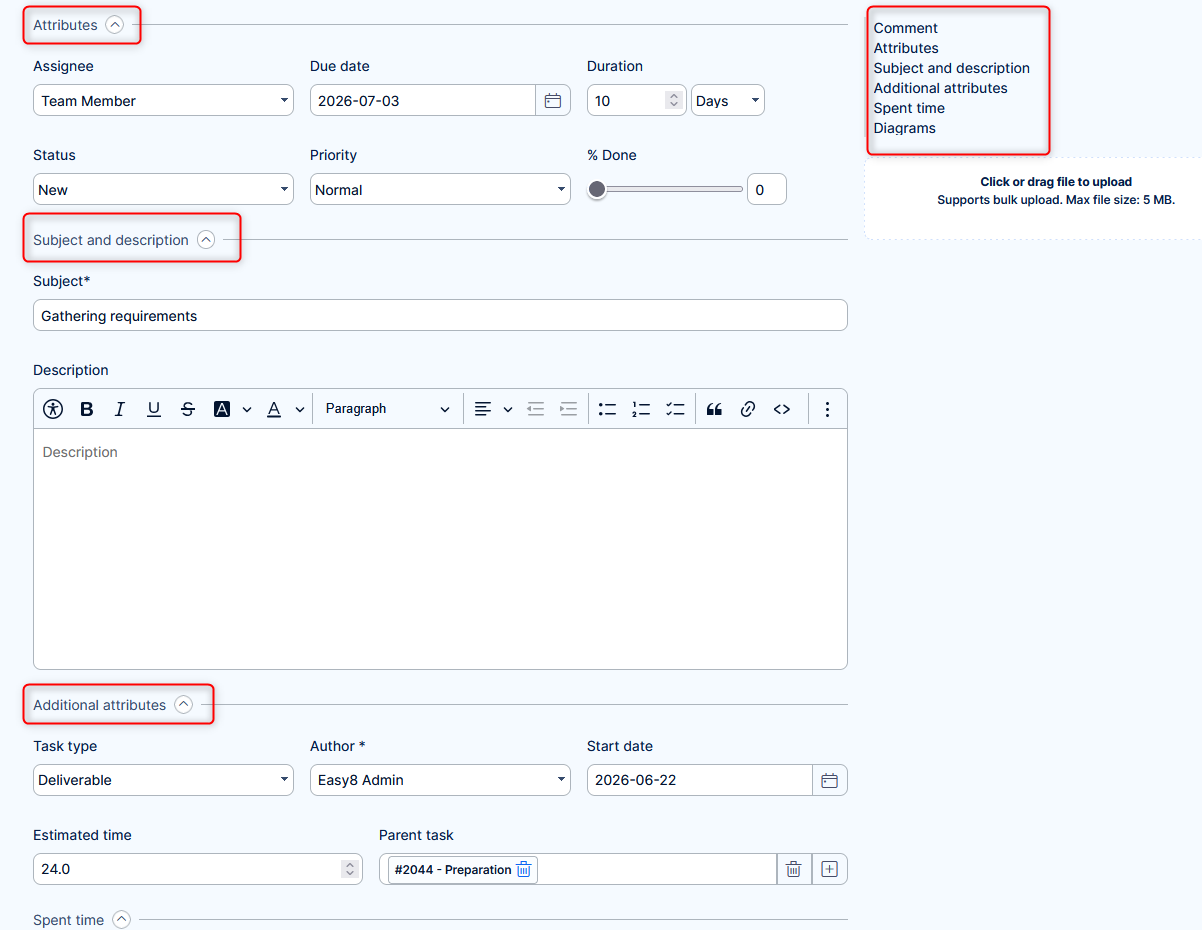
Task edit - grouped attributes
Task edit form is now more streamlined:
- subject and description
- additional attributes
- help desk fields
are shown as separate sections instead of being hidden behind additional attributes toggle. This makes issue details easier to find and update. The structure is also reflected in the navigation bar.
Previously
Now
⚠️Knowledge base 5.1
Easy8 version 15.10 is strictly tied with Knowledge 5.1.
The main technical change is that the add-on will run on suburi (yourapp.com/kb) instead of a separate URL as before. For this reason there are compatibility requirements:
- Easy8 15.10 requires KB version 5.1
- KB version 5.1 cannot run on Easy8 version lower than 15.10
- KB version 4.5 (previous version) cannot run on Easy8 version 15.10 and higher
If you have Knowledge base purchased, please read the release notes on KB 5.1.
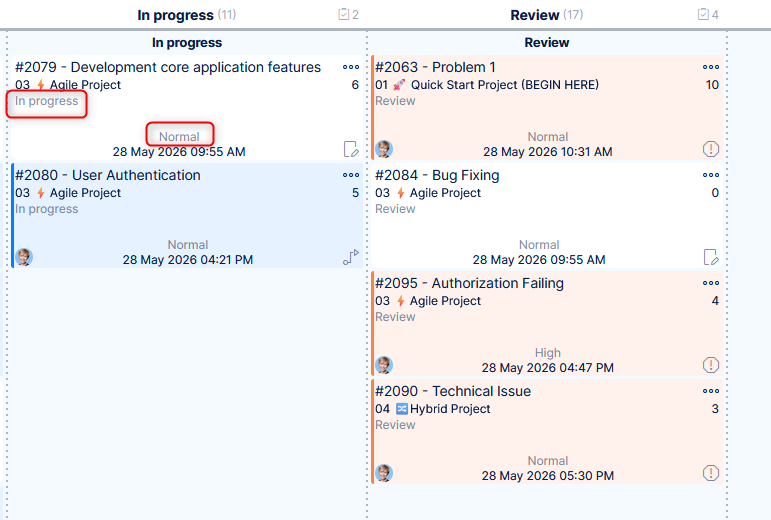
Extended info on kanban cards
Kanban cards are now easier to scan and understand, with support for a second subtitle, an additional lower detail line and less prominent task type icon. This gives teams more context directly on the board without opening each item.
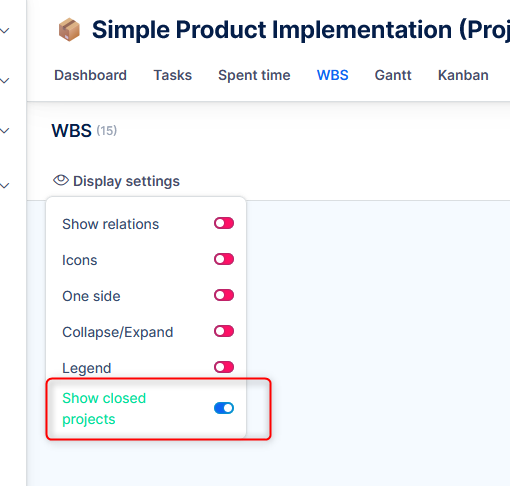
WBS show/hide close projects
You can now choose whether closed subprojects appear in the WBS view, making it easier to focus on active work. This fixes an issue where closed subprojects (which are read-only) were shown unexpectedly in the main project’s WBS.
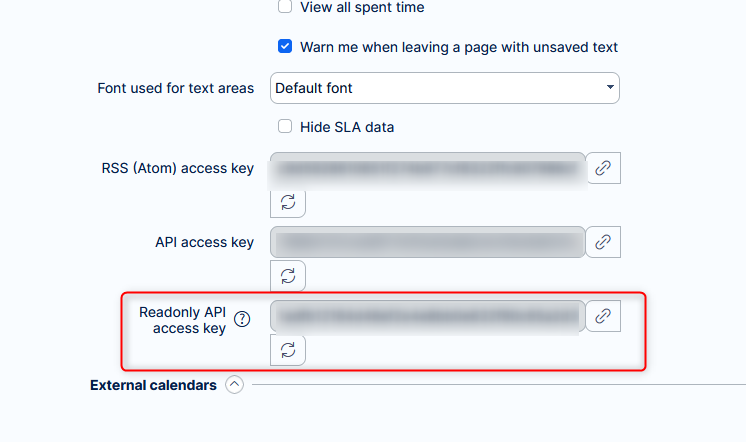
API key with readonly permissions
You can now generate a separate read-only API access key from your account settings, making it safer to connect external tools that only need to view data. Requests authenticated with this key are limited to approved read-only actions, helping protect your projects from unintended changes.
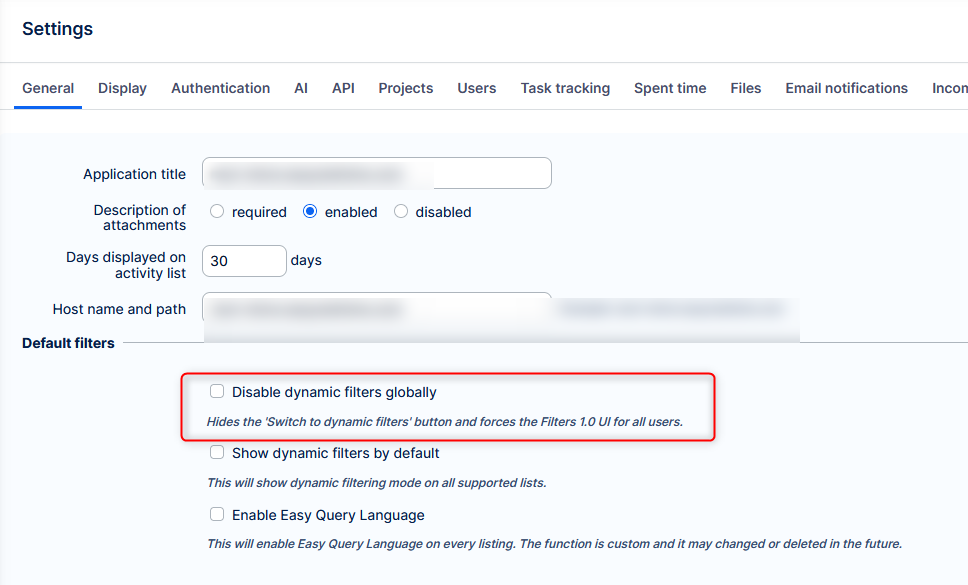
Dynamic filters - global toggle
Admins can now disable access to Dynamic Filters at the system level, keeping users in the Filters 1.0 experience. This helps prevent users from switching into incomplete filter workflows and reduces confusion.
Technological stack
This section is important for Server solution, although with Docker, these requirements are updated automatically. Cloud users need not worry about any of this.
- OS: Debian 12 on amd64 architecture
- Redmine: upgradable from version 6.0.9
- Ruby: 4.0.5
- Bundler: 2.7.1+
- Rubygems: 3.7.x
- Database: Percona/MySQL 8.4
- redis-server: 8
- NodeJS: 24.15
- Docker engine: 29.1.5
- Docker compose: 5.0.1
Ruby and NodeJS are strictly mandatory, without these versions you will not be able to run Easy8.
Percona MySQL is strongly recommended, due to optimization and testing with only this version.
✅ Or, forget about the management of technological stack and use Docker deployment. It combines the security of on-premises solution with nearly the comfort of cloud solution.
Before every application upgrade, please carefully refer to all release notes between your existing version and the new version - there may be critical technical or functional changes explained.
To avoid sifting through too many release notes in the future, we recommend updating your application regularly. With Docker updating is very simple, and brings you advantages:
- Latest security fixes
- Latest bug fixes
- Fewer changes at a time - better digestible for your users
