Project Card, Project Description and Project Information Widgets
Introduction
This article explains three widgets that show project data on a project dashboard in Easy8: Project card, Project description and Project information.
Target Audience
User
Understanding the Project Widgets
In the sidebar, you find a selection of widgets for the sidebar.
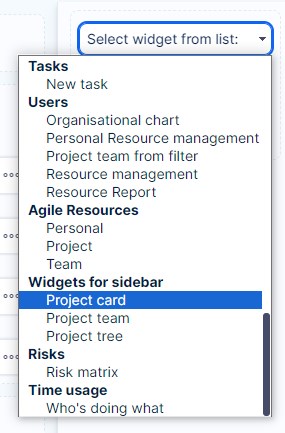
Project Card
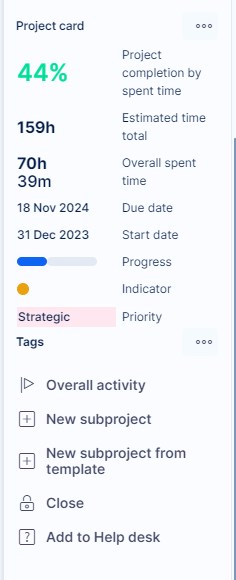
The Project card widget shows project data in a simple overview. Unlike Project information, it also gives you the following options directly in the widget:
- Overall activity
- New subproject
- New subproject from template
- Close
- Add to Help desk
Project Description
The Project description widget shows the project description, which is usually available only when you edit a project. Users without permission to edit the project can then read it directly on the project dashboard.
Project Information
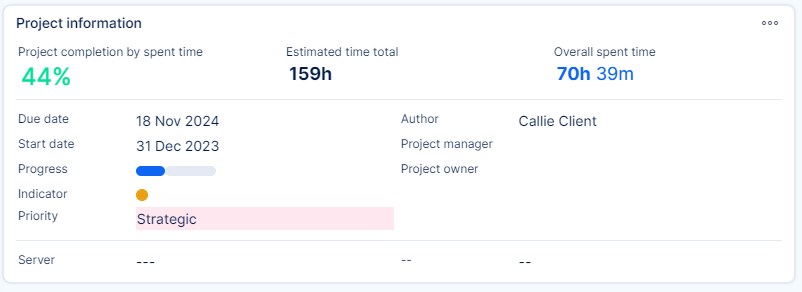
The Project information widget is similar to Project card, but it displays core project information only.
Conclusion
Use Project card when users need quick project actions next to the overview, Project information when the core data is enough, and Project description to make the description visible to users who cannot edit the project.