


HelpDesk User Portal enhancements
More control, better clarity, stronger security
Customer support today is no longer just about resolving tickets. It’s about how efficiently, clearly, and securely you communicate with customers across projects, teams, and systems.
The HelpDesk in Easy8 acts as a central touchpoint between your customers and your support team, and the quality of this interface directly impacts the overall experience.
The latest enhancements to the HelpDesk user portal focus on three key areas:
- organisation
- user experience
- security
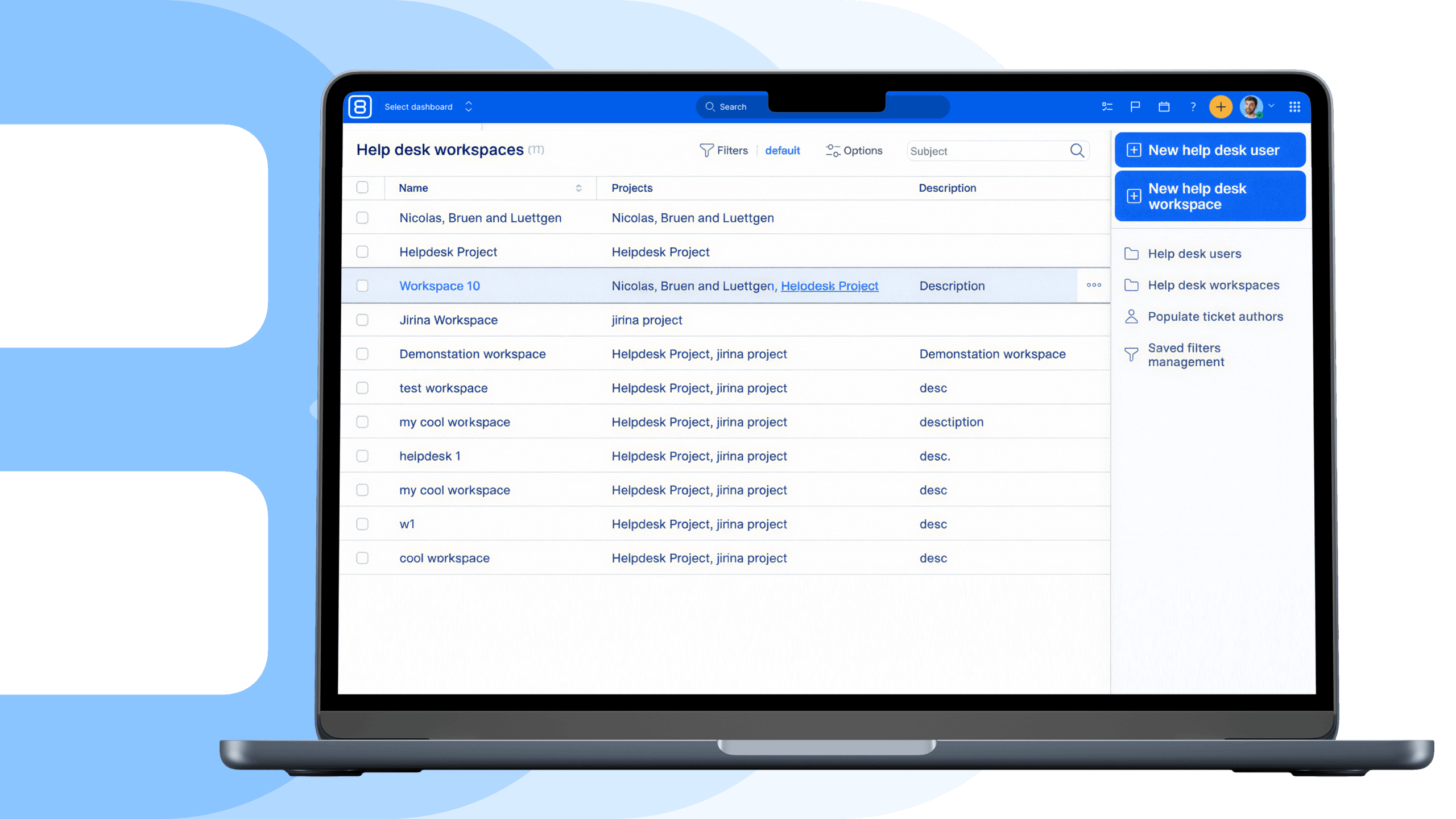
Better structure with HelpDesk workspaces
You can now group HelpDesk users into dedicated Workspaces.
Administrators can define:
- which projects each group can access
- which ticket types they are allowed to use
This ensures that every user only sees what is relevant to them.
This is especially useful when:
- managing multiple clients
- handling different service types
- separating internal and external communication
Benefit: Less complexity, more control, and a clearer environment for all users.
Custom dashboards for HelpDesk users
Different users need different information. Some want a ticket overview, others need trends or specific filtered lists.
With the new customisable dashboard templates, administrators can create tailored dashboards specifically for HelpDesk users and assign them to individual Workspaces.
Dashboards can include:
- ticket status overviews
- ticket trends over time
- filtered lists or specific views
- option to run custom workflow
Benefit: Users are not overwhelmed with unnecessary data and can quickly focus on what matters to them.
Faster ticket creation from templates
You can now add a “Ticket from Template” widget directly to the user dashboard.
Instead of creating tickets from scratch, users can submit requests using predefined forms where:
- selected fields are already pre-filled
- the structure matches a specific use case
Benefit: Faster ticket submission, fewer errors and follow-ups, consistent and structured data for support teams.
Stronger security with 2FA for external users
Security is a critical part of any customer-facing system.
You can now configure two-factor authentication (2FA) for HelpDesk users with three options:
- disabled
- optional
- mandatory
This allows administrators to adjust the level of security depending on the type of users or projects.
Benefit: Stronger protection of sensitive data, secure access to the support portal, improved compliance with modern security standards.
These updates are not just UI improvements. These newly added HD features address real operational challenges:
- users overwhelmed by irrelevant information,
- unclear structure across projects and clients,
- inconsistent ticket submissions,
- risks related to external access.
Automations to improve work delivery
Event-based automations in Easy8
Keep work moving, even when your focus is elsewhere. Until now, automations in Easy8 were primarily time-based, running at scheduled intervals. With the introduction of event-based automations, your system can now react immediately to changes as they happen. Instead of waiting, automations are triggered in real time by specific events in your projects.
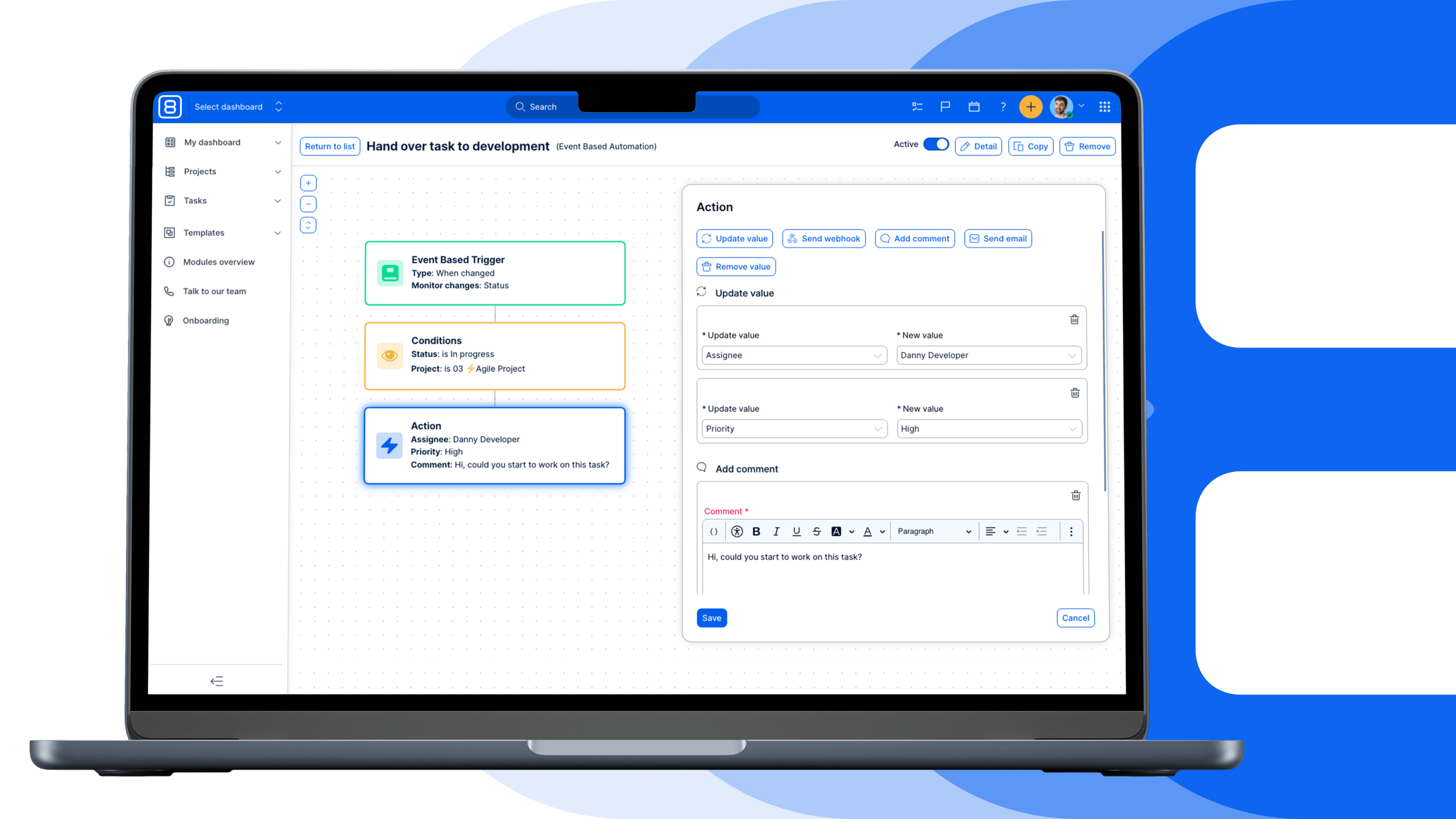
What’s new
Event-based automations introduce a new type of trigger that monitors activity on tasks.
You can now start an automation when:
- a task is created
- a specific attribute on a task changes (e.g., status, type, priority)
This means your workflows can respond instantly to real actions, without delays or manual intervention.
Event-based automations help eliminate manual handovers and delays in your processes.
Instead of relying on users to remember the next step, the system reacts automatically when something changes.
This leads to:
- faster task transitions,
- consistent workflows across teams,
- fewer missed steps or errors,
- more predictable execution.
Example use cases
Here are a few practical scenarios:
When a task status changes to “Consultation”, automatically:
- assign it to a specific user or team,
- add a comment with instructions.
When a task type changes to “Bug”, automatically:
- increase priority,
- add relevant coworkers.
These automations ensure that every change triggers the right next step, without manual coordination.
A natural extension of existing automations
This is not a completely new system, but an extension of what you already use.
The only change is the trigger:
- time-based → event-based
Conditions and actions remain the same, so you can start using event-based automations immediately without a learning curve. You can now build workflows that don’t just run on schedule, but actively respond to your work as it happens.
The result is a more dynamic, connected system where tasks move forward automatically, and teams spend less time coordinating and more time delivering.
Easy8 Workflow Catalogue
The Easy8 Workflow Catalogue gives you practical automation use cases built on n8n and Easy8. Instead of starting from scratch, you can explore real workflows that solve everyday problems across marketing, sales, operations, and support.
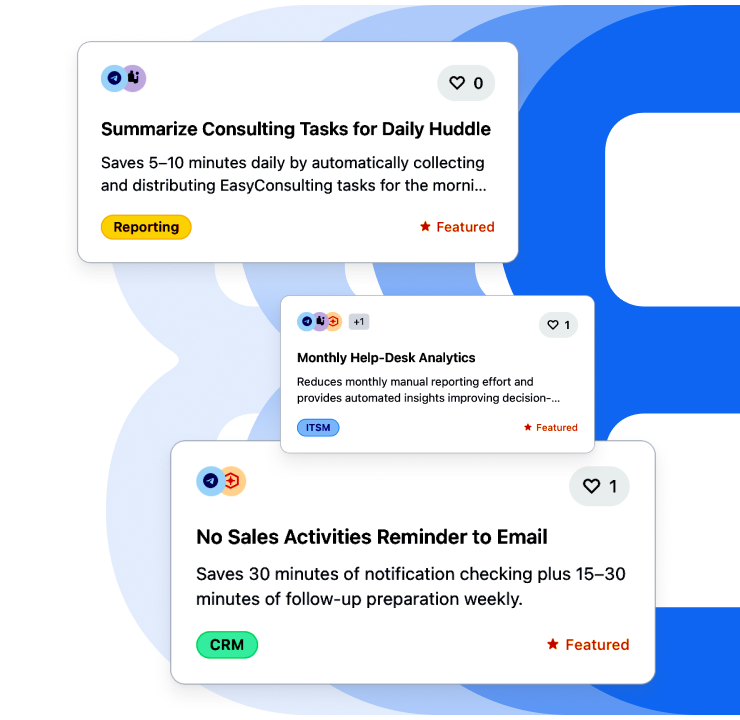
What is the offer
Workflows are organised by real use cases, so you can quickly find what’s relevant:
- Sales automation (lead enrichment, follow-ups).
- Marketing workflows (reporting, distribution).
- Project & delivery processes.
- IT & operations automations.
Each workflow shows how tools connect and what gets automated.
How to navigate
The easiest way to use:
- Start with your use case
- Understand the flow (trigger → action)
- Identify tools and integrations
- Map it to your setup
We continuously expand the catalogue based on real needs.
If a workflow is not available yet, you can request a specific automation or discuss your use case with an expert. Many workflows are still in development. You can join the waitlist to be notified once they are ready to use in the Easy8 environment.
WorkOps: A new way to run work delivery
Most teams today don’t struggle with a lack of tools, but with how disconnected those tools are. WorkOps in Easy8 connects your projects, support, development, and operations into one system, so work flows smoothly instead of getting stuck between tools and teams.
Discover how to connect planning, execution, and automation into one coordinated workflow across people, tools, data, and AI.
Calculate how much automation could unlock for your team
Discover how much time and budget your team is losing to manual work. Use the calculator to estimate savings from reduced reporting, fewer handovers, and less tool switching, and see the potential impact of automated workflows on productivity and cost efficiency.
Meet Easy8 during our online sessions
Available now – webinar recordings:
- 26.02.2026 – AI-powered WorkOps foundations: From tool chaos to automated, AI-driven workflows
- 12.03.2026 – AI-powered WorkOps for Product teams: Faster delivery with n8n Automations & AI
- 26.03.2026 - AI-powered WorkOps for Project Managers: AI & n8n Automations beyond Gantt charts
- 09.04.2026 – AI-powered WorkOps for Marketing teams: Campaign execution powered by n8n Automations & AI
Upcoming live sessions:
- 23.04.2026 at 14:00 – AI-powered WorkOps for Customer Success: Scaling delivery with n8n Automations & AI
- 07.05.2026 at 14:00 – AI-powered WorkOps for regulated environments: Implementing automations without losing control
- 21.05.2026 at 14:00 – AI-powered WorkOps for collaborative work management: Connecting teams, tools, and decisions
- 04.06.2026 at 14:00 – AI-powered WorkOps for IT operations: Workflow automations for technical teams with n8n
For more technical details, see the latest Release notes for version: 15.8.0
