How to Create Tasks with the New Task Widget
Introduction
This guide shows you how to set up the New task widget in Easy8. The widget gives you the option to quickly create tasks directly from a dashboard.
Target Audience
User
Prerequisites
Before you start, make sure you have:
- Access to an existing dashboard
- Permission to customise the dashboard
How to Set Up the New Task Widget
Step 1: Add the widget
- Open the dashboard and click Customise.
- Add the New task widget.
Step 2: Choose which fields the widget shows
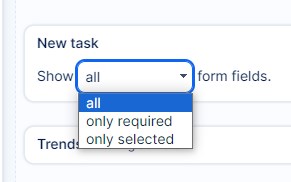
When you add the widget, you have three options to show fields:
- Show all
- Only required
- Only selected
Step 3: Select the fields
If you choose Only selected, you select directly which fields appear in the widget.
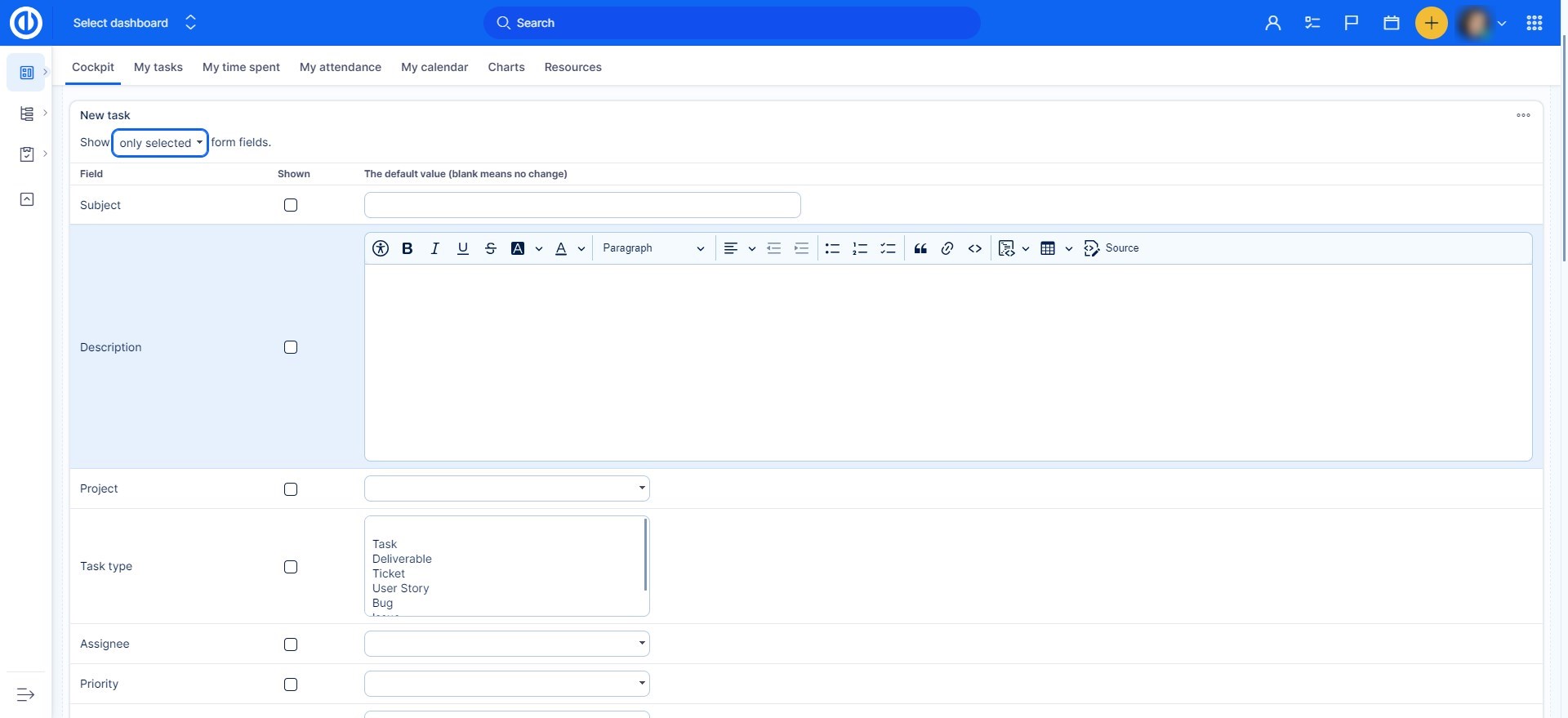
Note: Select the fields carefully. Some fields are essential for creating a task, such as the subject and the task type. Leaving them out can cause issues when you create tasks from the widget.
Conclusion
You have set up a New task widget, so that you can create tasks directly from the dashboard with the fields you need.