Release notes for version: 15.11.0
Automations - task sequencing
Automations contain the ability to affect tasks in a sequence (via follows relation) or in a tree (parent-subtask structure).
How it works (example use case)
- Set up a sequence of tasks with follows relations (for example in Gantt).
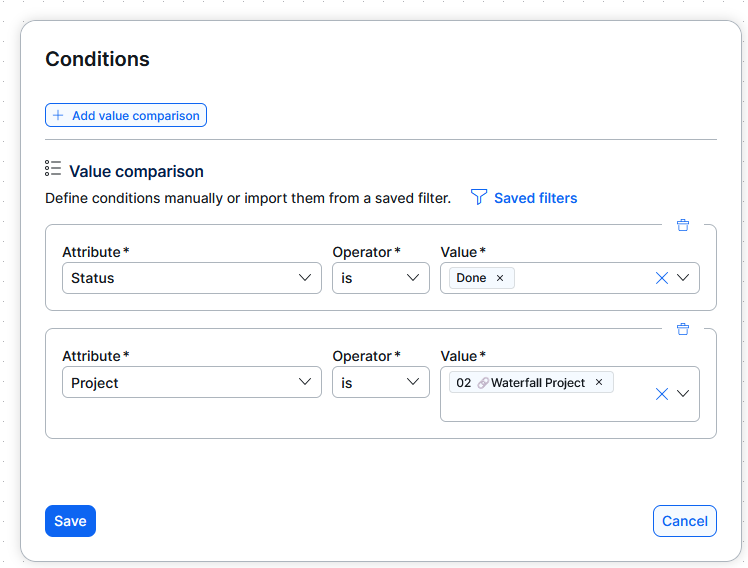
- Create an event based automation
- Set conditions (filters) for a given project or task type + status = Done or Closed (this indicates finishing of the task)
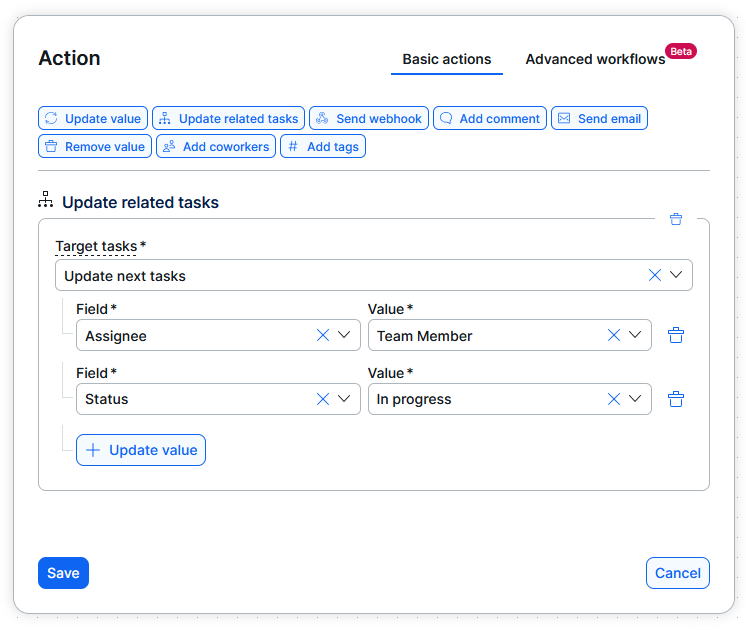
- Set action - Update related tasks
- Update next tasks - tasks directly following the current one
- Set what should happen with the following task, for example - assign to a user/group and change status
Gantt remembers column width
User who adjusts the width of default columns in Gantt, will have the columns widths remembered for future Gantt views.
Task referencing changes
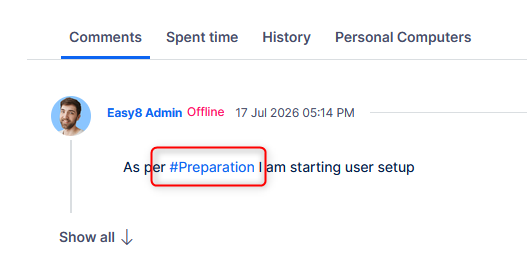
Referencing a task in text via #task_id was improved in the following ways:
- The reference shows task subject
- Opening a task from this reference uses quick task editor instead of redirecting to a new page. Standard new-tab behavior is preserved when using Ctrl/Cmd-click.
Entering the reference remains by task ID.
Agile Resoruce Management - quantification
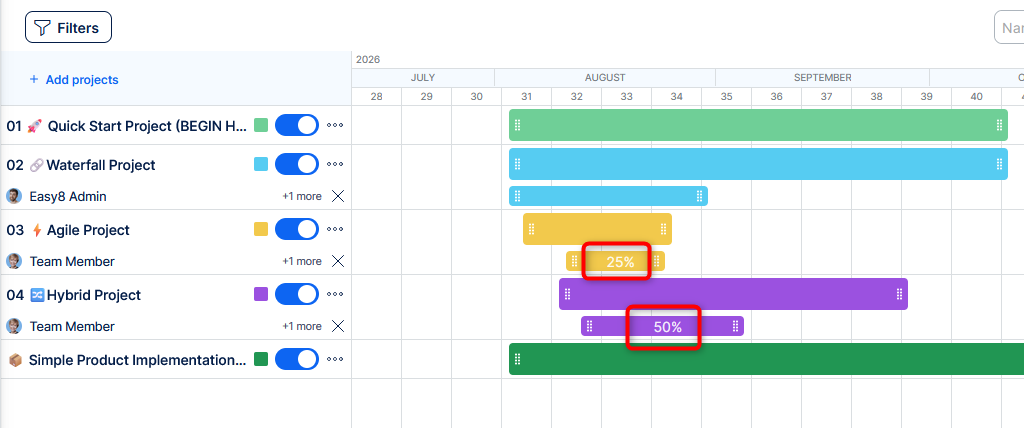
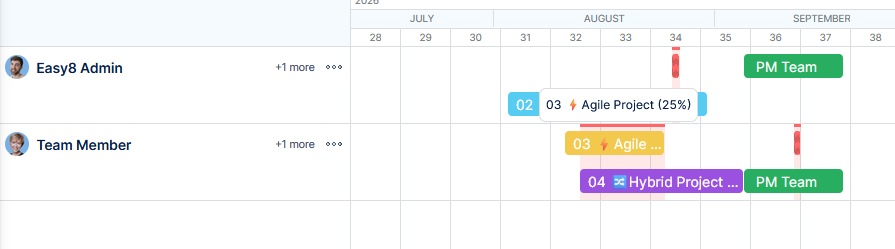
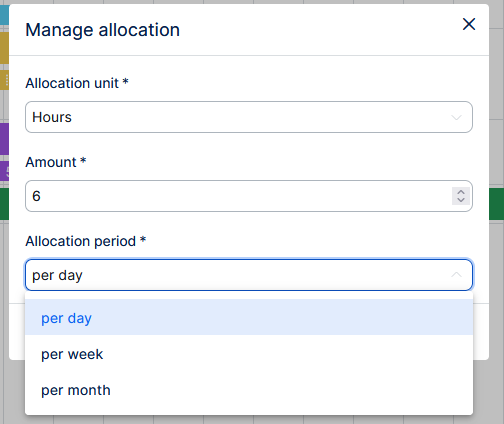
You can now quantify allocation for project and team assignments using percentages, hours, or days. Allocation bars also warn when a person or team is overbooked.
How it works
When planning allocation of a user of team in a project, right click on the bar and hit Manage allocation.
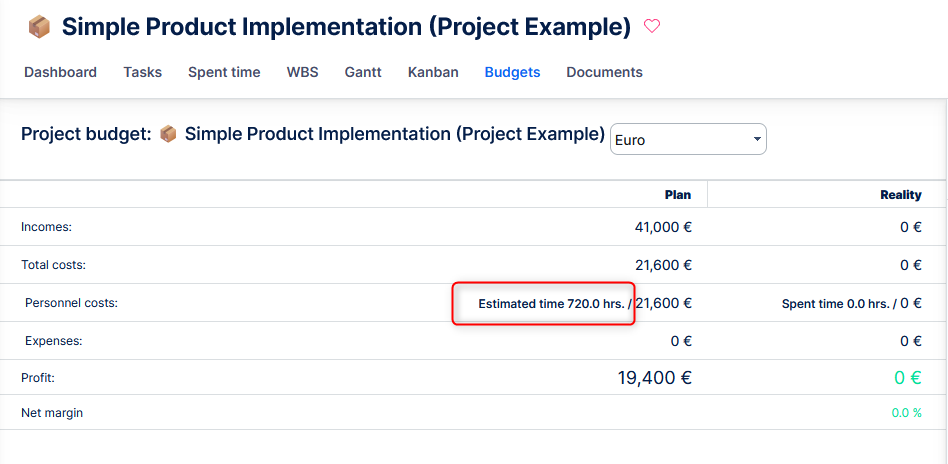
Budgets - showing estimated hours in Planned personnel costs line
Project budgets now show estimated hours alongside planned personnel costs when those costs are based on estimated or planned hours.
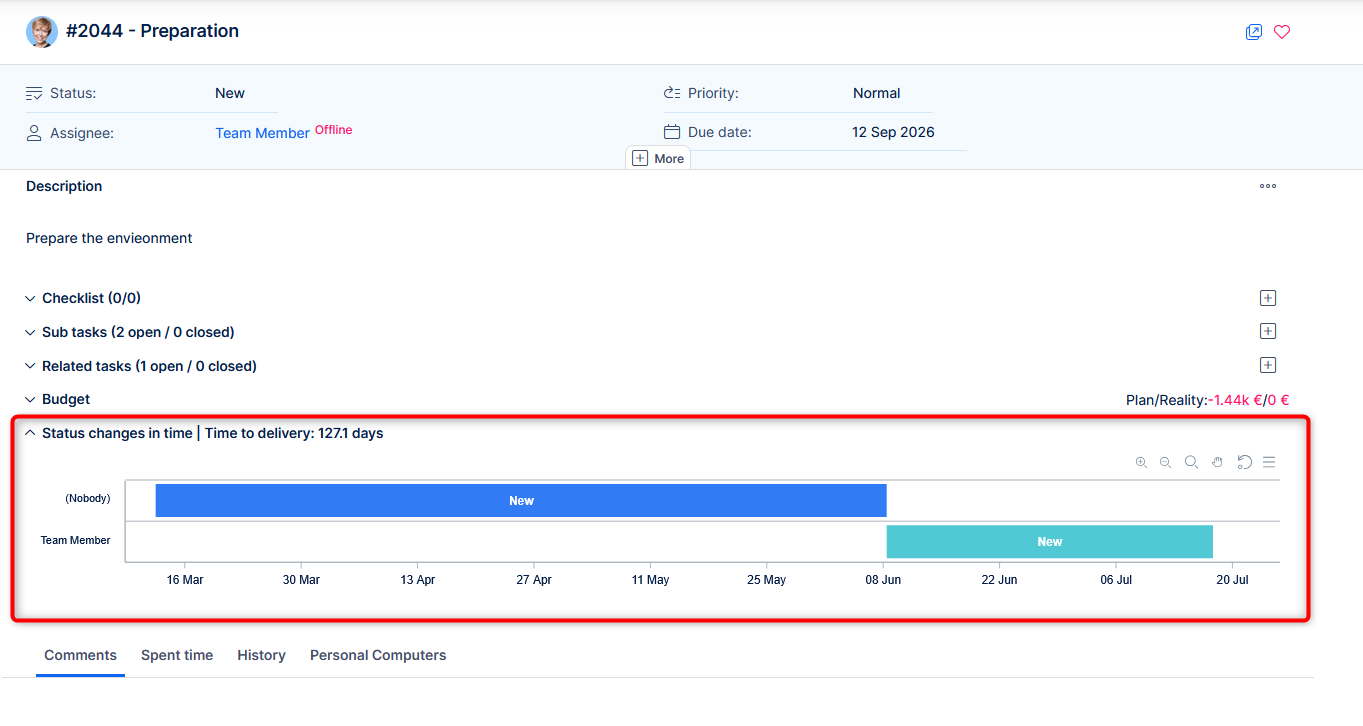
Task detail - status timeline
Task detail now shows a chart visualizing stages based on combimation of status and assignee.
HTML attachments open formatted
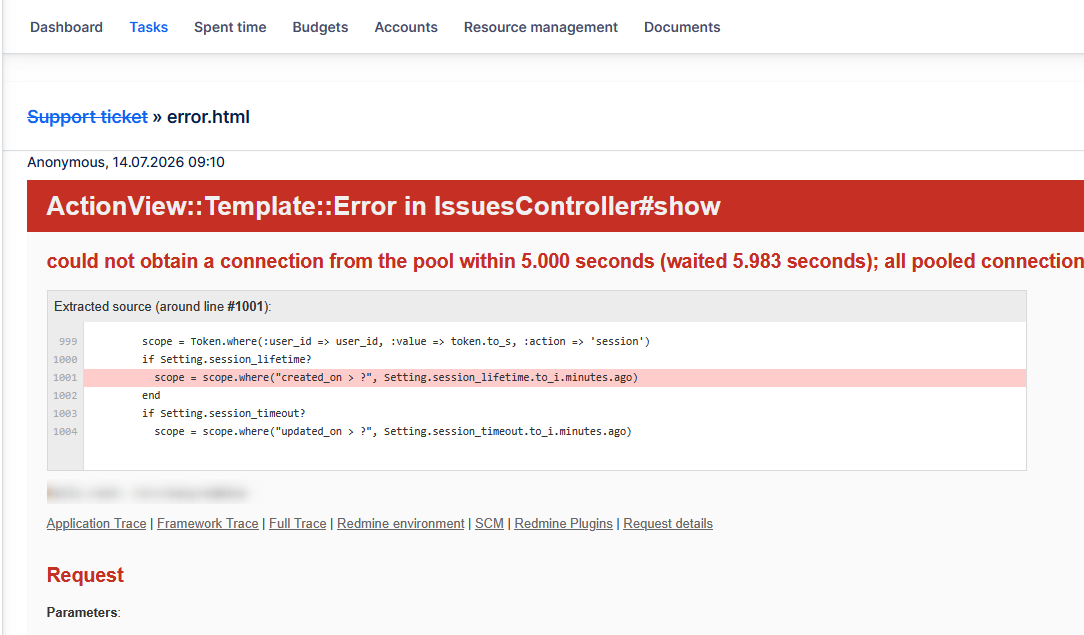
Previously
Attachments in html filetype would open directly in the application, but showing only the HTML code, instead of the actual formatted content.
Now
These attachments open showing the formatted HTML content.
Auto-enabled permissions
Update from a lower version to 15.11.x and higher will enable permissions on existing roles (except non-member and anonymous) for the following features:
- Agile resource management
- Scrum boards
- Task templates
This is a one-time action. Disabeling these permissions again will keep them disabled further on.
Calendar week numbering standardized
Previously
There have been inconsistencies in various weekly views in the application (grouping spent time by week, date pickers, charts with week as X axis, calendar views, etc). They may have shown different week numbers due to various application settings and code implementation.
Now
Week numbering always follows ISO 8601 standard. Even if you configure Satuday or Sunday as first day of the week, the application will show the week number for the majority of the days in that ISO non-compliant week.
Technological stack
This section is important for Server solution, although with Docker, these requirements are updated automatically. Cloud users need not worry about any of this.
- OS: Debian 12 on amd64 architecture
- Redmine: upgradable from version 6.0.9
- Ruby: 4.0.5
- Bundler: 2.7.1+
- Rubygems: 3.7.x
- Database: Percona/MySQL 8.4
- redis-server: 8
- NodeJS: 24.15
- Docker engine: 29.1.5
- Docker compose: 5.0.1
Ruby and NodeJS are strictly mandatory, without these versions you will not be able to run Easy8.
Percona MySQL is strongly recommended, due to optimization and testing with only this version.
✅ Or, forget about the management of technological stack and use Docker deployment. It combines the security of on-premises solution with nearly the comfort of cloud solution.
Before every application upgrade, please carefully refer to all release notes between your existing version and the new version - there may be critical technical or functional changes explained.
To avoid sifting through too many release notes in the future, we recommend updating your application regularly. With Docker updating is very simple, and brings you advantages:
- Latest security fixes
- Latest bug fixes
- Fewer changes at a time - better digestible for your users