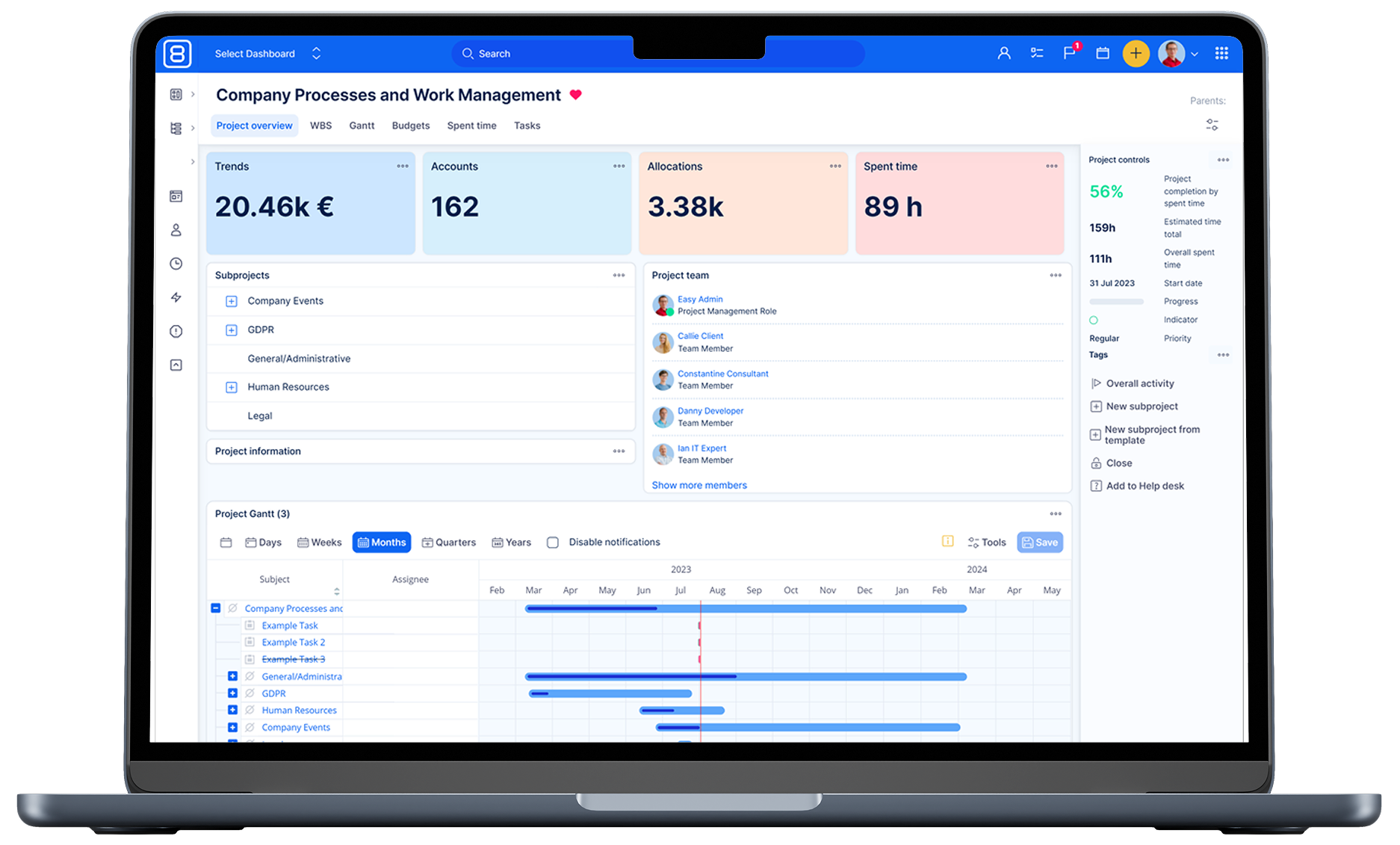
Integration With Easy8 Using Zapier
Are you interested in how to integrate Easy8 with other systems? Simply thanks to Zapier platform.

Integration needs
Nowadays, Web system integration is more important than ever. Each company manages their business with them, and most use several systems at the same time for different areas. Here comes the need for integration if you want to connect individual systems and have an overview of the whole company or introduce a new system.
How is it easy to connect? Most systems support the API, through which they can connect with other systems, but the problem is to teach these APIs to interact with each other without further development for a particular integration.
Zapier platform
The solution is the Zapier platform, which connects the API with more than 750 web applications and enables the transfer of data and operations from one application to another. You can simply set up your own automated workflow without further development. Each connection is called ZAP, which consists of trigger and action. The trigger starts up a workflow that ends with actions.
A trigger is an event in which Zapier finds that something new was created in the first application, for example, if a new project or task was created. An action is an event where Zapier creates something in the second application, for example, creating a project or task from the first application.

Zap workflow
Easy8 on Zapier
For now, Easy8 is available on the Zapier platform in an unpublished version, but with our help, we are able to integrate Easy8 with all Zapier applications. The limit is only in API options. What our API can do is possible on Zapier, for example, operations with the following entities: tasks, projects, time entries, project incomes and expenses, attendance entries, contacts, and CRM cases.
Other applications are limited by available triggers and actions that are constantly expanding. See the Zapbook for all available applications and their integration capabilities.
Need help with Easy8 Integration
Typical use cases of integration
Project expenses and incomes
One example is a company that uses a different application for managing finance and accounting than for project management. However, they want to monitor expenses and incomes over projects. Such workflows for XERO and Easy8 could look like this: Each amount paid out of the received/issued invoice in XERO will be transferred to Easy8 as the expense/income of the project.

Easy8 2018 expenses and incomes integration
Time tracking
Another example is a company that uses a long-established application such as Toggl for tracking and reporting staff time. However strategic management wants to start managing its projects efficiently and will therefore implement Easy8. They still want to track the times in Toggl, but also keep tracks of projects in Easy8. The workflow is as follows: Each new time record in Toggl is transferred to Easy8 as a time record of the project.
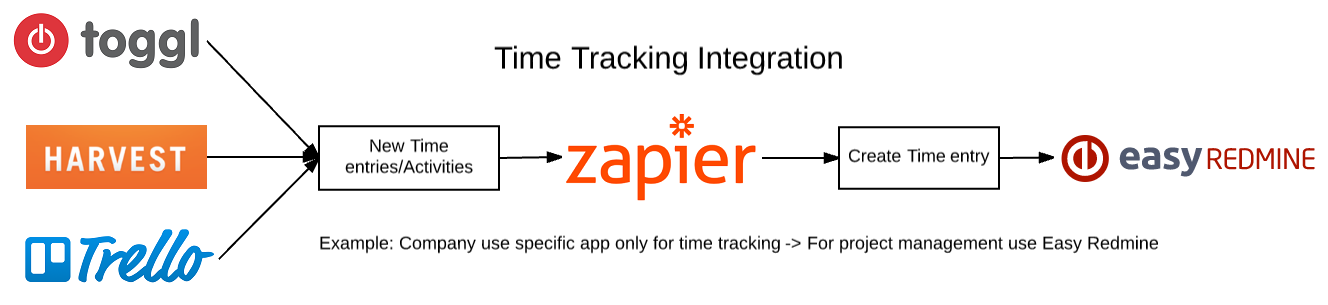
Easy8 2018 time tracking integration
Projects integration
Another example concerns the integration of projects. The team leader of external department uses Trello, but the strategic manager uses Easy8 for the entire company. Integration could solve the following situation: The team leader for their departments creates projects in Trello, but they are transferred to Easy8, where a strategic manager has an overview.
Integration is also possible in the opposite direction when ahead of the development department uses the JIRA application, but Easy8 is used for the entire company. Integration would look like: The Strategic Manager creates projects for the development department in Easy8, they are transferred to the JIRA application for a head of the department.
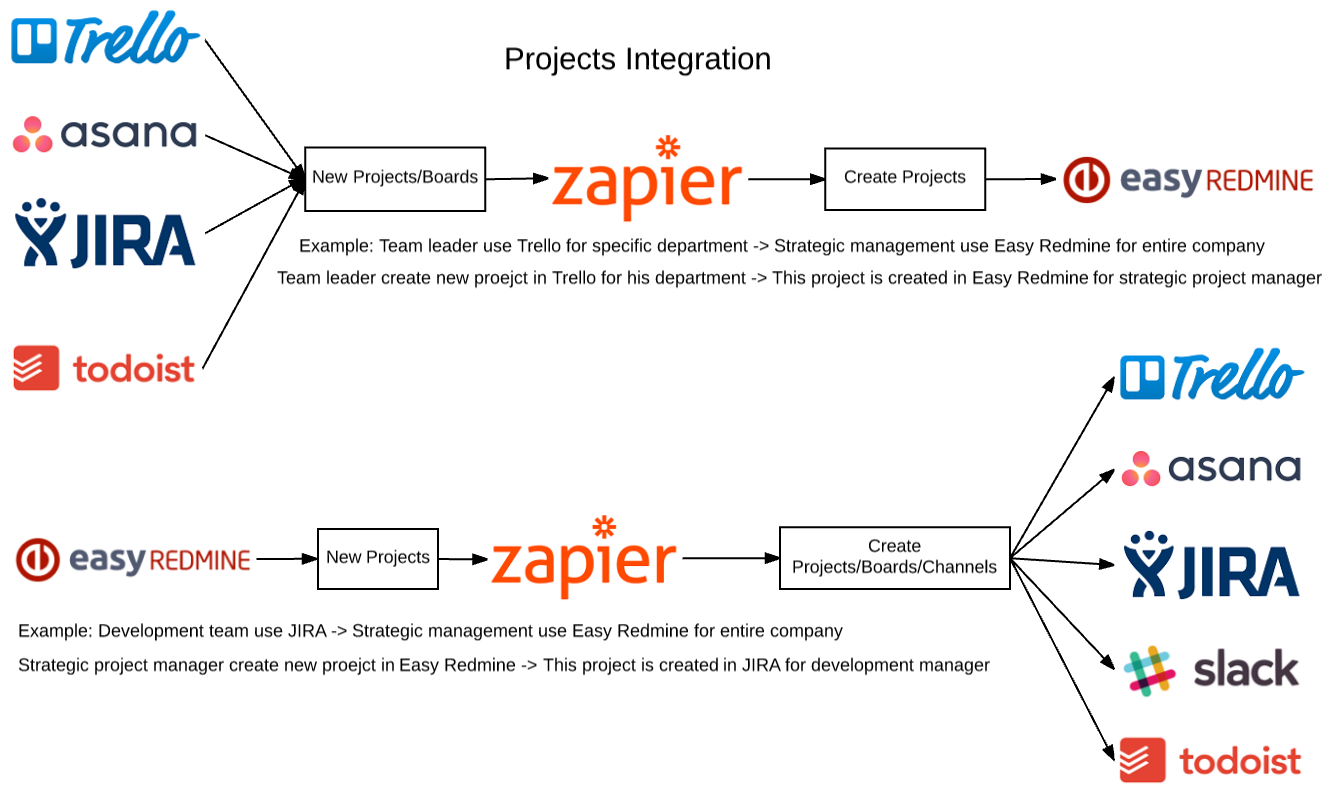
Easy8 2018 projects integration
Tasks integration
The last example closely follows the integration of the project. When we are able to transfer projects between projects, there is nothing easier to transfer their tasks. Examples are: The team leader creates tasks in Trello that are transferred to the Easy8, where the strategic manager has an overview and can create tasks for a manager using JIRA.
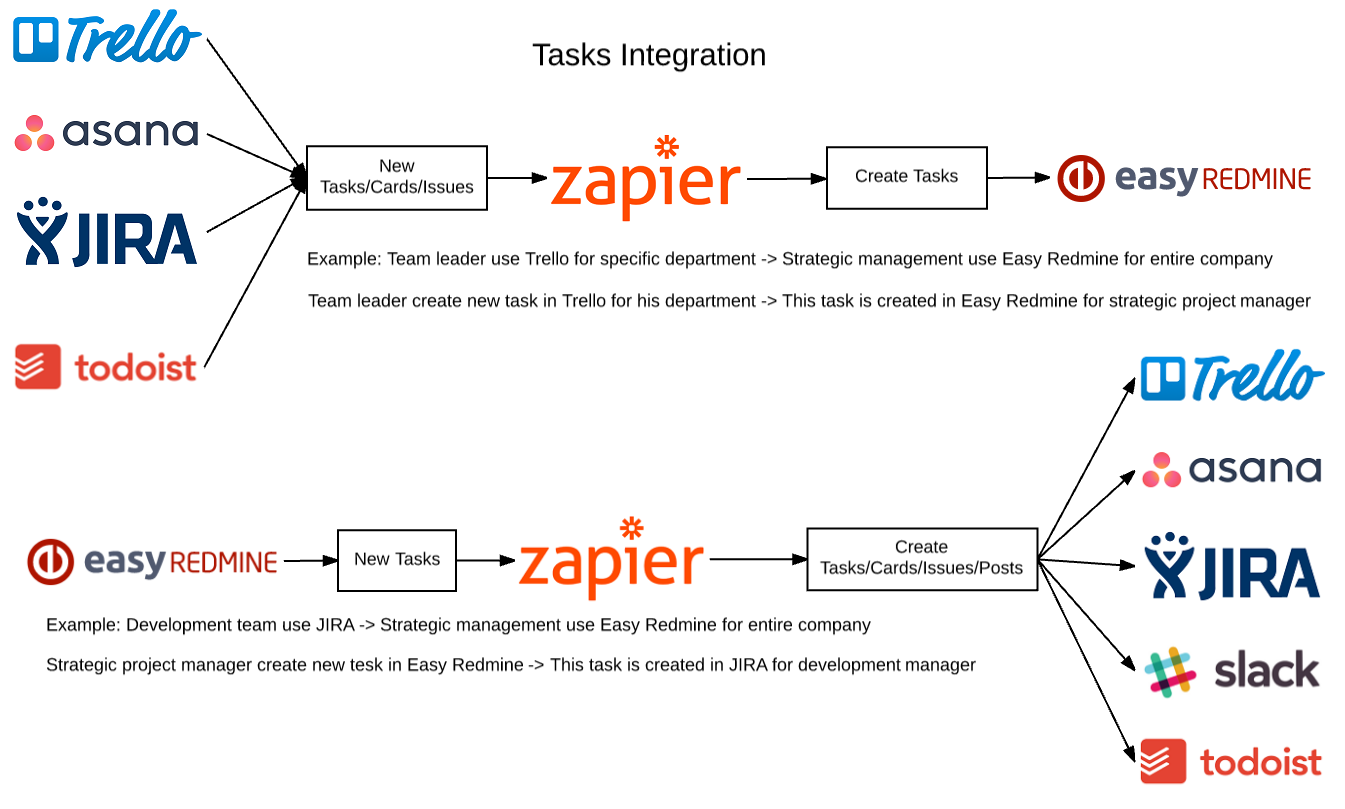
Easy8 2018 tasks integration
Integration possibilities with Easy8
The integration possibilities depend on the availability of the application on the Zapier platform. It also has to include the triggers and actions needed for the workflow. Whether you can integrate your application with Easy8 can be found in the following guideline.
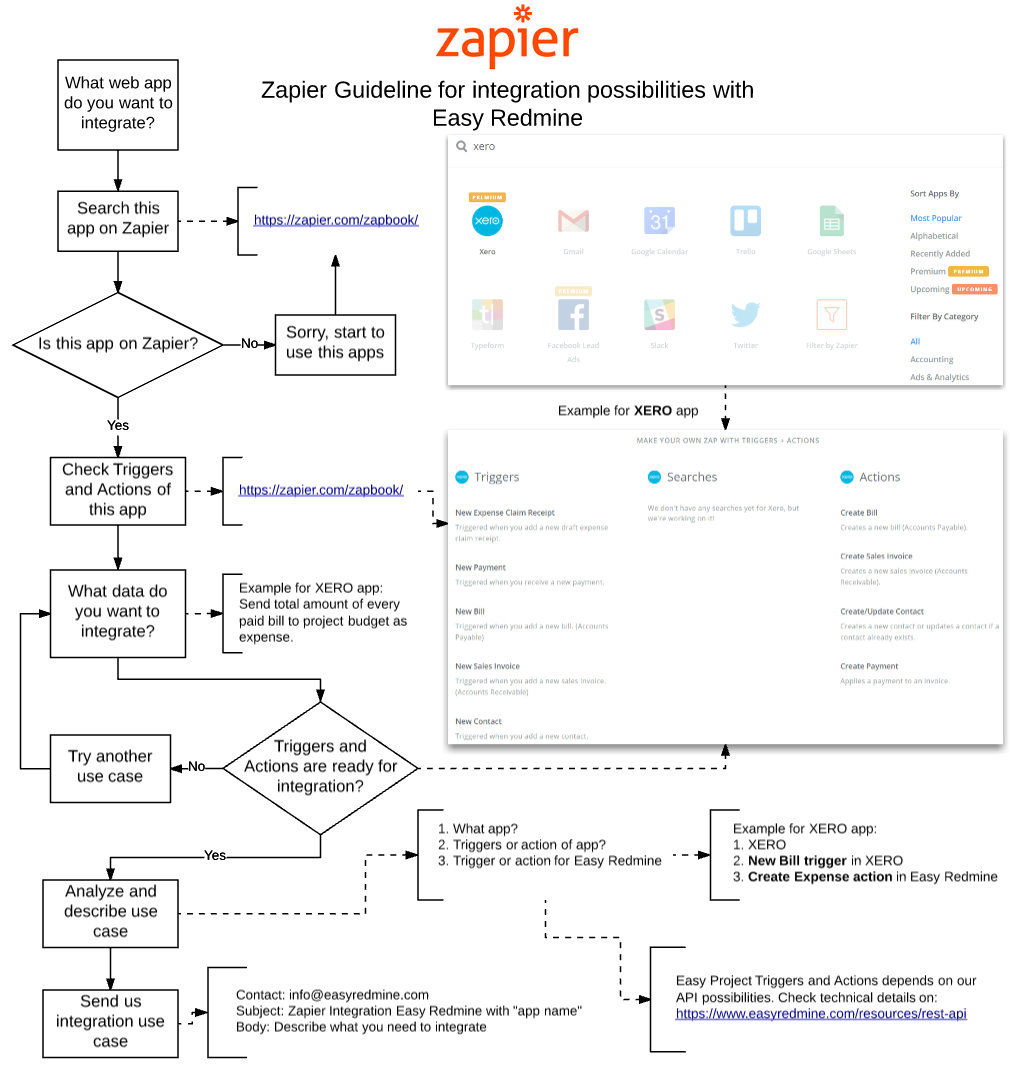
Zapier guideline for integration with Easy8 2018
For more information about the request for integration check out page Easy8 Zapier integration .
Benefits of integration with Easy8 using Zapier
Thanks to Zapier integration, you will be able to connect your existing applications to Easy8, so you can start managing projects in Easy8 and have an overview of other applications. So Easy8 can become your central system where data from other systems will be transferred without the need to develop your own integration, Zapier can handle everything.