


Understanding Default Filters
Introduction
Default filters in Easy8 are used to automatically show pre-defined data when a user opens a module. These filters are not created by individual users but are set by administrators. They help set the system to show only the most relevant information by default. This article explains what default filters are, how they work, and how they improve the user experience.
Target Audience
- Administrator
- User
Understanding Default Filters
Definition
A default filter is a system-wide filter that is automatically active when no other filters are applied. These filters are set by administrators and help define what data users see by default when opening a module, such as Tasks, Projects, or Time Entries.
Key points:
- Created and managed by administrators
- Apply automatically when no custom filters are active
- Can be defined for different entities like Tasks, CRM, Time Entries, etc.
- Make user views more relevant without extra configuration
How It Works
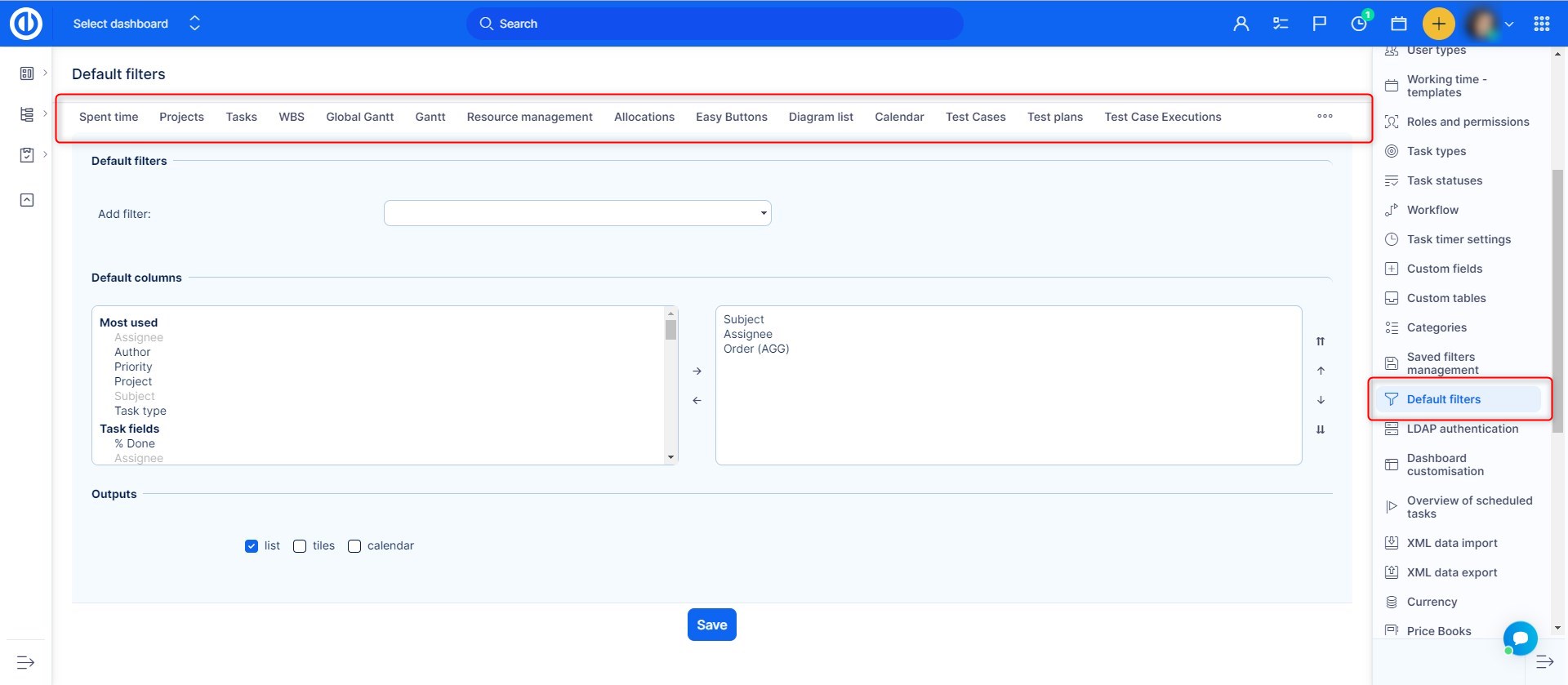
Administrators can configure default filters in:
Global menu → Administration → Default filters
Once set, the default filter will automatically apply to all users who do not have any custom filter active. It ensures consistent, focused views across teams.
Users can still manually apply their own filters. When they do, the default filter is overridden.
Examples
- An administrator sets a default filter on Tasks to show only open items. All users see this view unless they apply their own filters.
- The Time Entries module loads with a filter for the current week so users only see recent logs by default.
- A CRM dashboard shows unprocessed leads due to a default filter set by the admin.
Conclusion
Default filters in Easy8 help administrators guide what users see when accessing modules. By showing the most relevant information automatically, default filters save time, reduce noise, and help teams stay focused.
