Table of contents
Easy8 in November: Aura takes on more of your work
Aura: your work companion for sales, budgets and risks
Aura for sales: opportunities and leads at your fingertips
Aura for project budgets: less admin, accurate numbers
Aura for risk management: keep your risk register up to date
Workflow Catalogue: find, connect and manage workflows in one place
Automations: more transparent, more flexible
Easy8 MCP server: Scrum Boards, CRM search and faster answers
Smart Filters: find exactly what you need with one query
In-app guidance: news right where you work
Migrating from Jira Server? Join our live webinar on 19 November
Easy8 in November: Aura takes on more of your work
This month, Aura takes on more of your everyday work. It now reads and updates CRM opportunities and leads, manages project budgets and keeps your risk register up to date, always within your permissions. We’re also opening the first production of the Workflow Catalogue, and we’d love your feedback on it. All the updates below are available in Easy8 Cloud and on-premises.
Aura: your work companion for sales, budgets and risks
Aura already helps with tasks, projects and Helpdesk tickets. This month it moves into three more areas where routine work piles up: sales, project budgets and risk management.
Aura for sales: opportunities and leads at your fingertips
Picture this: you have a client call in ten minutes and need the full picture fast, from the latest activity to the attached offer. Now you simply ask Aura. It finds opportunities and leads by name, account, status, owner, value or date, and answers questions such as “Which opportunities have had no sales activity in the last 30 days?” without any IDs.
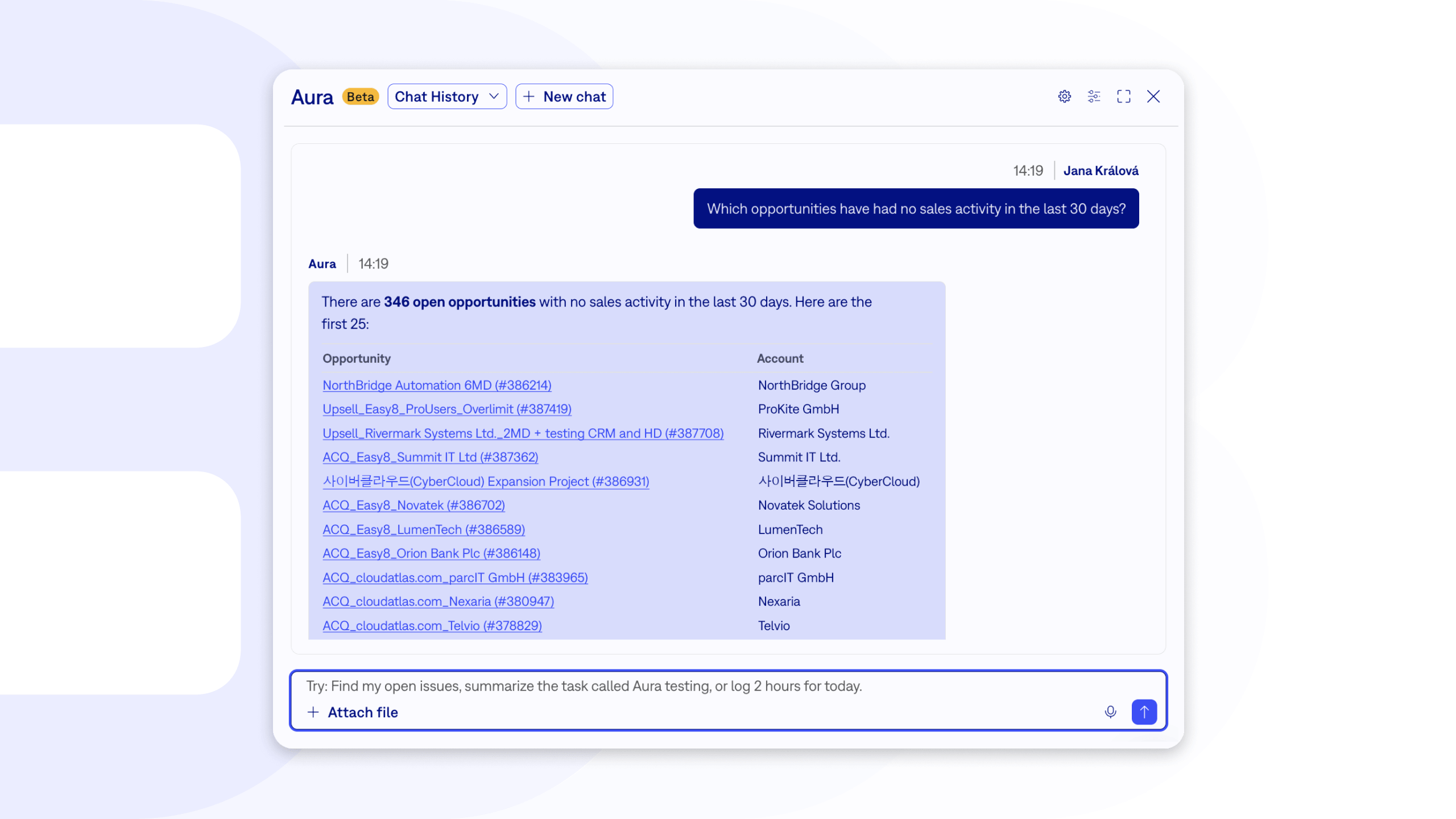
What’s new:
- The whole opportunity in one answer: Aura shows the opportunity's details, its sales activities and attachments, and it can even read an offer PDF attached to the opportunity.
- Lead history: For a lead, Aura shows which opportunity and account it turned into.
- Sales activities: List activities for an account (including its opportunities), an opportunity or a lead, and log new ones in your local time.
- Updates you can trust: Aura creates and updates opportunities, then reads each change back to confirm it was saved.
What it means for you:
- Better prepared client calls, in seconds instead of minutes of clicking.
- No opportunity forgotten: ask Aura which deals have gone quiet.
- Less typing after meetings, because Aura logs the activity for you.
Aura for project budgets: less admin, accurate numbers
Keeping a project budget current often means typing in invoices and expenses one by one. Aura now handles it for you.
What’s new:
- Expenses and revenues: Aura lists, creates, updates and deletes planned and actual project expenses and revenues.
- Attach the paperwork: Upload an invoice in the chat, and Aura attaches it to the right entry.
- Numbers stay correct: Aura keeps VAT intact when it updates an entry, and confirms every change by reading it back.
What it means for you:
- An up-to-date budget without the manual data entry.
- Every invoice stored right where it belongs.
Aura for risk management: keep your risk register up to date
A risk register only helps when it reflects what is happening right now. With Aura, keeping it current takes a sentence.
What’s new:
- Manage risks by chat: Aura lists, creates, updates and deletes project risks.
- The full context: Aura works with assignees, categories and other options, related tasks, custom fields and notes.
- Nothing lost: Aura confirms every update and deletion by reading the risk back.
What it means for you:
- A risk register your team actually keeps current.
- More time for handling risks, less for filling in forms.
Aura is included in the Business and Platform plans. It’s off by default, and we only turn it on with your consent, so just let us know when you’re ready.
Workflow Catalogue: find, connect and manage workflows in one place
The Workflow Catalogue gives you ready-made workflows you can switch on without building them yourself. In November, its first production version arrives with a new dashboard and simpler setup, and your feedback shapes what comes next.
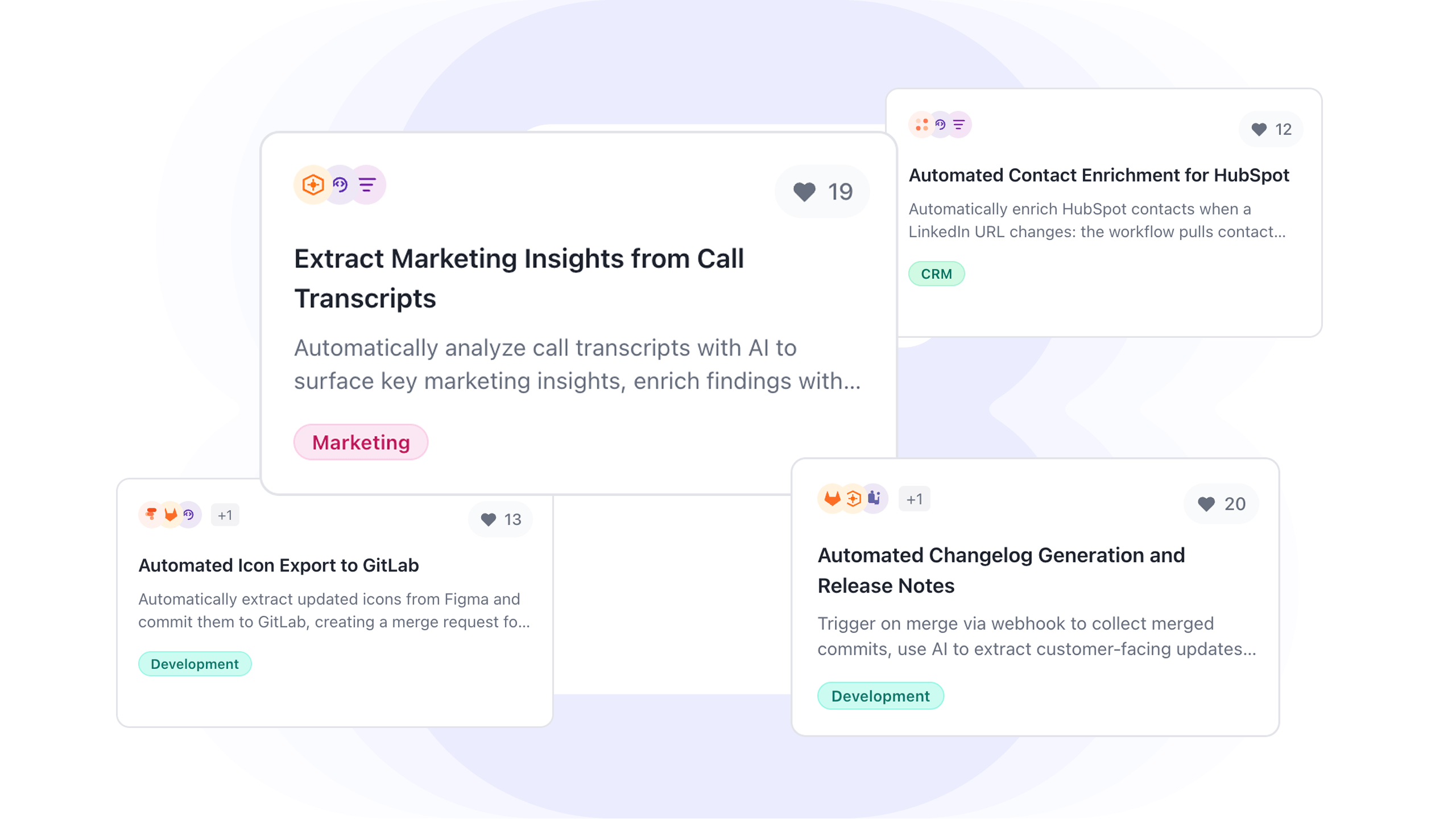
What’s new:
- A new dashboard: A user guide, video tutorials and a feedback section in one place.
- Credentials made simple: Connect the services your workflows need (OpenAI, SendGrid API, Header Auth, Basic Auth) and test each connection right in the interface.
- Your keys stay with you: Easy8 doesn’t store your credentials; it passes them to your n8n instance, which manages them.
- Full control: Deactivate or uninstall a workflow, with a warning about how it affects your automations, and delete custom workflow instances.
What it means for you:
- Set up a workflow in minutes, without help from IT.
- Know exactly what happens before you switch a workflow off.
Automations: more transparent, more flexible
Automations save your team routine work. This month they can ask you for input when they need it, react to comments on a task, and show you what they changed.
What’s new:
- Human in the loop for buttons: When an automation button reaches a required field, it no longer stops. It pauses, asks you to fill in the field, and then continues. This works for every button action, such as creating a task from a template or updating a task.
- React to comments: Start an automation as soon as someone adds a comment to a task, and limit it to comments that contain a specific keyword. For example, change the task type to Bug when someone writes “bug”.
- See which automation changed what: Each change in the task history now shows which automation made it, with a link straight to its settings.
Easy8 MCP server: Scrum Boards, CRM search and faster answers
With the Easy8 MCP server, AI assistants such as Claude or Microsoft Copilot Studio work directly with your Easy8 data, always within your permissions. This month they can run your Scrum Boards, find contacts by email and answer faster.
What’s new:
- Scrum Boards from backlog to closed sprint: Refine and split backlog items, plan, start and close sprints, and manage sticky notes. Try “Move all refined items for the payments team into the next sprint.”
- CRM search by email: Ask “Show me all contacts and accounts with @acme.com” to see who you know at a company.
- Faster, leaner answers: The assistant reads a whole task in one step and corrects itself right away, so conversations run longer and cost less.
- Clearly labelled: Every change an assistant makes carries an MCP badge in the history.
Note for integrators: Some MCP tool names changed when overlapping tools were merged. The old names keep working or are listed in the changelog.
Smart Filters: find exactly what you need with one query
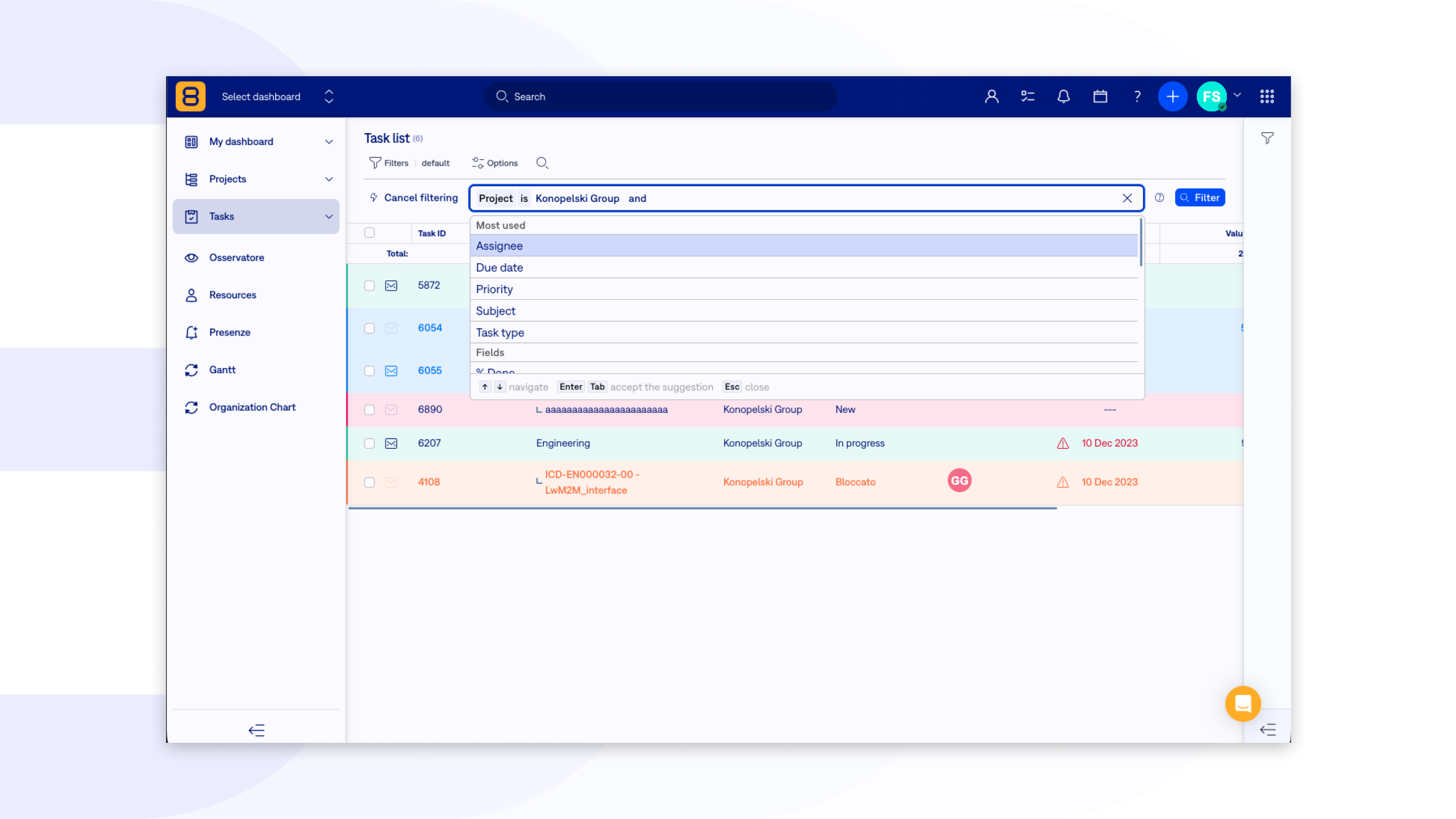
When you work with large amounts of data, clicking through filter after filter takes time. Smart Filters let you type what you’re looking for as a short query, right above the table, and combine several conditions at once.
What’s new:
- One line instead of many clicks: Write your conditions in the Easy Query Language (EQL) in the Smart Filters bar above lists such as Projects. Press Enter or click Filter to see the results.
- Easy to read: Filters show readable values, such as names and statuses, instead of internal IDs.
- Help built in: The question mark next to the filter explains how queries work.
- Safe by design: Queries respect your access rights, so you only see the records and values you’re allowed to see.
What it means for you:
- Complex views of large projects in seconds.
- Filters your whole team can read and reuse.
In-app guidance: news right where you work
A new feature only helps once you know it’s there. With in-app guidance, Easy8 tells you about it inside the app, in the place where you’ll use it.
What’s new:
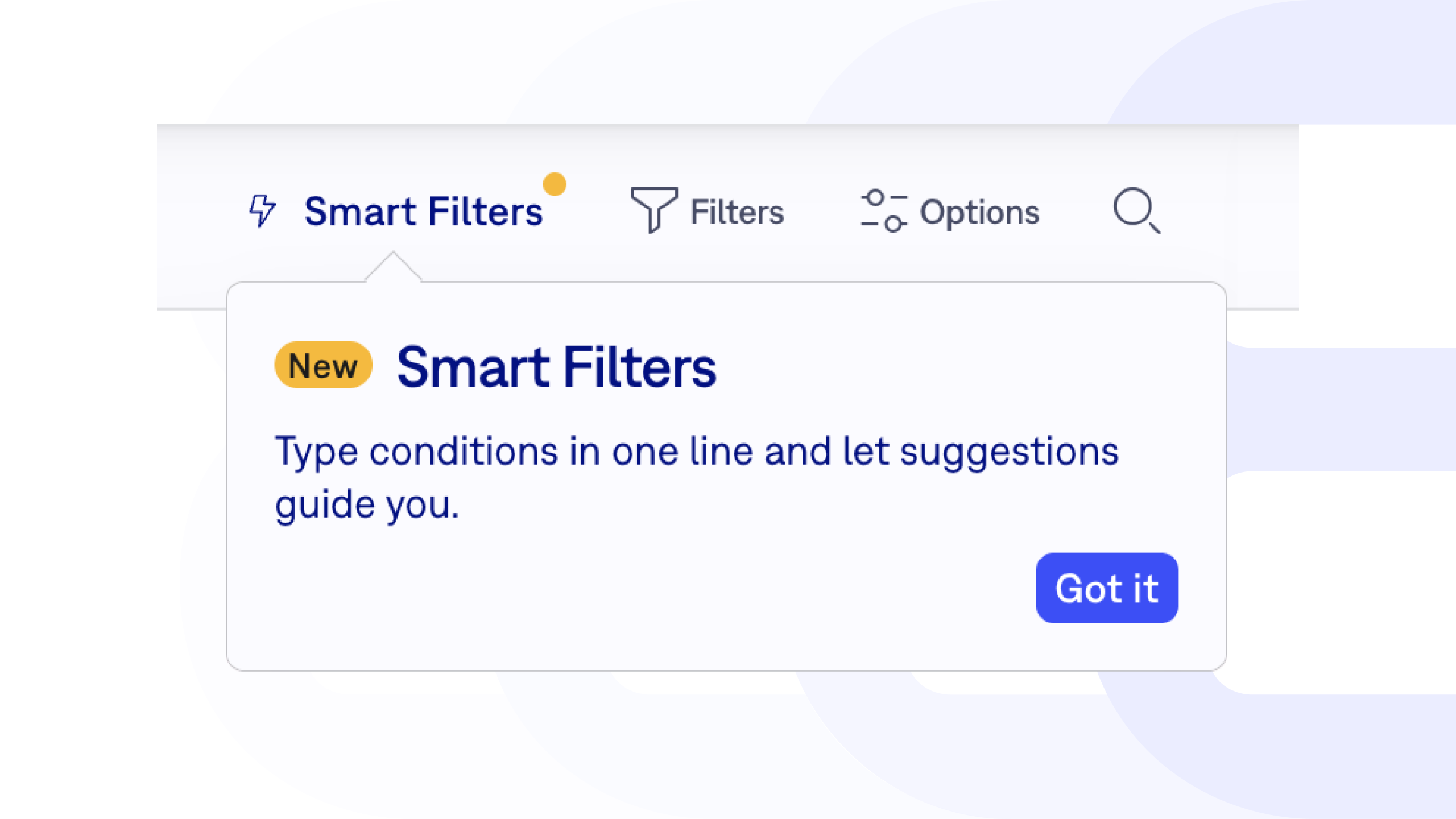
- Tips at the right moment: When we release a new feature or want to point out something useful, a short message appears in Easy8, for example next to the new Smart Filters.
- Help as you go: New users get guidance while they work, without searching the documentation.
What it means for you:
- You discover new features as you work, not weeks later.
- New colleagues find their way around Easy8 faster.
Migrating from Jira Server? Join our live webinar on 19 November

Migration isn’t one big switch. It’s a sequence of steps. Rush it, and your teams lose time to rework and manual fixes. Plan it well, and each team moves over with the data and setup it actually needs.
In our next online webinar on 19 November at 14:00 (CET), Martina Holbová and Petr Vávra walk you through a step-by-step migration from Jira Server to Easy8:
- Mapping your add-ons to Easy8 modules
- Preparing your data and server for the move
- Running a pilot before the whole team switches
- Handling what still needs manual setup
You’ll also see it live, with a technical demo on a real server environment, followed by Q&A.
Missed one of our earlier sessions? Watch the recordings:
- 17.09.2026: The Project Management stack of 2026: How to build a context layer for AI without losing control
- 08.10.2026: Good AI vs. Bad AI: How to use AI in your company without giving away your competitive edge
- 29.10.2026: Different shades of on-premises: Air-gapped, self-hosted, and managed server explained
For more technical details, see the latest Release notes for version: 16.2.0.