


Introduction
This guide explains how to make projects public in Easy8 and how to configure anonymous access for users without login. Public projects are useful when you want to share selected project data with all users or even with external visitors, without requiring them to sign in.
Target Audience
- Administrators
- Project Managers
Prerequisites
Before making a project public or enabling anonymous access, ensure you have:
- Administrator rights for access to settings and permissions.
- Reviewed the data you want to share to ensure it is not sensitive.
How to Make a Project Public
Step 1: Set the Project as Public
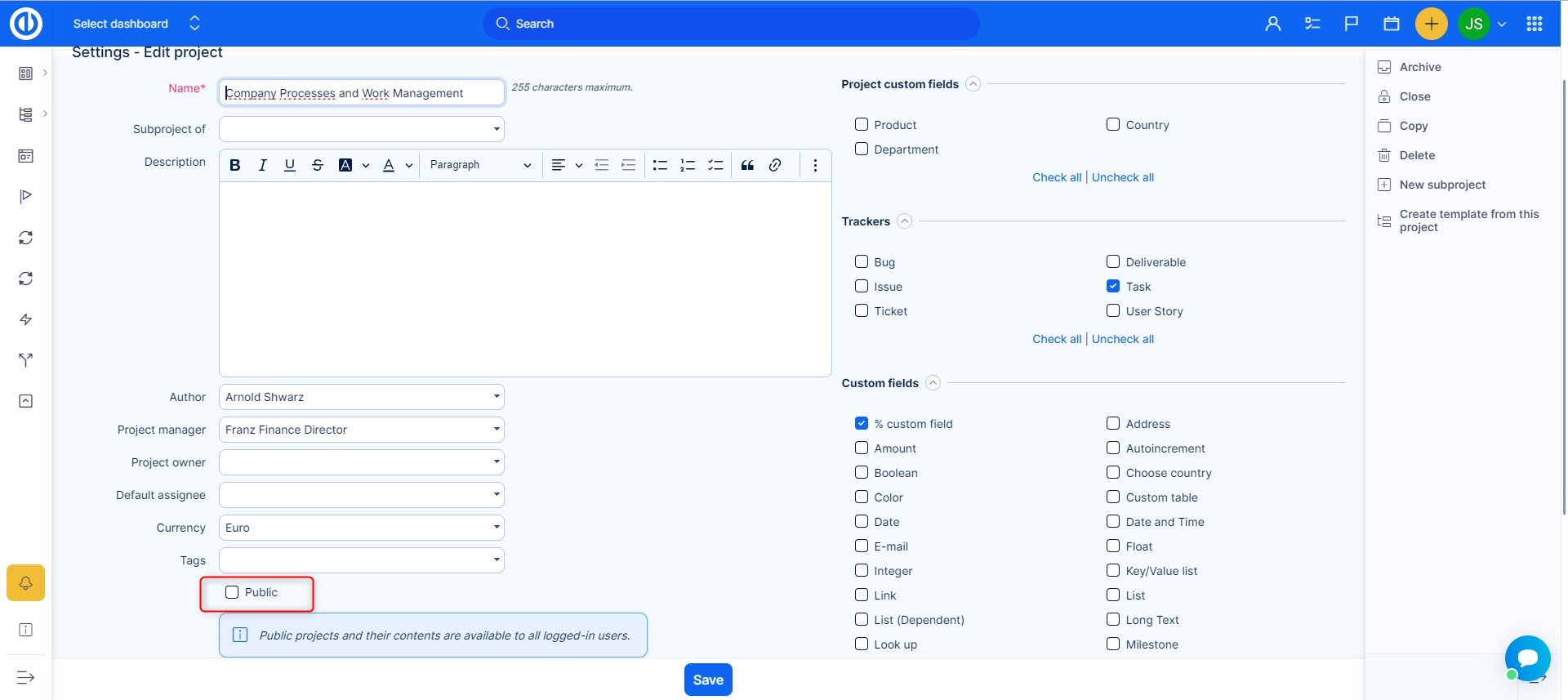
- Go to the specific project you want to make visible to all users.
- Open Project Settings (Edit Project).
- Mark the project as Public.
Now, all users in the system will be able to see this project, even if they are not members.
Step 2: Share the Link
Copy the link to the project and share it. Anyone with the link will be able to access it, even without logging in (if anonymous access is enabled).
How to Enable Anonymous Access
Step 1: Update Authentication Settings
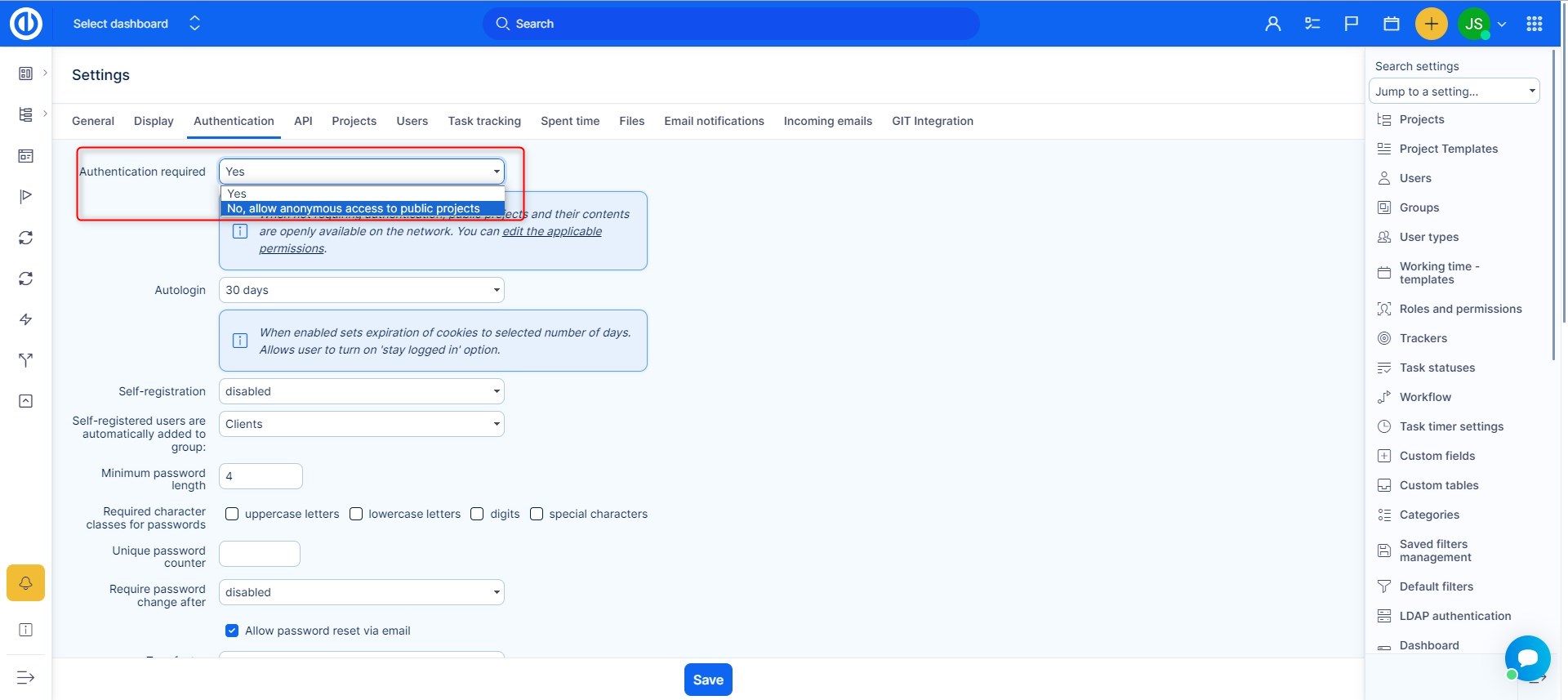
- Go to Administration > Settings > Authentication.
- Find the setting called Authentication required.
- Se the option to No
This allows visitors who are not logged in to access public projects as anonymous users.
How to Set Permissions for Anonymous Users
Step 1: Edit the Anonymous Role
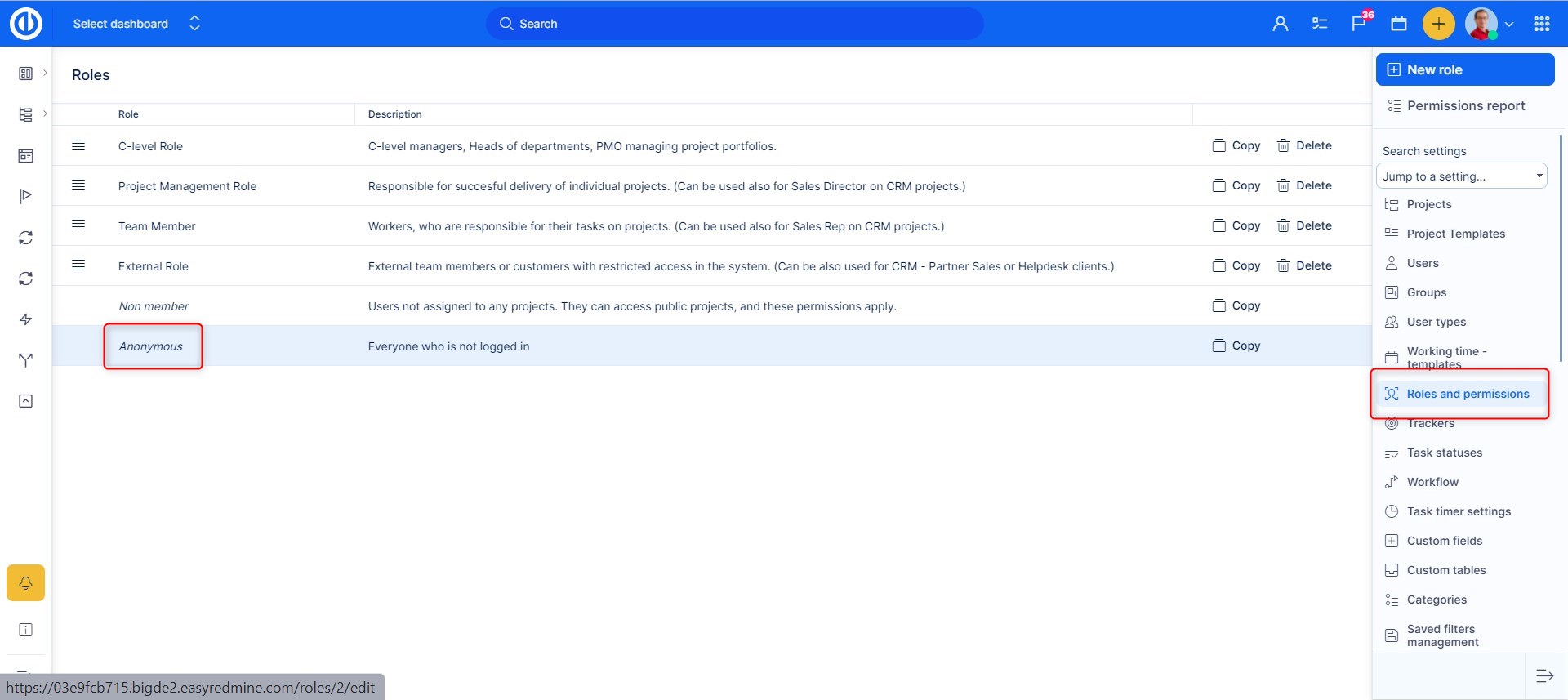
- Go to Administration > Roles and permissions.
- Find the role named Anonymous.
- Check the permissions you want to allow:
- View public projects
- View tasks
- View public comments and updates
Anonymous users will only see data that is marked as public.
How to Set Up a Dashboard for Anonymous Users
Step 1: Find the Anonymous User Profile
- Go to Administration > Users.
- Use filters:
- Status is not active
- Last name is Anonymous
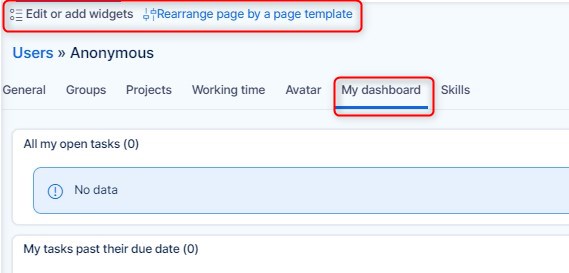
- Edit the user profile that appears.
Step 2: Configure the Dashboard
- Go to the My dashboard tab.
- Set up widgets and information you want anonymous users to see.
Step 3: Customize the Left Menu (Optional)
In the same user profile, assign a User Type to control the visible menu for the anonymous user.
You can configure user types under Administration > User types.
Conclusion
Public projects and anonymous access in Easy8 allow you to share selected project data openly. This is useful for transparency or public-facing initiatives. Just ensure that no sensitive information is included in public or anonymous views.
