


Introduction
Dashboards in Easy8 offer many features that help users manage and visualize project data. These features make dashboards flexible, user-friendly, and powerful tools for daily work. Understanding them helps users get the most value from their dashboards.
Target Audience
- User
- Administrator
Understanding Key Features
Definition
Dashboards in Easy8 are pages with visual widgets that show real-time data. They can be customized, shared, and reused in many ways. The key features include:
- Widgets
- Templates
- Custom Layouts
- Permissions and Access
- Dashboard List Navigation
How It Works
Widgets
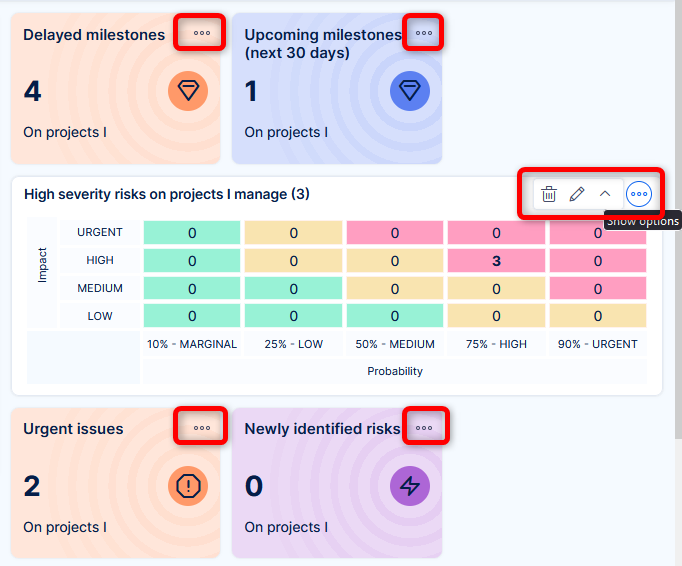
Widgets are the main building blocks of a dashboard. They display data in charts, tables, and gauges. Some common widgets include:
- Bar chart
- Pie chart
- Line chart
- Time series
- Generic gauge
- Attendance calendar
- Spent time gauge
Users can choose and arrange widgets based on their needs.
Templates
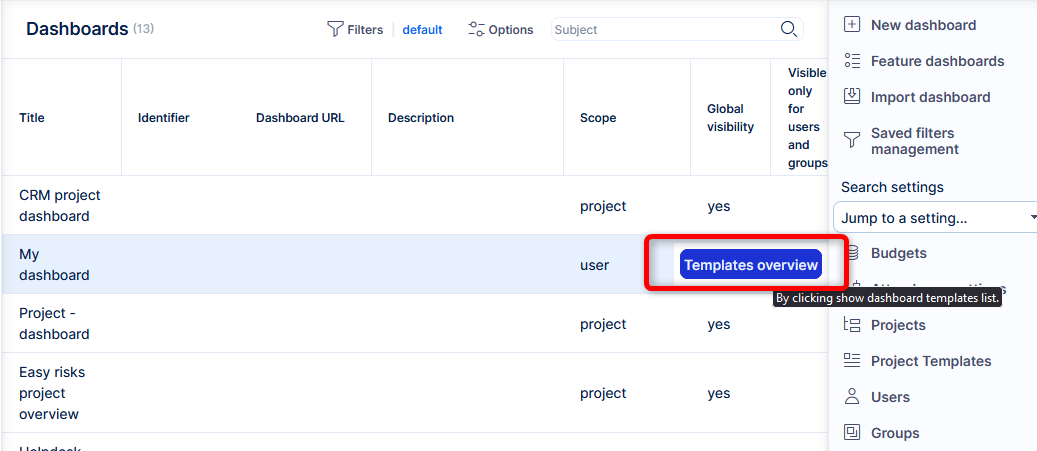
Templates are ready-made dashboard layouts. They are designed for different roles and departments like:
- Finance
- Project Management
- HR
- HelpDesk
Users can use templates to quickly create dashboards without starting from scratch.
Custom Layouts
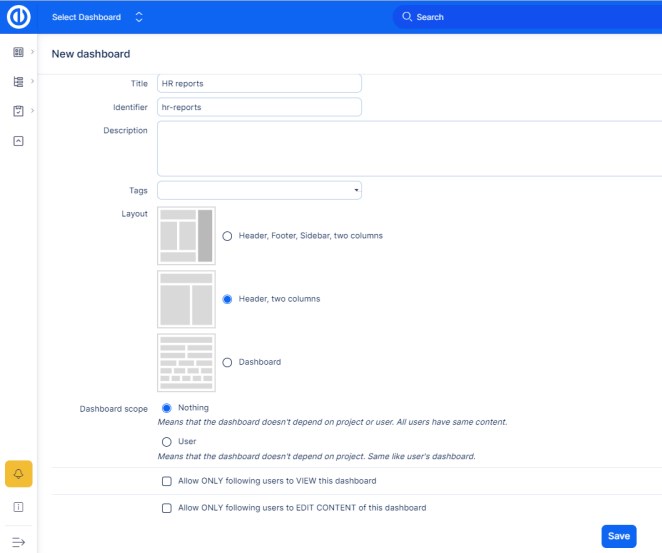
Users can fully customize dashboards:
- Add or remove widgets
- Change layout and size
- Set default views
- Create dashboards for specific roles, users, or groups
Custom dashboards can serve personal needs or team and department goals.
Permissions and Access
Administrators can set who can view, edit, or create dashboards. This ensures the right people see the right data. Some dashboards are private, while others are shared with teams or departments.
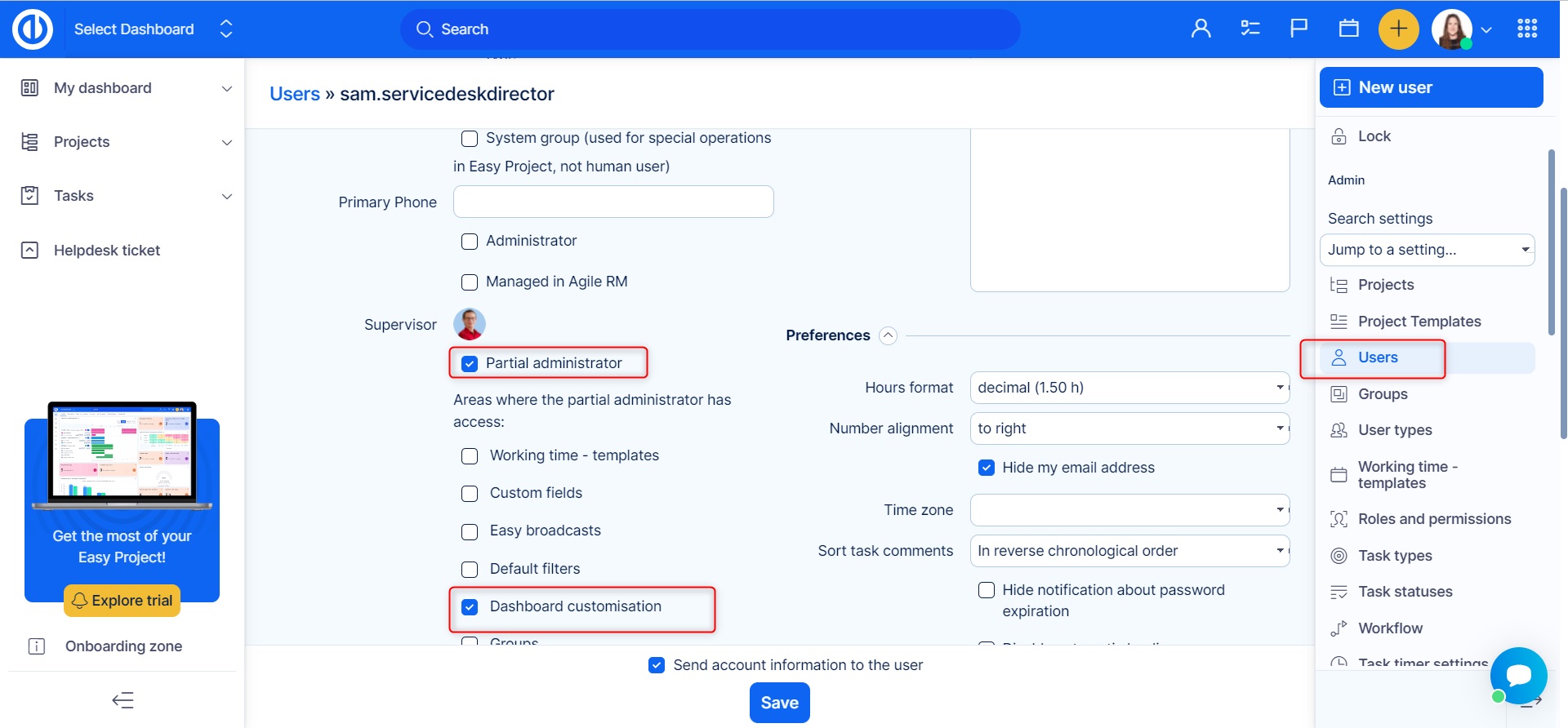
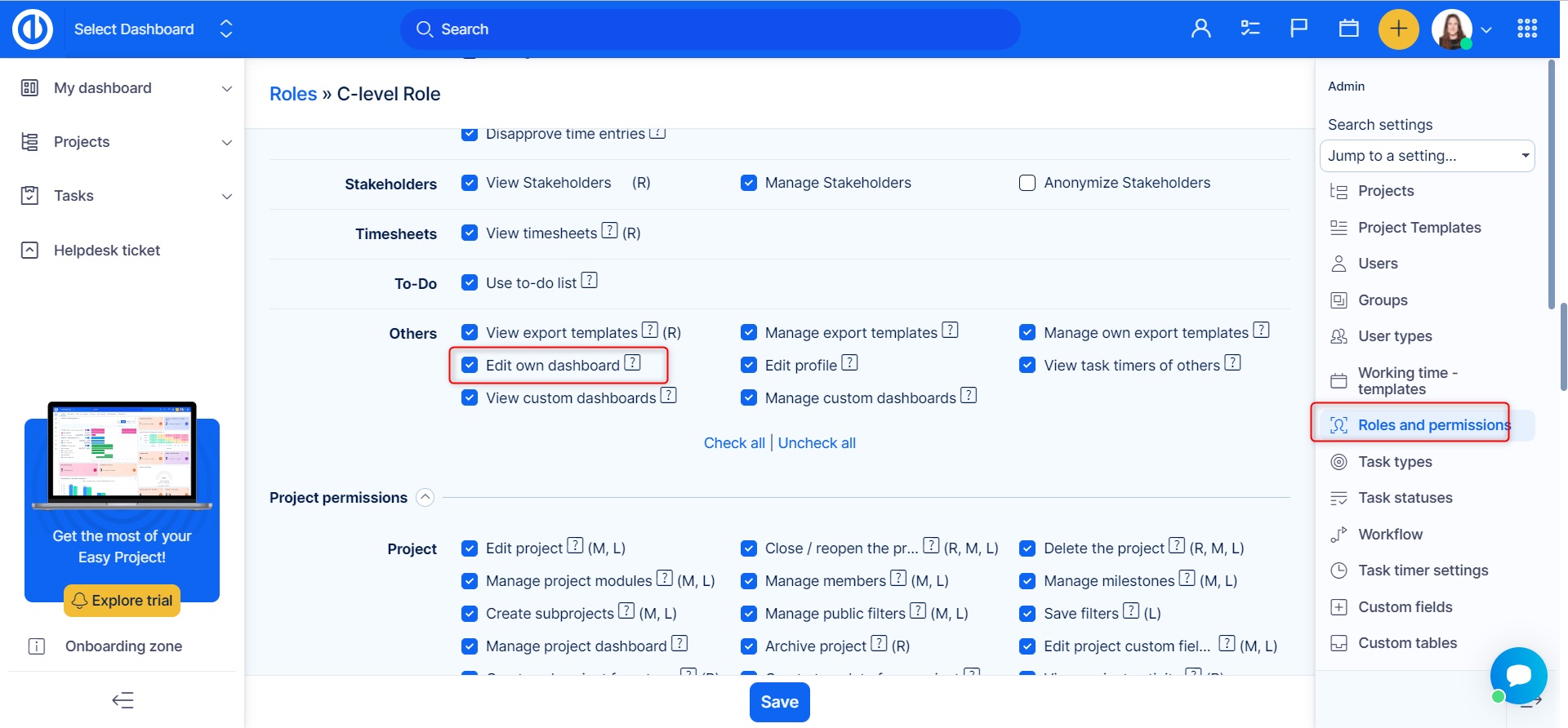
If a user is given the permission Dashboard customisation they can edit their homepage themself but it doesn't mean they can do so for other users.
Dashboard List Navigation
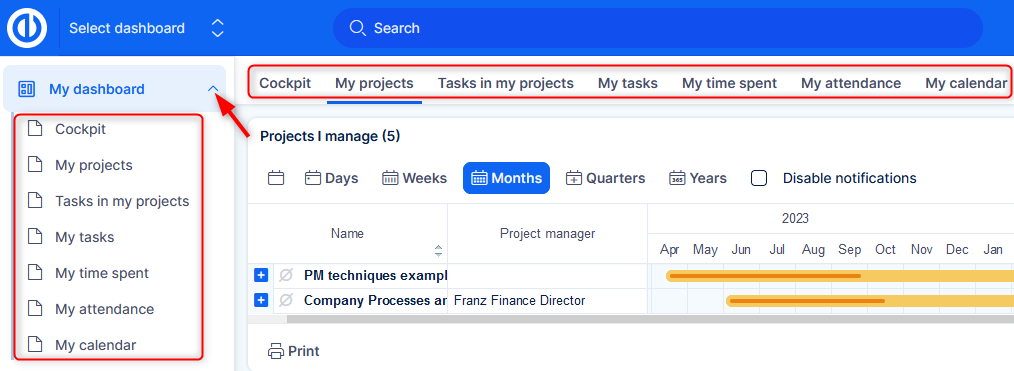
Users can quickly switch between dashboards using the dashboard list. This makes it easy to move from one focus area to another—like switching from personal tasks to project performance.
Examples
- A user adds a gauge widget to track time spent on tasks.
- A manager uses a template to create a finance dashboard in seconds.
- An HR dashboard shows the attendance calendar for all employees.
Conclusion
Dashboards in Easy8 are powerful because of their flexible features. From widgets and templates to custom layouts and permissions, users can build the perfect view for their needs. These features help teams stay informed and make better decisions.
