


Introduction
This guide explains how to use the Noticeboard widget in Easy8 to share important announcements with your team. The noticeboard allows you to display custom messages that are visible to anyone visiting the homepage or a specific project overview page.
Target Audience
- Project Managers
- Administrators
Prerequisites
Before using the noticeboard, make sure you have:
- Permission to customize the page.
- Access to the homepage or project overview where you want to add the noticeboard.
How to Add and Use the Noticeboard Widget
Step 1: Customize the Page
- Go to the homepage or the overview page of a specific project.
- Scroll to the bottom of the page.
- Click on the Customise button.
Step 2: Add the Noticeboard Widget
- In the list of available widgets, find and select Noticeboard.
- Add it to your preferred position on the page layout.
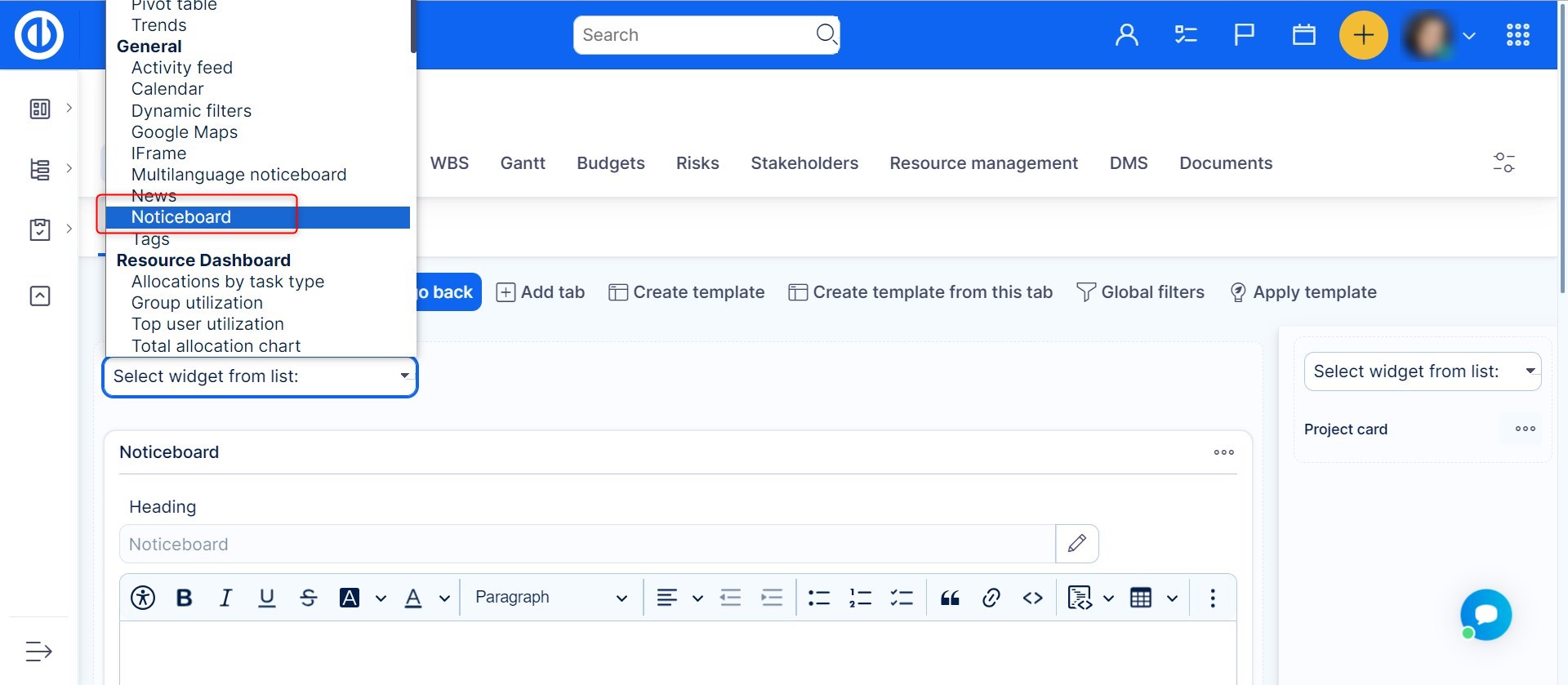
Step 3: Enter Announcement Content
- Click into the Noticeboard widget area.
- Add your message or announcement using the provided text editor. You can access the HTML Source editor for advanced formatting.
- Include any information you want visible to users opening the page.
Step 4: Save Changes
- Once you're done editing, click Save page and go back.
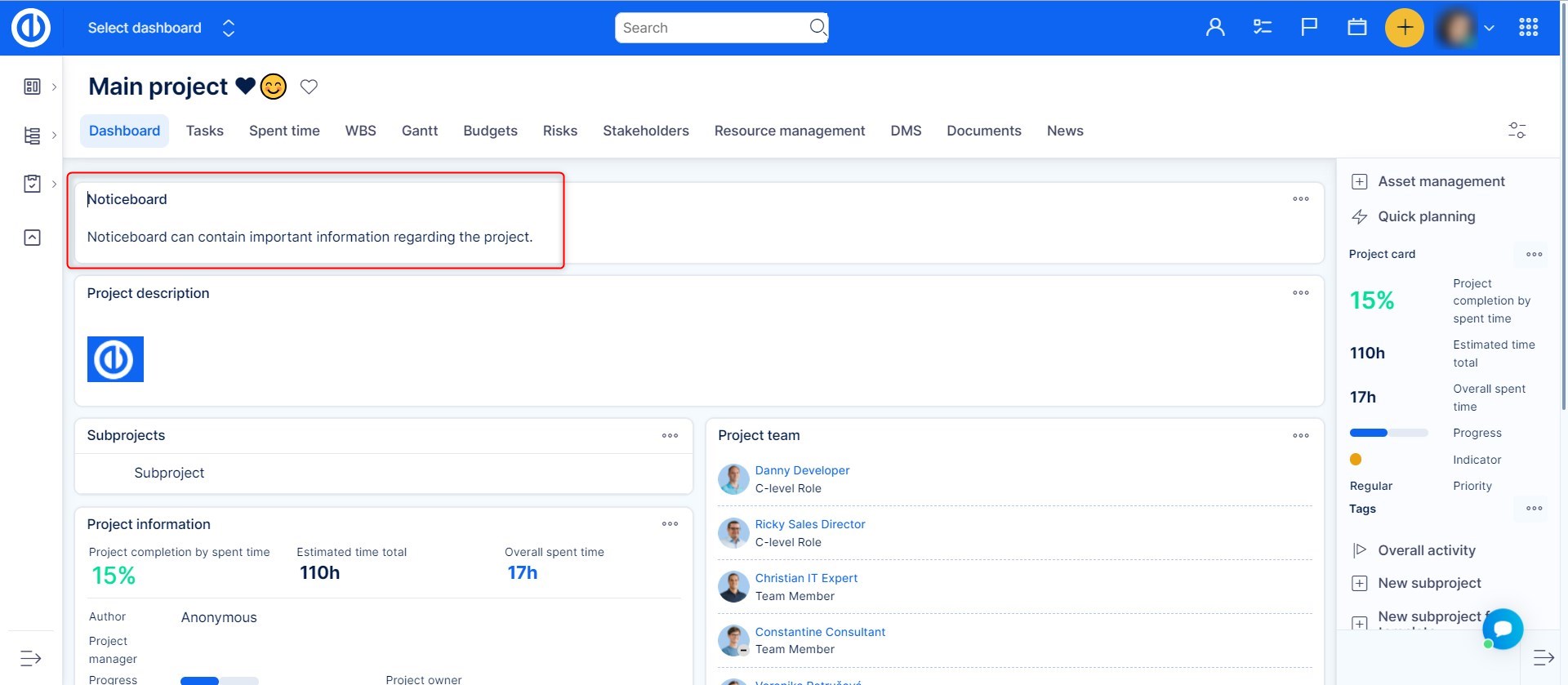
- The noticeboard will now be visible to all users who access that page.
The noticeboard is ideal for sharing project-wide updates, internal guidelines, contact info, or any static content that needs high visibility.
Conclusion
The Noticeboard widget in Easy8 is a simple yet powerful tool for keeping teams informed. By placing important information directly on project pages, you ensure that updates and key messages are always visible to the right people at the right time.
