


Introduction
This guide explains how to use the Project News module in Easy8 to share official updates and important changes with your team. News posts help maintain transparency, improve communication, and keep all project members informed about key developments.
Target Audience
- Project Managers
- Team Members with Manage News or Comment News permissions
Prerequisites
Before using Project News, make sure:
- The News module is enabled in your project settings.
- You have the required permissions to manage or comment on news posts.
How to Use Project News
Step 1: Enable the News Module
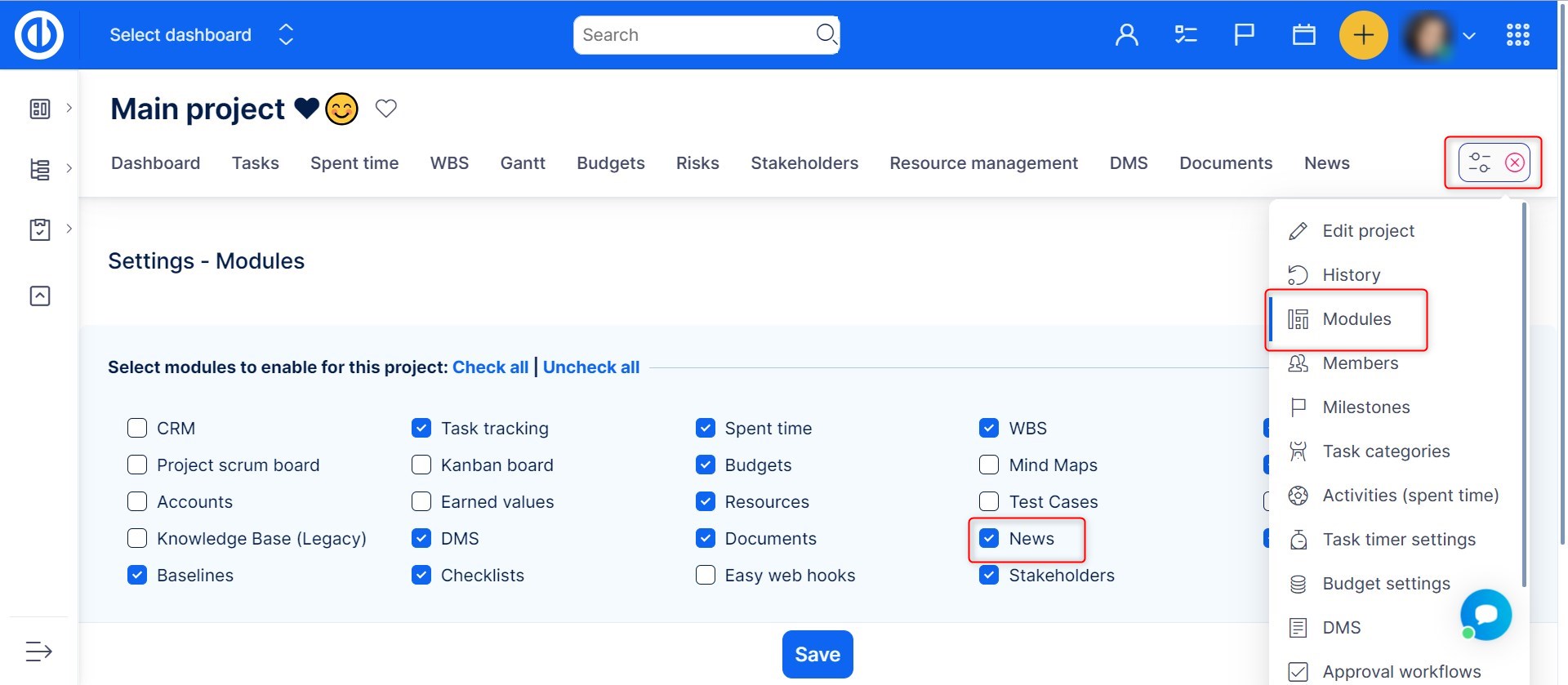
- Go to your project and open Options top right.
- Under the Modules section, check the box for News.
- Save your changes. A News tab will now appear in the project menu.
Step 2: View and Follow Project News
- Click on the News tab to see a list of all published news items.
- To get notified about new posts:
- Click Watch in the top-right corner of the News section.
- Or, subscribe using the Atom feed link in your preferred feed reader.
How to Add Project News
Step 1: Add a News Post
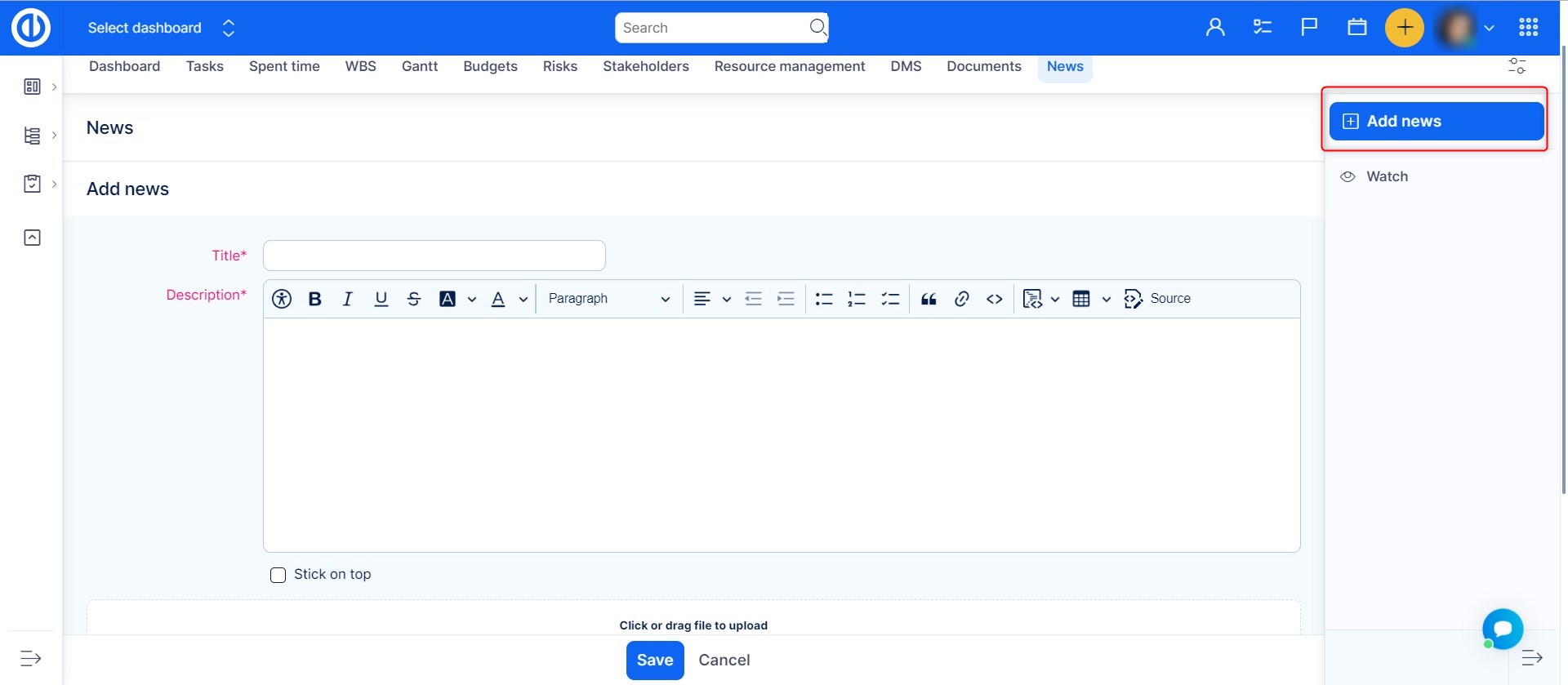
- If you have the Manage news permission, you’ll see an Add news button top right.
- Click this button to open the news editor.
Step 2: Write the News
- Enter a title and content for the news post.
- Use the built-in HTML Source editor for advanced formatting.
- Attach a file if you want.
- Click Save to publish the news. It will now be visible to all project members.
Team members will be notified if they are watching the project or the News section.
How to Comment on Project News
Step 1: Open a News Post
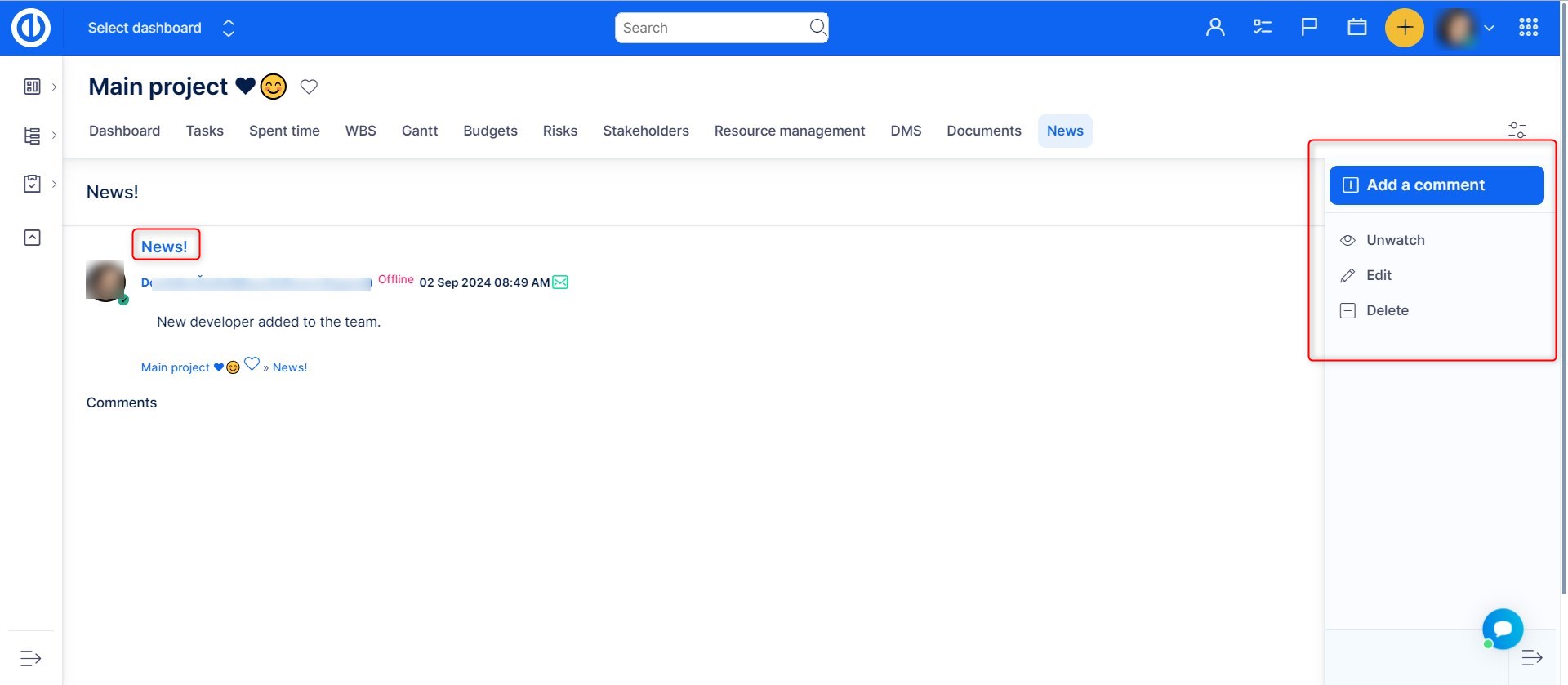
- Click the title of any news item to open its detail view.
Step 2: Add or Manage Comments
- If you have the Comment news permission, click Add a comment.
- A simple text editor will appear, allowing rich-text formatting.
- Users with the appropriate permission can delete comments using the trash icon next to each comment.
Step 3: Get Notified About Comments
- Click Watch in the contextual menu of the news post to receive updates about new comments.
- If you are the author of the news, watching is enabled for you by default.
Conclusion
Using the Project News module in Easy8 ensures your team stays informed and aligned. Whether you're sharing key milestones, changes, or decisions, Project News makes team communication organized, visible, and easy to follow.
