


Introduction
This guide explains how to quickly access any dashboard in Easy8. When working across multiple projects or roles, fast navigation is key. Easy8 allows you to jump directly to the dashboard you need using simple options in the interface.
Target Audience
- User
- Administrator
Prerequisites
- Access to the dashboards you want to use
- Dashboards created and shared with you or available by your role
How to Jump to a Dashboard Quickly
Step 1: Use the Dashboard Search
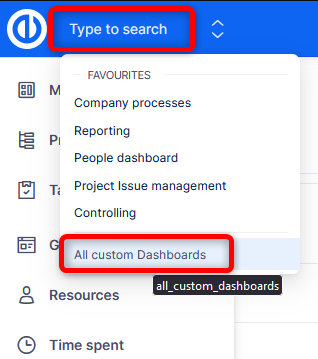
- In the interface, locate the Select Dashboard field top left next to the application logo.
- Click it to get a search field and your bookmarked favorite dashboards.
- There is also a link to All custom dashboards available to you.
Note: This method lets you jump directly between dashboards without the need to browser through the application menus.
Step 2: Find the Dashboards
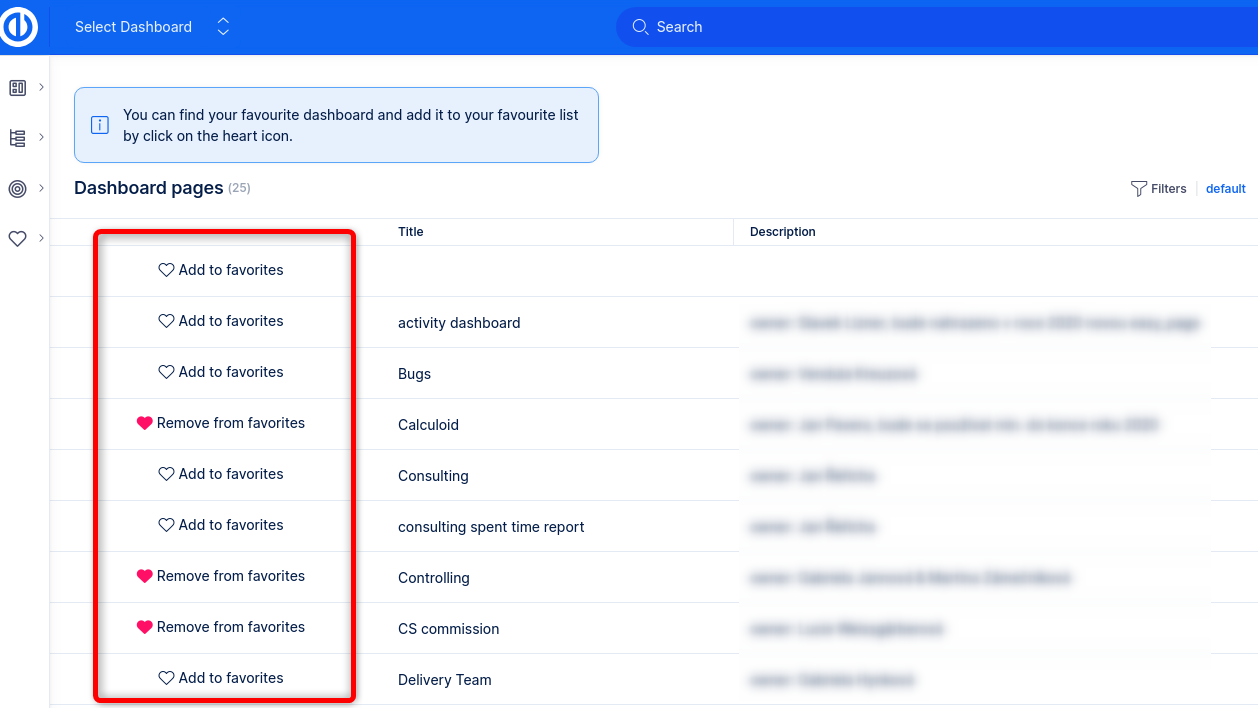
- Search or browse for the dashboards you need to visit.
- Click the Hearth icon right next to its name in the list to bookmark a dashboard.
Tip: These are useful for everyone who needs fast access to focused dashboards.
Conclusion
Jumping to a dashboard in Easy8 is simple and fast. Whether using the dashboard list, direct links, or default settings, you can always get to the right data when you need it.
