


How to Configure Agile Resource Categories
Introduction
This guide explains how to add, edit, or remove teams and skills used in Agile Resource Management. These categories help structure your planning and filtering across Agile projects.
Target Audience
Administrator
Prerequisites
- Admin rights to access Administration >> Categories
- Agile Resource Management installed and visible in the global menu
Steps to Configure Agile Resource Categories
Step 1: Open Categories
- Go to Administration >> Categories
- Scroll down to the section called Agile Resource Management
Step 2: Choose a Category Type
In this section, you will see two configurable types:
- Agile Resource Management Team type
- Skill
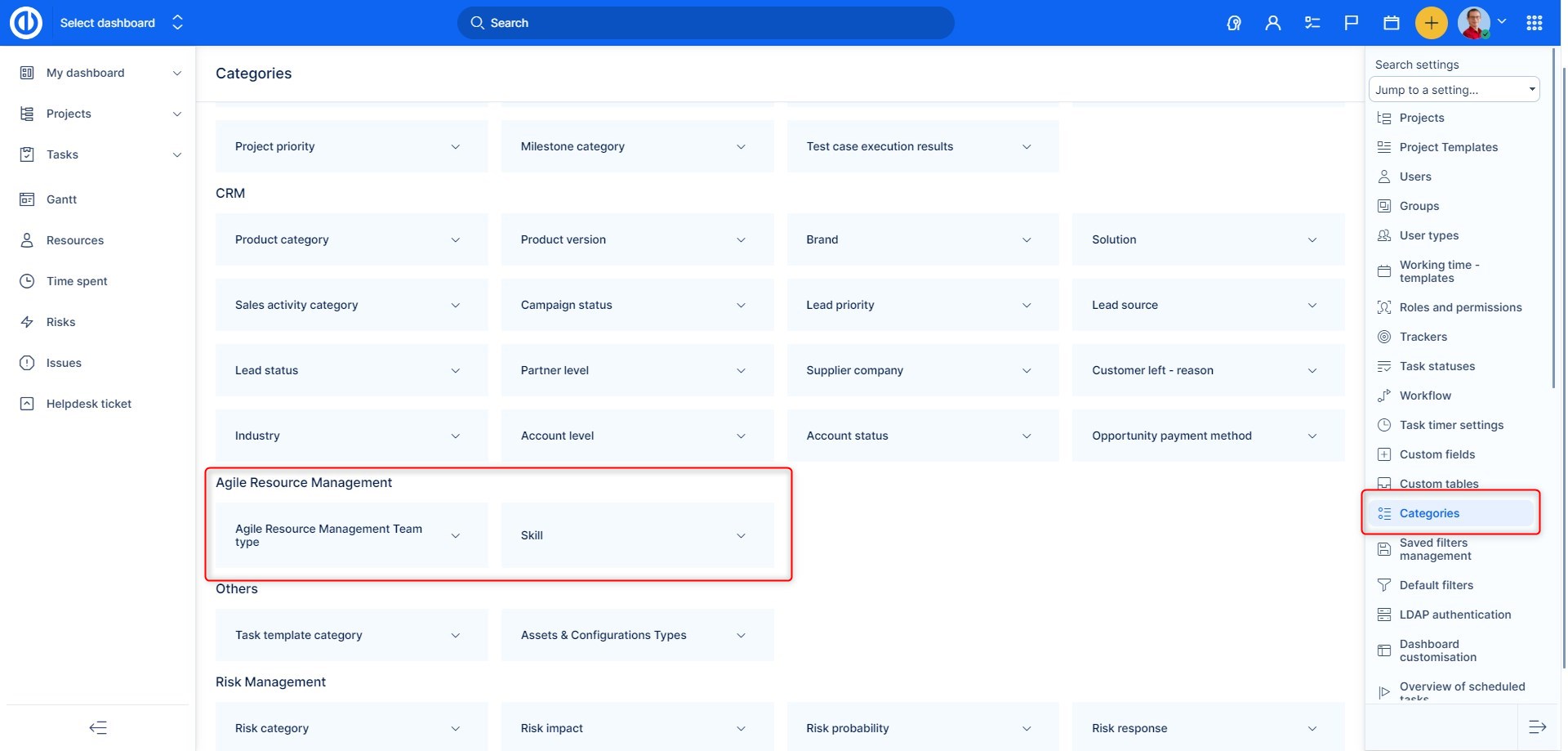
Step 3: Add, Edit, or Remove Entries
- Click into either category
- You can now:
- Add a new team type or skill
- Edit an existing entry
- Delete a category you no longer use
These values are used in filters and visual indicators throughout Agile Resource Management views.
🛈 Tip: Keep team and skill names short and descriptive for easier planning and filtering.
Conclusion
Using clear team types and skill labels in Agile Resource Management improves clarity during planning. These categories help users filter and organize workloads more effectively across multiple projects and teams.
| How would you rate this article? | |||
|


