


How to add/change parent task
In this post, I´m going to show you how to set the roles and permissions and system so that your users can add parent tasks to existing tasks or while creating a new task. The first thing is to go to Administration » Roles and Permissions and a specific role. For example Project manager. Here you have to set that this role can manage subtasks.

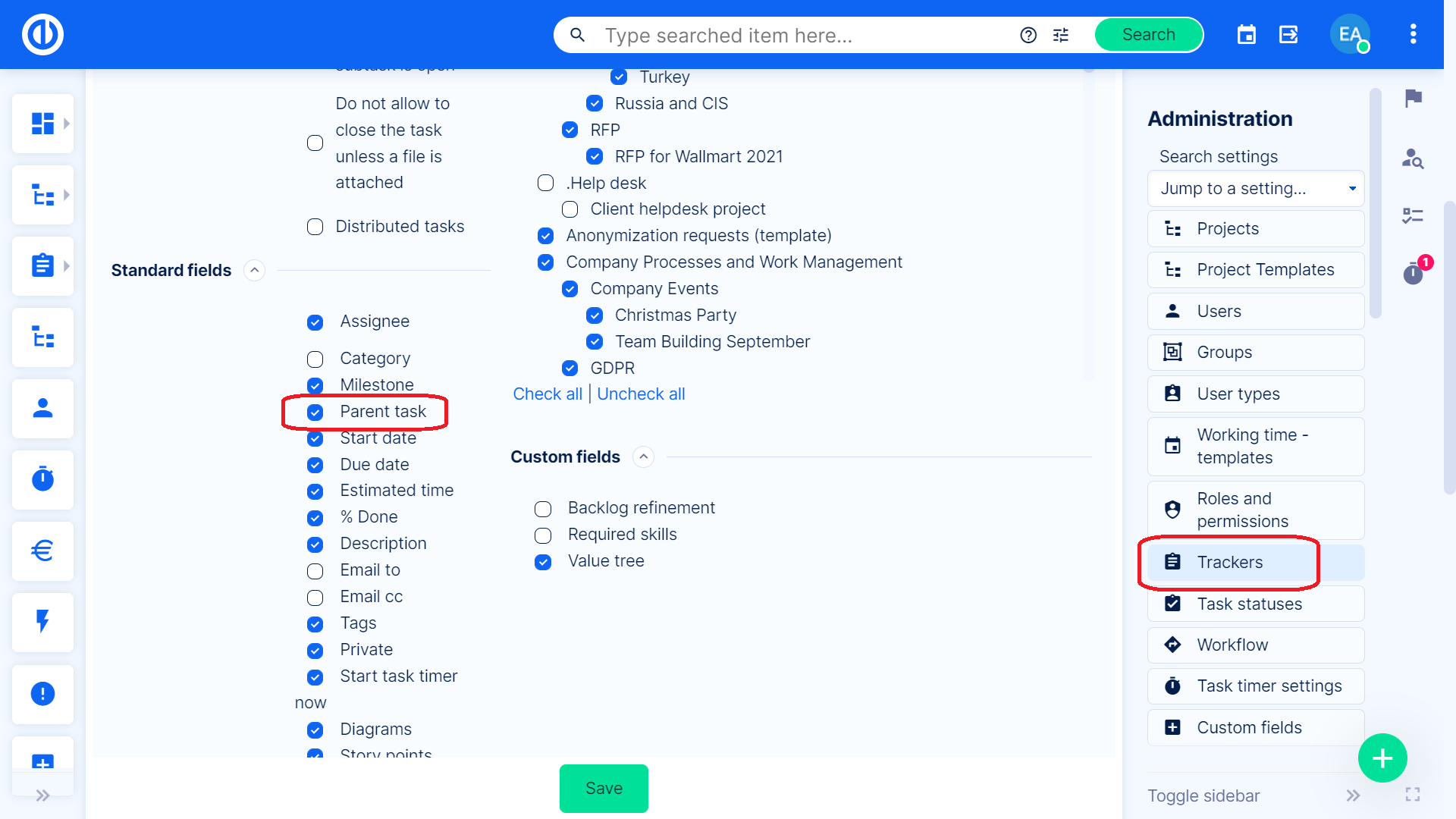
A little tip = you can easily find anything if you use the Ctrl+F command and type what you are looking for. Then you have to do one more thing. Make sure that you have the parent task checked in the tracker settings.
If you have everything set correctly, you will be able to add a parent task to your tasks. It should then look like this when you are updating the task and click » click here to change additional attributes.

After you click on a plus sign, a pop-up window will appear.

You can search, or simply choose a task and click Save.
