


Create a (sub)project - membership and roles
Create a (sub)project - Membership and Roles
When an administrator or user with necessary permissions creates a new project or subproject, their role on the project is determined by the following examples. If you are not an administrator, you need to have the permissions to create a project and/or subproject, which can be set in More: Administration: Roles and permissions as illustrated below.
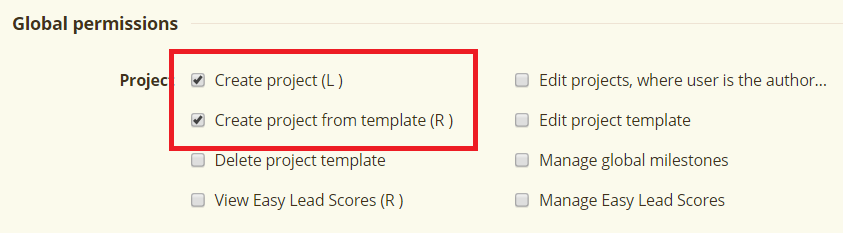
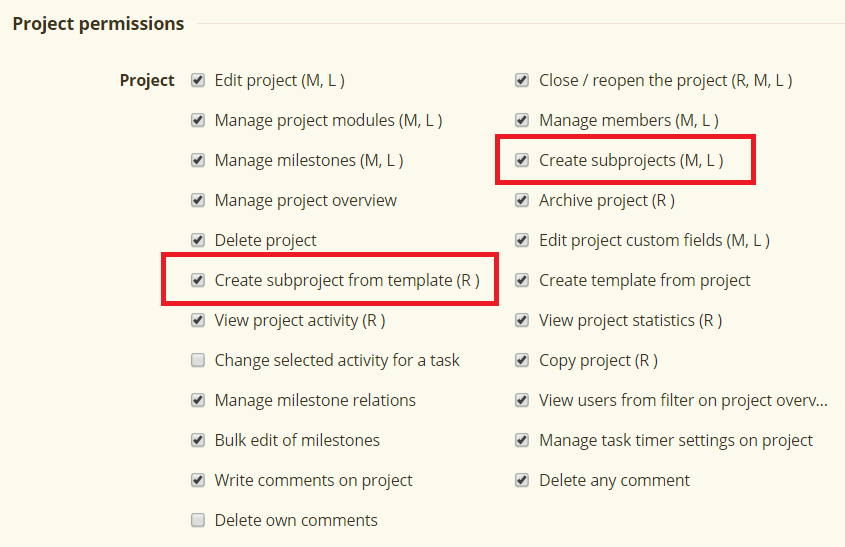
Create a new project - Default Role Settings
When you simply create a new project by clicking on the "New project" button, the role of the author of the project is taken primarily from the settings of their user type (Administration >> User types >> Default role).
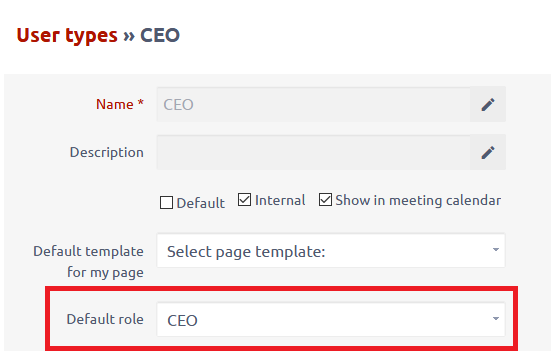
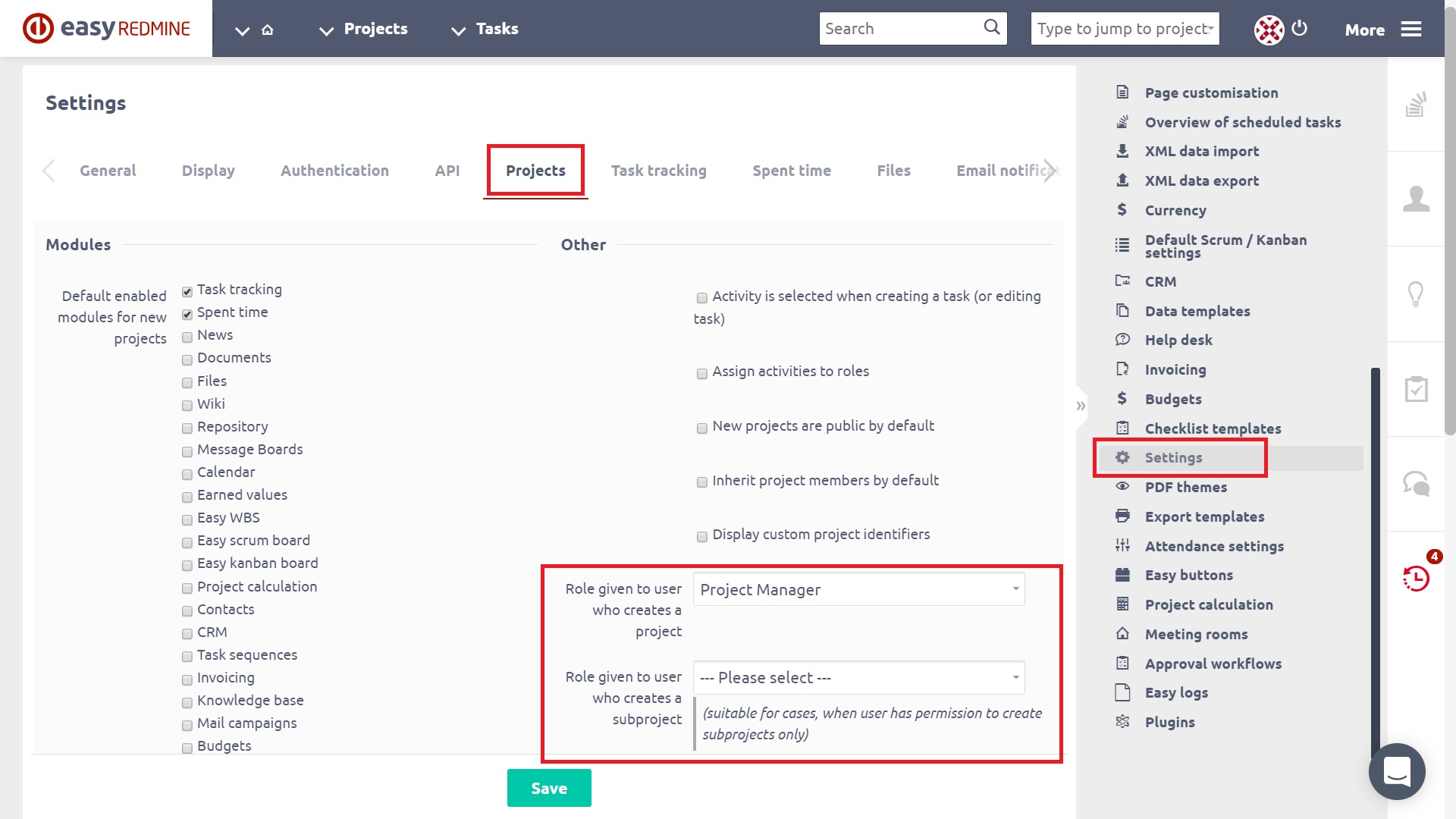
If the default role is not selected, then the global setting is used: More >> Administration >> Settings >> Projects >> Role given to user who creates a project / Role given to user who creates a subproject. As you see, it's possible to distinguish the default roles depending on if a project or subproject is created. All existing user roles are available to select in this drop-down menu.
Project membership of a user, as well as a role of a project member, can be later changed by an administrator in the particular project's Settings: Members.
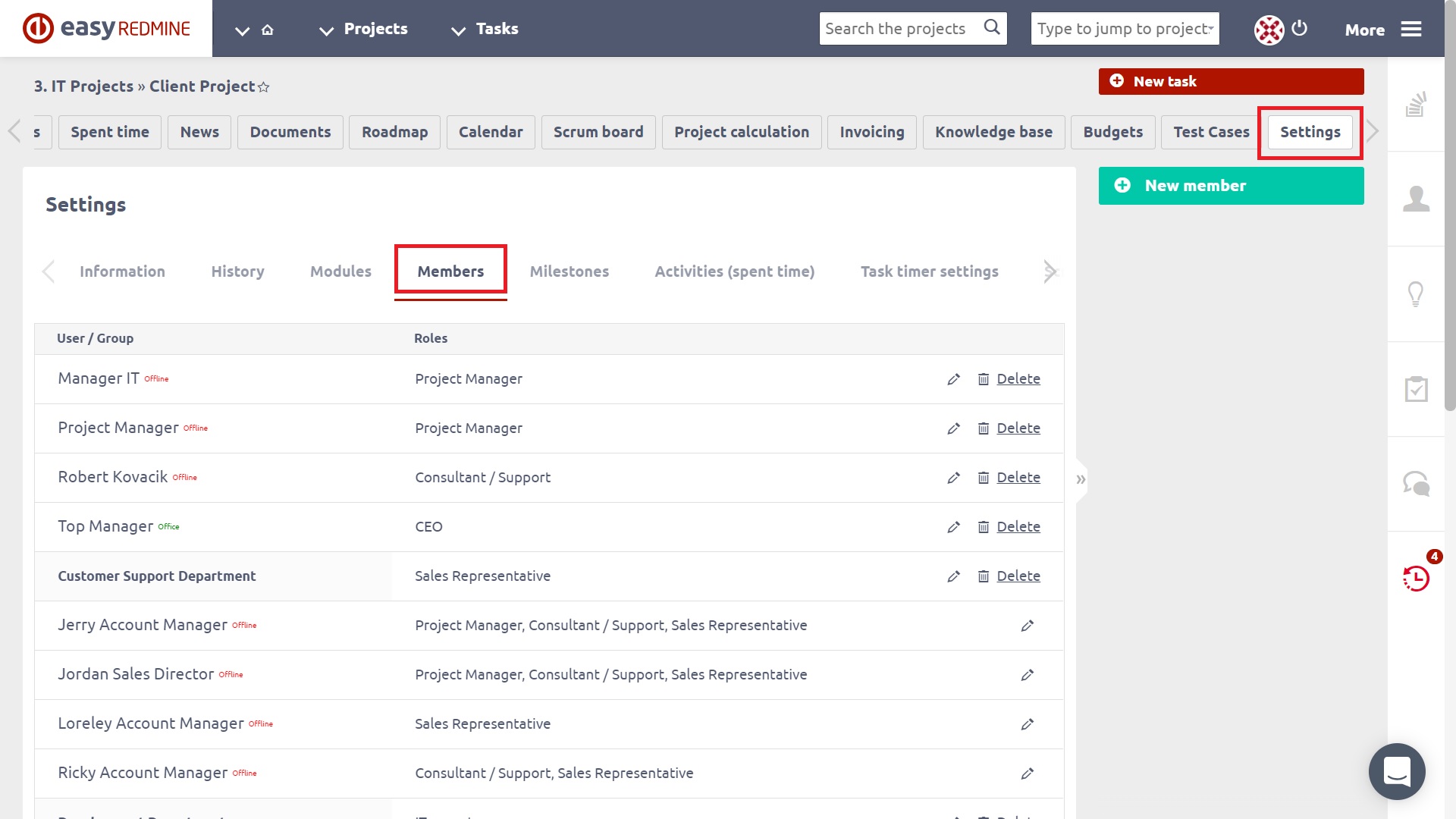
Create a project from a template where I'm in a different role than default
When you create a project from a template where you have a different role than the default role, you are given a role from the template, not the default one. The role in the template is the one you had on the project by the time a template was created from it.
Create a project from a template where I'm not a member
Similar logic applies in a case when you create a project from a template where you have no role at all because you are not a member of it. Therefore, you are also not a member of the project created from this template. That means you cannot use any of your project permissions on a project you are not a member of.
Create a new sub-project where members are inherited and I have a different role than default on the parent project
In case you create a new sub-project with inherited members and you have a role other than the default role on the parent project, your current role is also inherited and therefore remains the same both on the parent project and sub-project.
Create a new sub-project where members are inherited and I'm not a member on the parent project
This is a kind of hybrid situation. When you are not a member of the parent project, you will not be inherited to the subproject. However, because you are creating a new project, you will be given the default role as per global settings (see above).
Create a new sub-project where members do not inherit
In this case, you are simply given the default role according to the current global settings (see above).
