


CardDAV - Contact synchronization between Easy8 and mobile devices
CardDAV - Contact synchronization between Easy8 and mobile devices
CardDAV can be enabled in Administration » Settings » General.
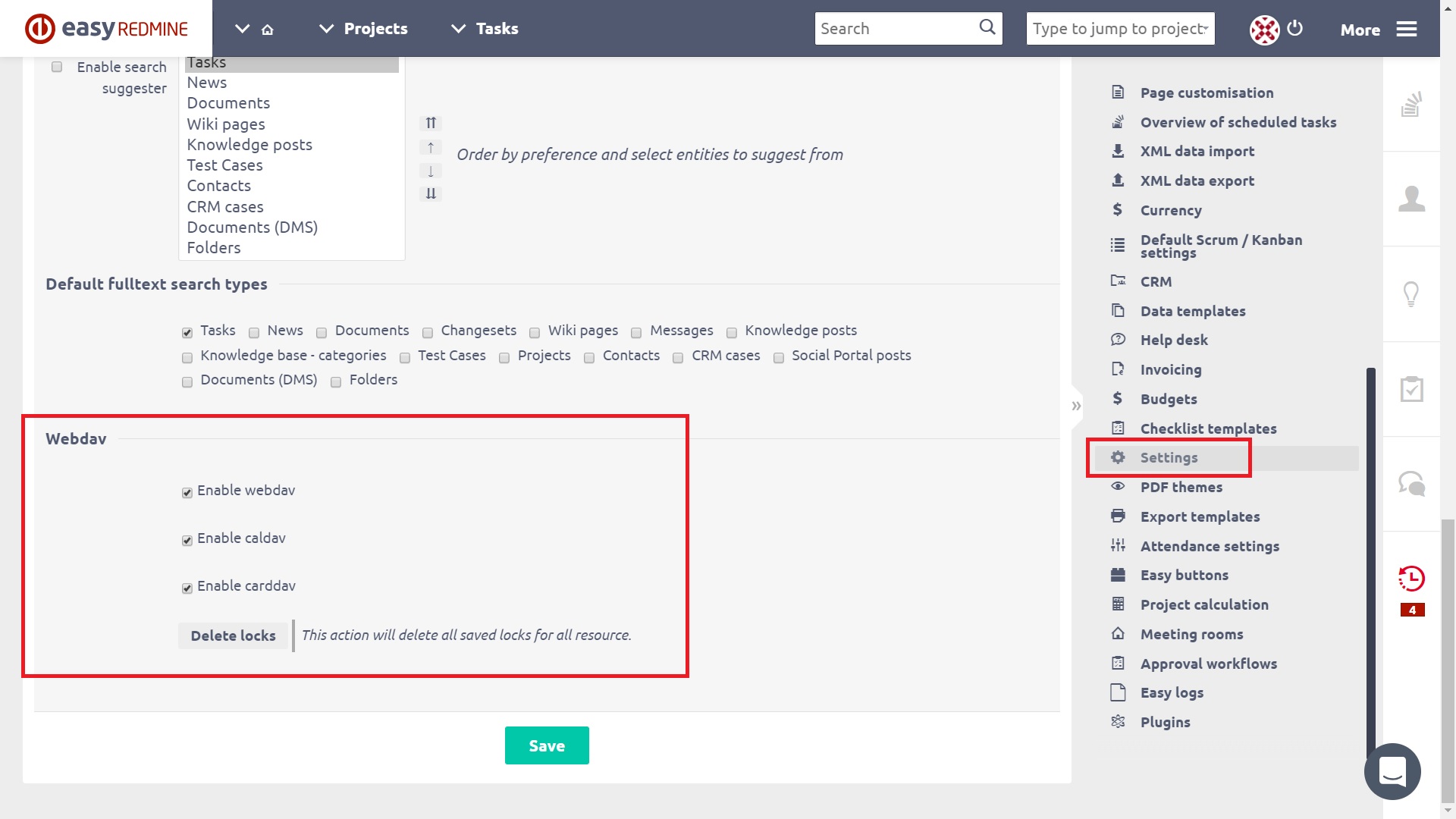
Similarly to CalDAV, iOS devices contain this function, Android requires an app: https://play.google.com/store/search?q=carddav
Enter URL of the application with the following:
[your domain]/carddav/easy_contact
https://demo.easyredmine.com/carddav/easy_contact
Enter your login info and all your visible contacts in Easy8 will be available on your phone.
Be aware that in case of two-way synchronization, deleted contacts from your mobile may result in deletion in Easy8.
Additional information
CardDAV – Easy8 contacts can by syncs through the CardDav client-server architecture.
CardDav on Windows platforms:
- Outlook users may use free of charge synchronization plugin to Outlook allowing to sync meetings between any folder in Outlook (including the one connected to Exchange) and Easy. It also can synchronize Easy8 contacts. There are also other commercial solutions.
- Thunderbird users can use built-in contact which supports CalDav synchronization by default
- There is no known solution for direct sync for Windows 10 phones. Just one paid application exists, not tested.
CardDav on Apple platforms:
Default Contact manager on all Apple devices natively supports CardDAV
CardDav Android phones:
There are mostly paid apps to download with support CardDav sync.
