


Introduction
In Easy8, permissions define what users can see and do within the application. There are two main types of permissions: global and project-level. Understanding the difference between them helps administrators set up secure and efficient access for users. This article explains how both types of permissions work and how they affect user experience.
Target Audience
- Administrators
- Project Managers
Understanding Global vs Project Permissions
Definition
- Global Permissions
- These apply across the entire Easy8 environment.
- They control access to system-wide features such as user management, global dashboards, and administration settings as well as general rights over projects or tasks.
- Assigned through User Roles.
- Project Permissions
- These apply only within specific projects.
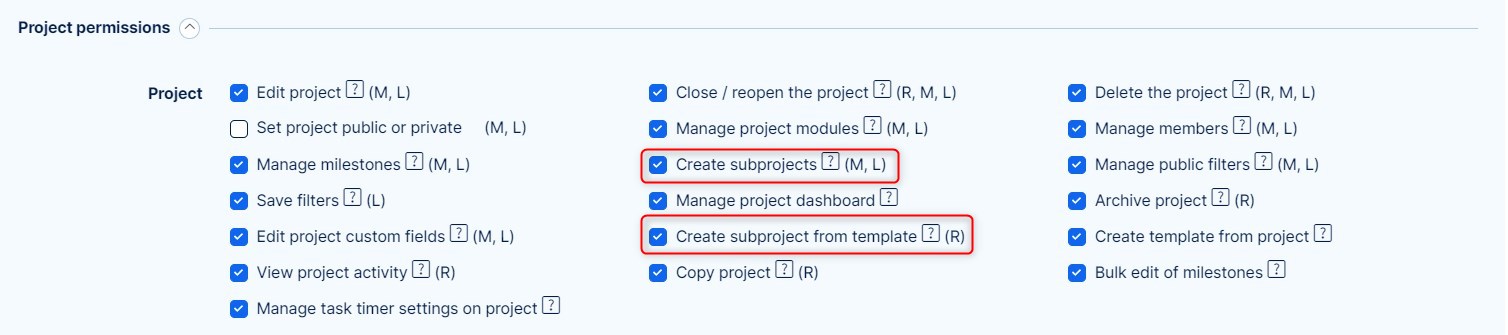
- They control what users can do in a particular project (e.g., edit tasks, view budgets, manage time entries).
- Assigned through Roles, which are linked to users within a project.
How It Works
Global Permissions via User Role
- Each user has a User Role, such as Administrator, Internal User, or External User, etc.
- The User Type determines access to global features like:
- Creating new users
- Viewing and editing global dashboards
- Accessing administration menus
- These permissions are not affected by project membership.

Project Permissions via Roles
- Roles define what users can do inside a specific project.
- A user must be assigned to the project and given a role (e.g., Manager, Developer, Viewer).
- Roles control actions such as:
- Creating, editing tasks and closing tasks
- Logging spent time
- Viewing project-specific data
- Project permissions vary per project depending on the role assigned in each one.
Combining Global and Project Permissions
- A user can have wide system access (via User Type) but still be limited in projects they are not assigned to.
- A user with no global rights can still perform important actions within specific projects if the assigned role allows it.
Examples
- A user with the Administrator User Type can create new users globally, regardless of project access.
- A team member with the Developer role in Project A can update tasks only in that project, not in Project B.
- An External User may only access selected projects and have limited project permissions via a restricted role.
Common Misconceptions
| Misconception | Clarification |
|---|---|
| Project roles determine all user permissions. | Global permissions are controlled separately through User Role. |
| Assigning someone to a project gives them access to all system features. | Project access is limited to the specific project and does not affect global rights. |
| Changing a project member's role affects their global access. | Project roles affect only project-level actions, not system-wide access. |
Conclusion
Global and project permissions in Easy8 serve different purposes. Global permissions, controlled by User Roles, define system-wide access, while project permissions, managed through Roles, control what users can do inside specific projects. Understanding and properly assigning these permissions helps ensure both security and productivity.
