


Introduction
Stakeholders are people or groups who are interested in the project or affected by its outcome. In Easy8, stakeholders help ensure project goals align with business needs. Understanding who stakeholders are and what they do is important for managing communication, expectations, and project success.
Target Audience
- Project Managers
- Administrators
- Team Members
Understanding Project Stakeholders
Definition
A project stakeholder in Easy8 is any person or group who:
- Is involved in the project,
- Has influence over the project,
- Is affected by the project outcome.
Stakeholders can include:
- Project sponsors
- Clients
- Team members
- Department leaders
- External partners
Each stakeholder can play a different role depending on their relationship with the project.
How It Works
In Easy8, stakeholders are added to a project using the Stakeholders module. This module allows project managers to:
- List and categorize stakeholders,
- Assign influence and interest levels,
- Define their role in the project.
Stakeholders can be internal (within your organization) or external (clients, partners).
Where to Find It:
- The Stakeholders module must be activated in the project settings.
- Once enabled, a new "Stakeholders" tab appears in the project’s top menu.
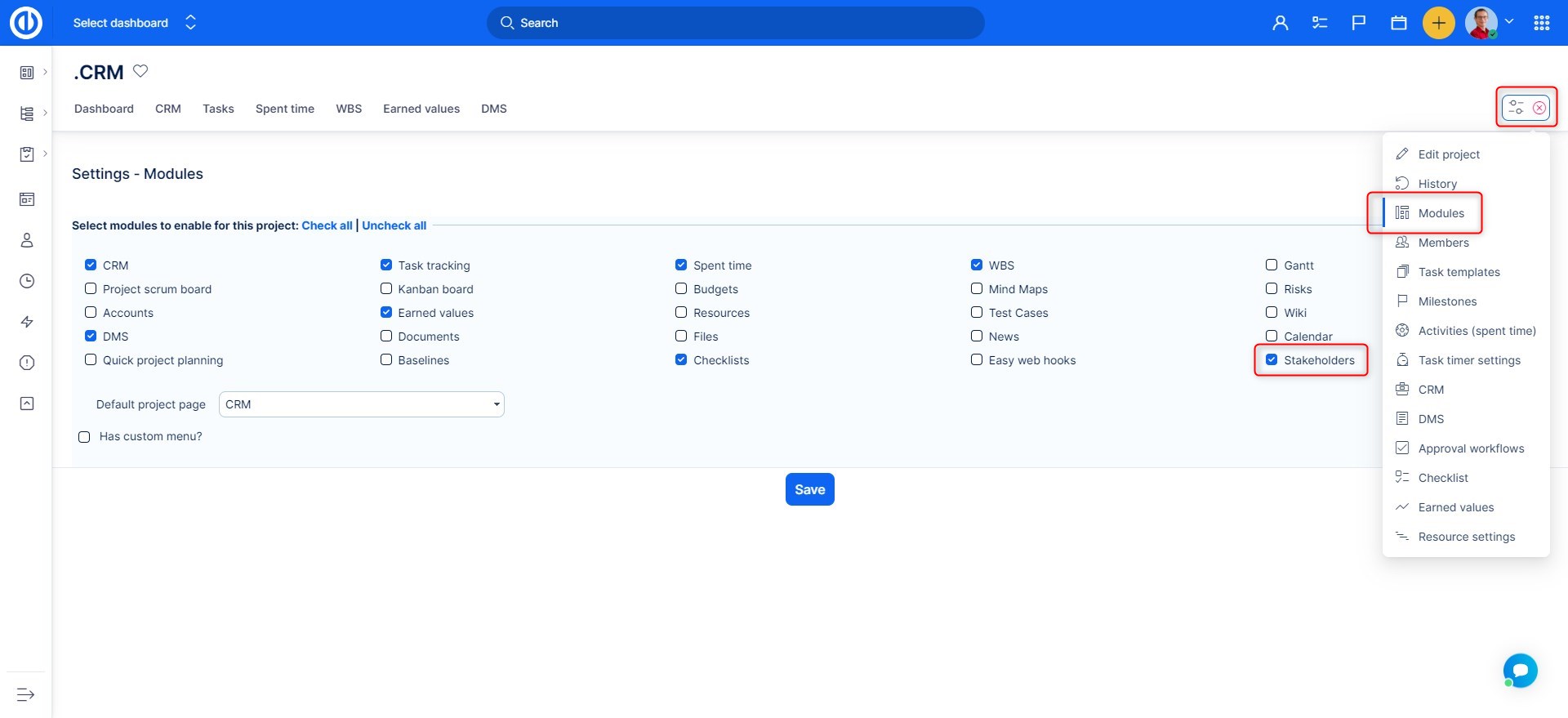
Stakeholder Settings:
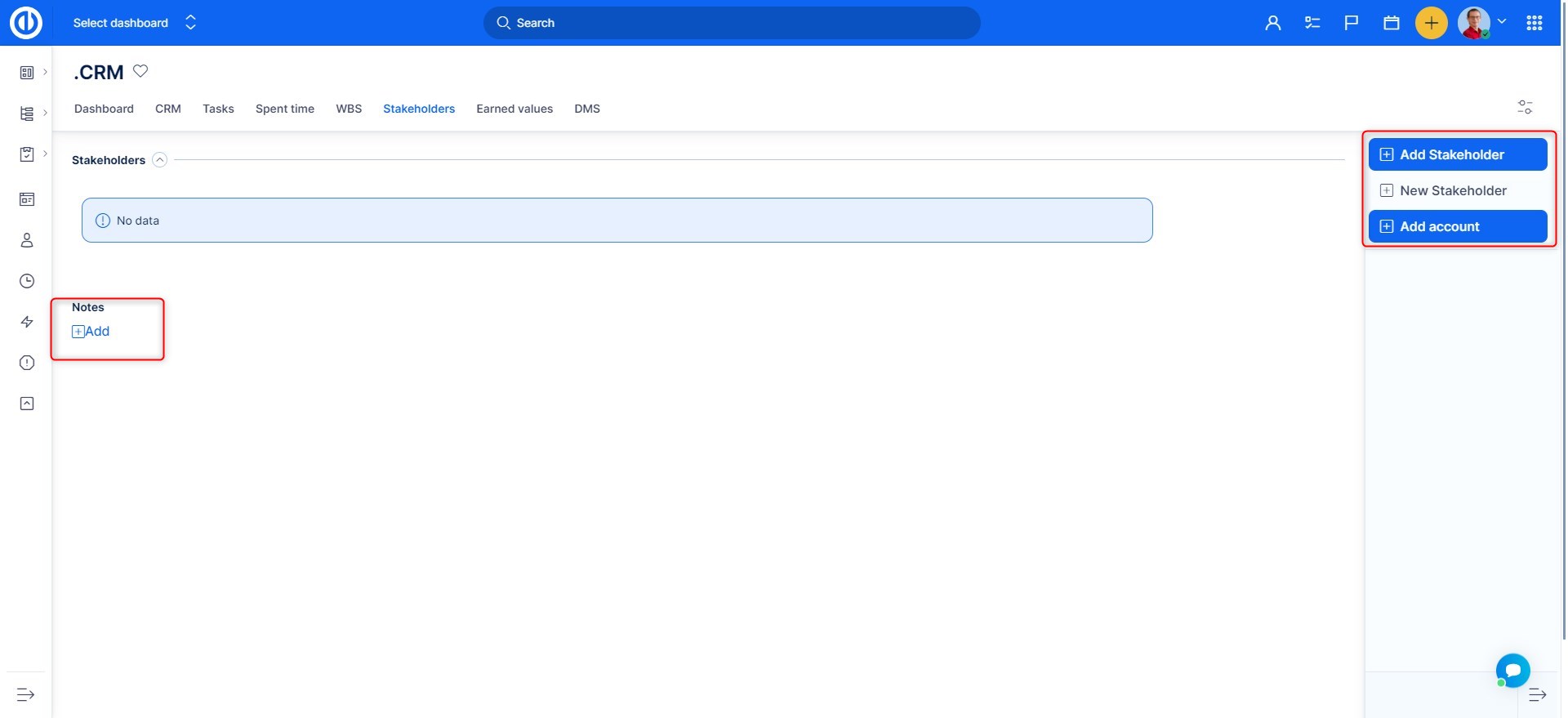
- Add stakeholders based on existing contacts.
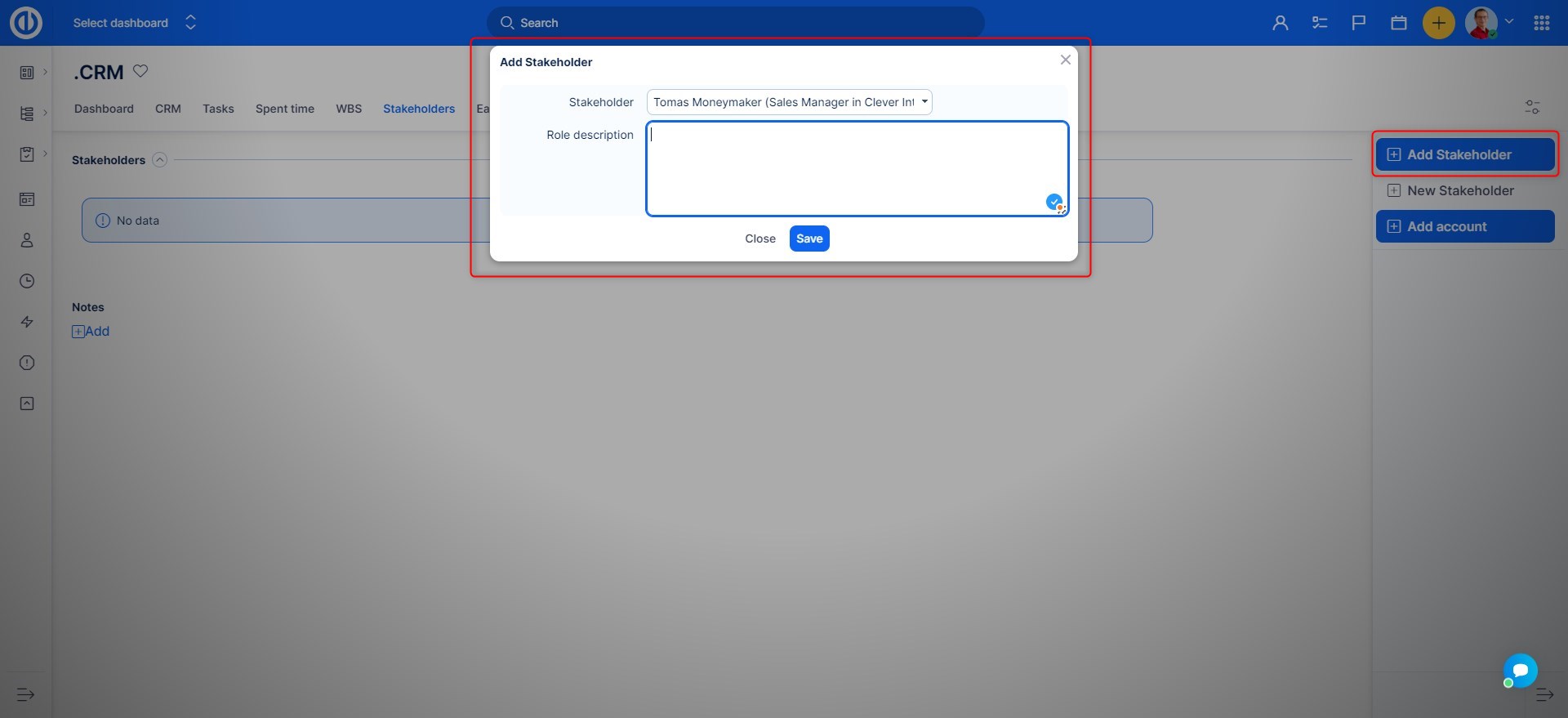
- Set their Role description to clearly indicate the level of the stakeholder involvment.
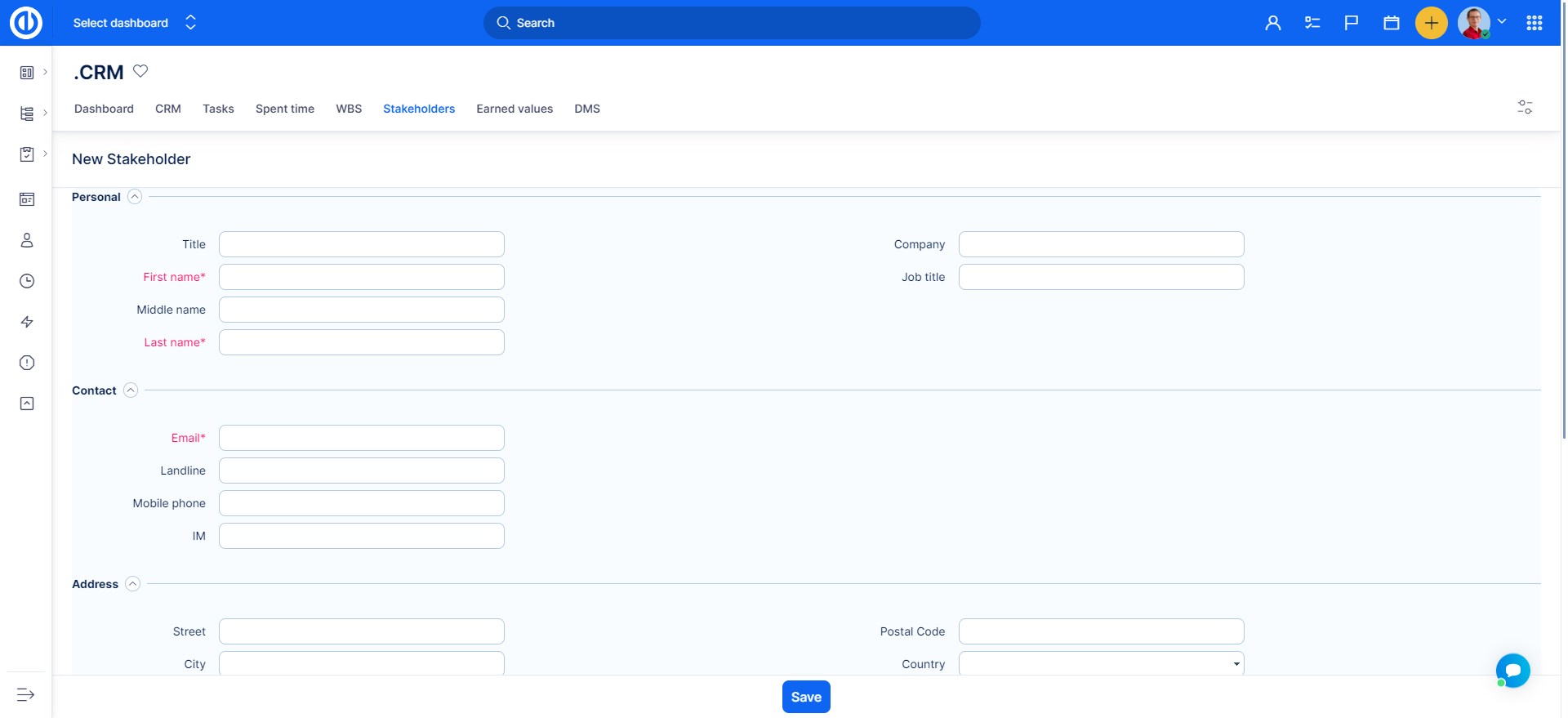
This is what the New stakeholder form looks like.
When linking an existing stakeholder to a project, you can describe his/her role in the project. This description is saved only in that particular project. The same person may act in a different role in a different project.
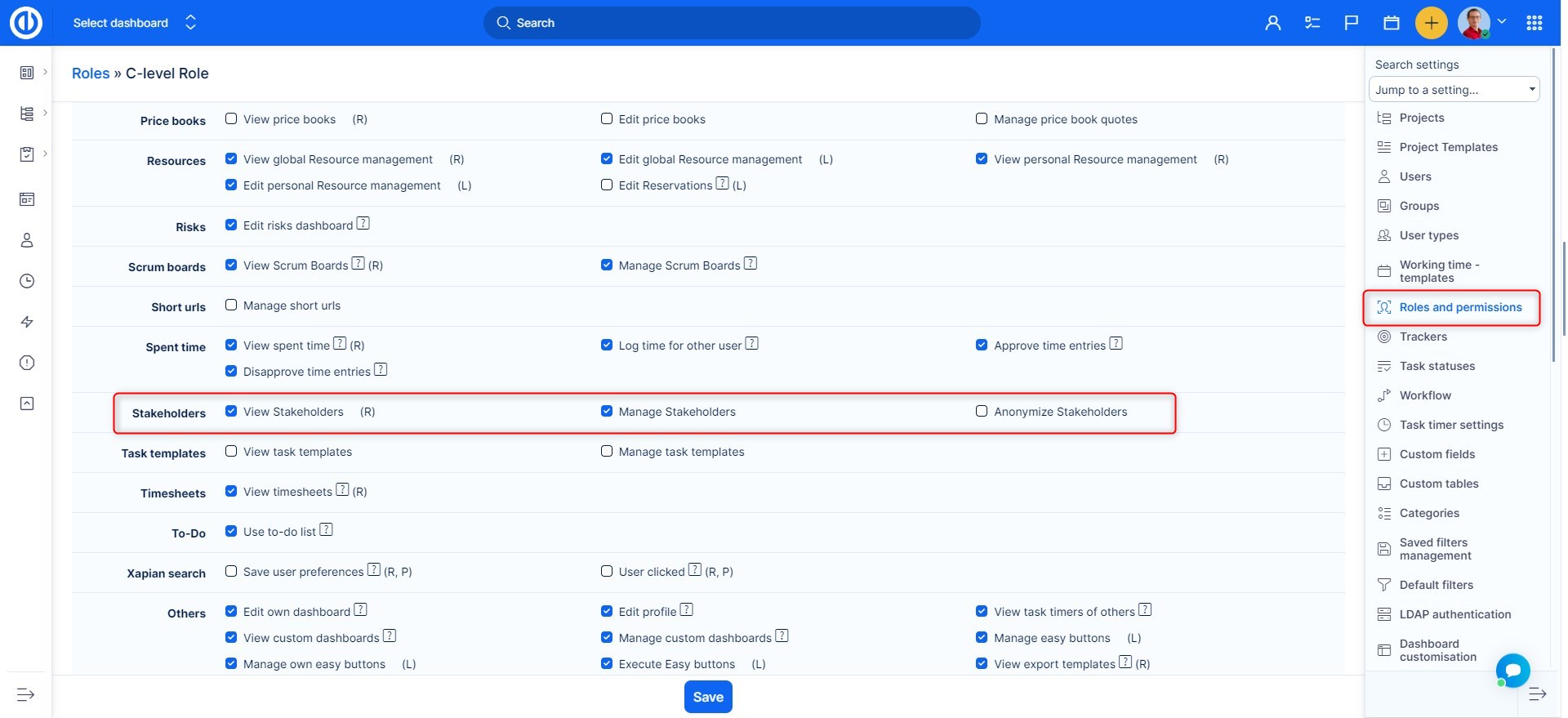
The related permissions are in the global section of Roles and permissions.
Examples
- A client added as a stakeholder with high interest and medium power – receives regular status updates.
- A team lead with high interest and high power – involved in decision-making and approvals.
- An external supplier with low interest and high power – consulted only when needed.
Common Misconceptions
| Misconception | Clarification |
|---|---|
| Only internal users can be stakeholders. | Stakeholders can also be clients, suppliers, or external partners. |
| Stakeholders automatically have project permissions. | Stakeholder status does not grant access; roles and permissions must be managed separately. |
| All stakeholders need frequent updates. | Use power-interest levels to determine how often and what type of communication is needed. |
Conclusion
Project stakeholders play an important role in project planning and communication. Using the Stakeholders module in Easy8 helps you identify, classify, and manage all people involved or impacted by the project, ensuring better decision-making and project success.
