


Introduction
Project settings in Easy8 define how a project is structured, managed, and controlled. Proper configuration of these settings ensures efficiency, clarity, and alignment with project goals. Understanding project settings and best practices helps teams optimize workflows and avoid common configuration mistakes.
Target Audience
- Project Managers
- Administrators
- Team Members with Project Permissions
Understanding Project Settings
Definition
Project settings control various aspects of a project, including:
- General Information – Project name, description, and identifier.
- Project Modules – Features that can be enabled or disabled based on needs.
- User Permissions – Roles and access rights for team members.
- Time Tracking & Budgeting – Configuration of time logs and financial tracking.
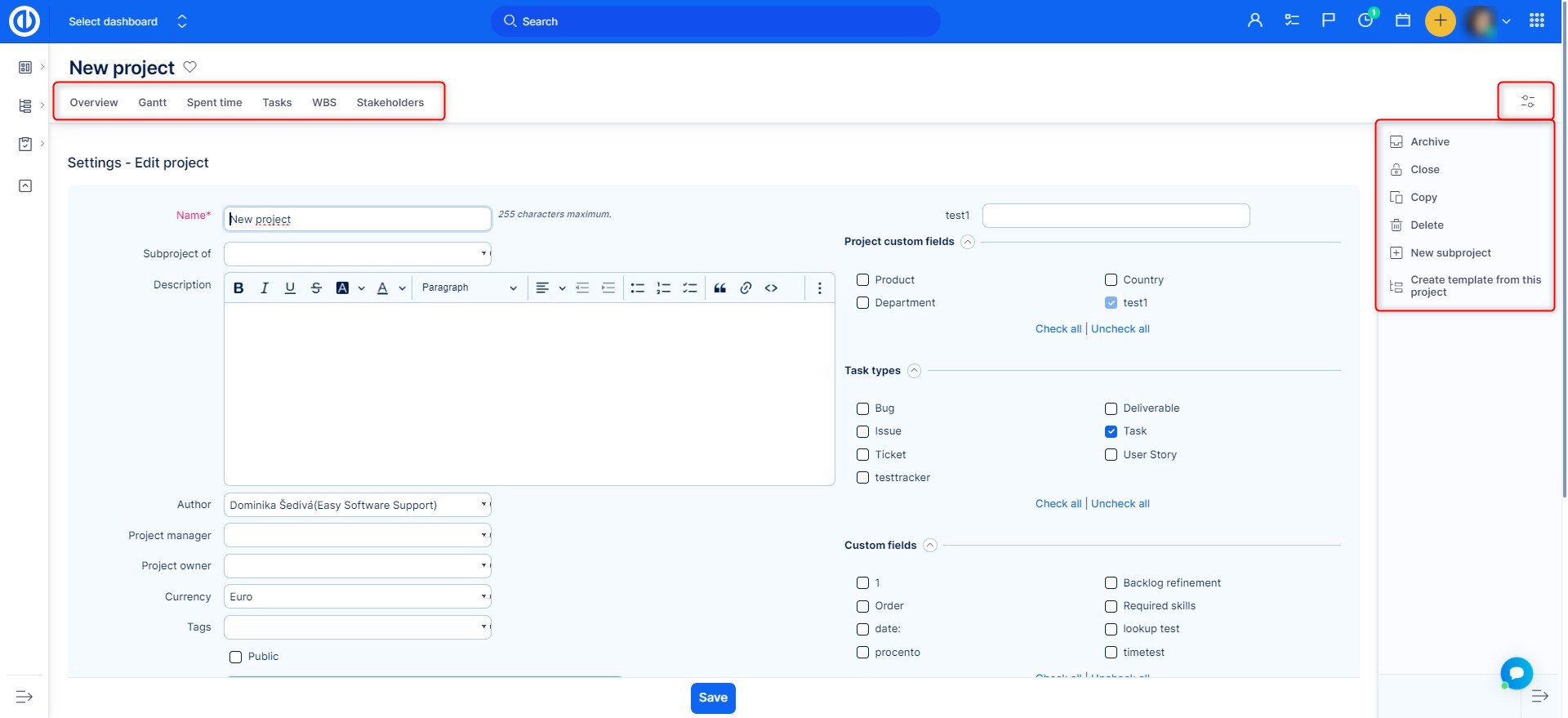
How It Works
Accessing Project Settings
- Navigate to the project where you want to adjust settings.
- Click on the Settings icon top right.
- A list of configurable options appears.
Key Configuration Options
- Edit Project
- Define project name, description, and start/end dates.
- Set project visibility (public or private).
- Assign a project manager.
- Modules Configuration
- Enable or disable project features such as Gantt Chart, Spent Time, or Resource Management.
- Customizing modules ensures only necessary features are active, improving usability.
- Members
- Assign roles to team members (e.g., Manager, Developer, Viewer).
- Define access rights for modifying tasks, budgets, and reports.
- Ensure permissions align with responsibilities to maintain security.
- Time Tracking and Budgeting
- Enable Spent Time to monitor work hours.
- Set budget limits and define cost tracking parameters.
- Ensure financial data aligns with project planning
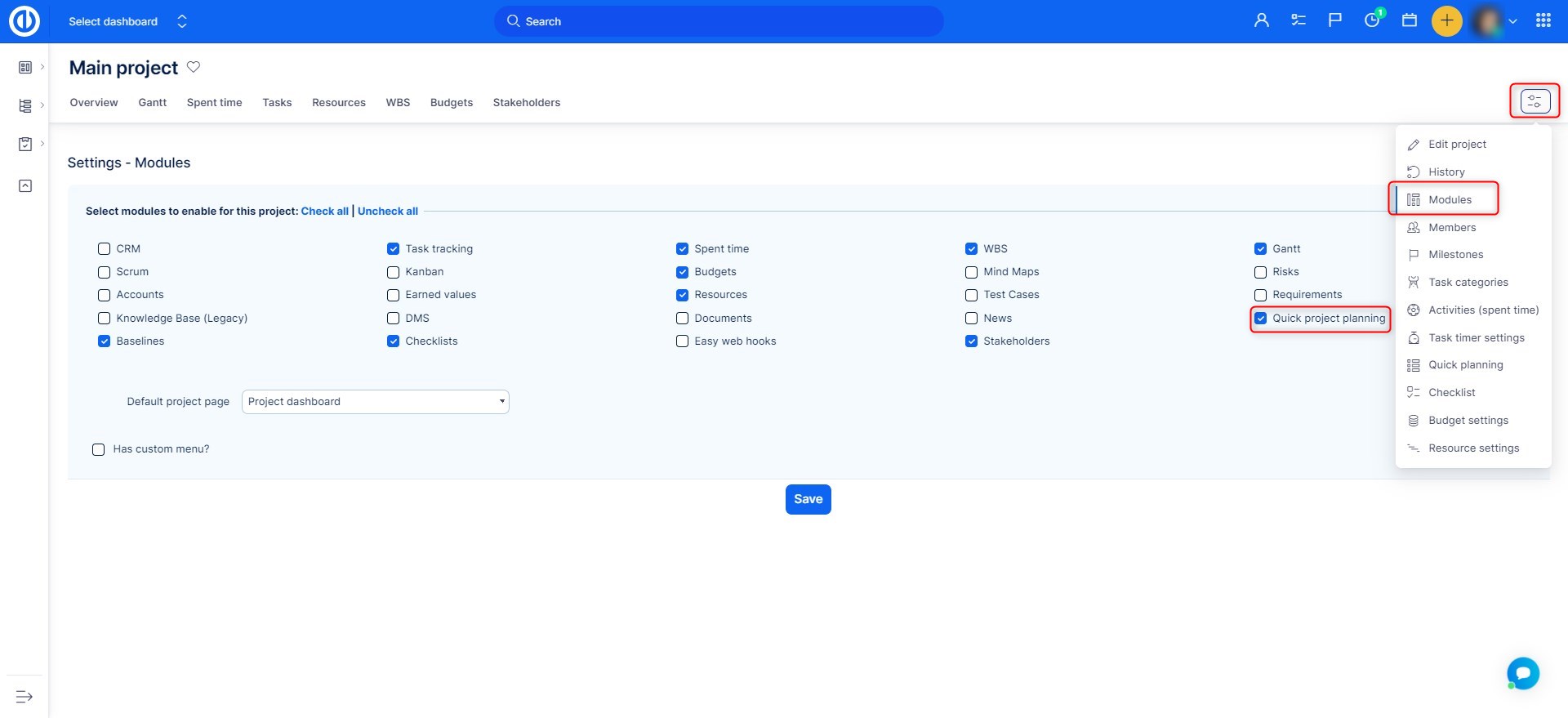
Best Practices for Project Settings
- Customize Based on Project Needs – Enable only essential modules to avoid clutter.
- Define Clear User Roles – Assign appropriate permissions to prevent unauthorized changes.
- Enable Time and Budget Tracking – Helps maintain financial control and productivity.
- Regularly Review Settings – Periodically check and adjust settings as the project evolves.
Examples
- A software development team enables Project Scrum Board but disables Budgeting since finances are handled externally.
- A marketing team configures Activities and Resource Allocation to monitor workloads effectively.
- A project manager assigns Viewer roles to stakeholders while giving Editor permissions to developers.
Common Misconceptions
| Misconception | Clarification |
|---|---|
| Default settings are always the best choice. | Every project has unique needs; settings should be customized accordingly. |
| All team members need full access. | Role-based permissions help maintain data security and control. |
| Enabling all modules improves efficiency. | Too many active modules can clutter the interface and reduce usability. |
Conclusion
Properly configuring project settings in Easy8 ensures smooth operations, enhances collaboration, and prevents access-related issues. Understanding best practices helps teams optimize their workflow and maintain project control.
