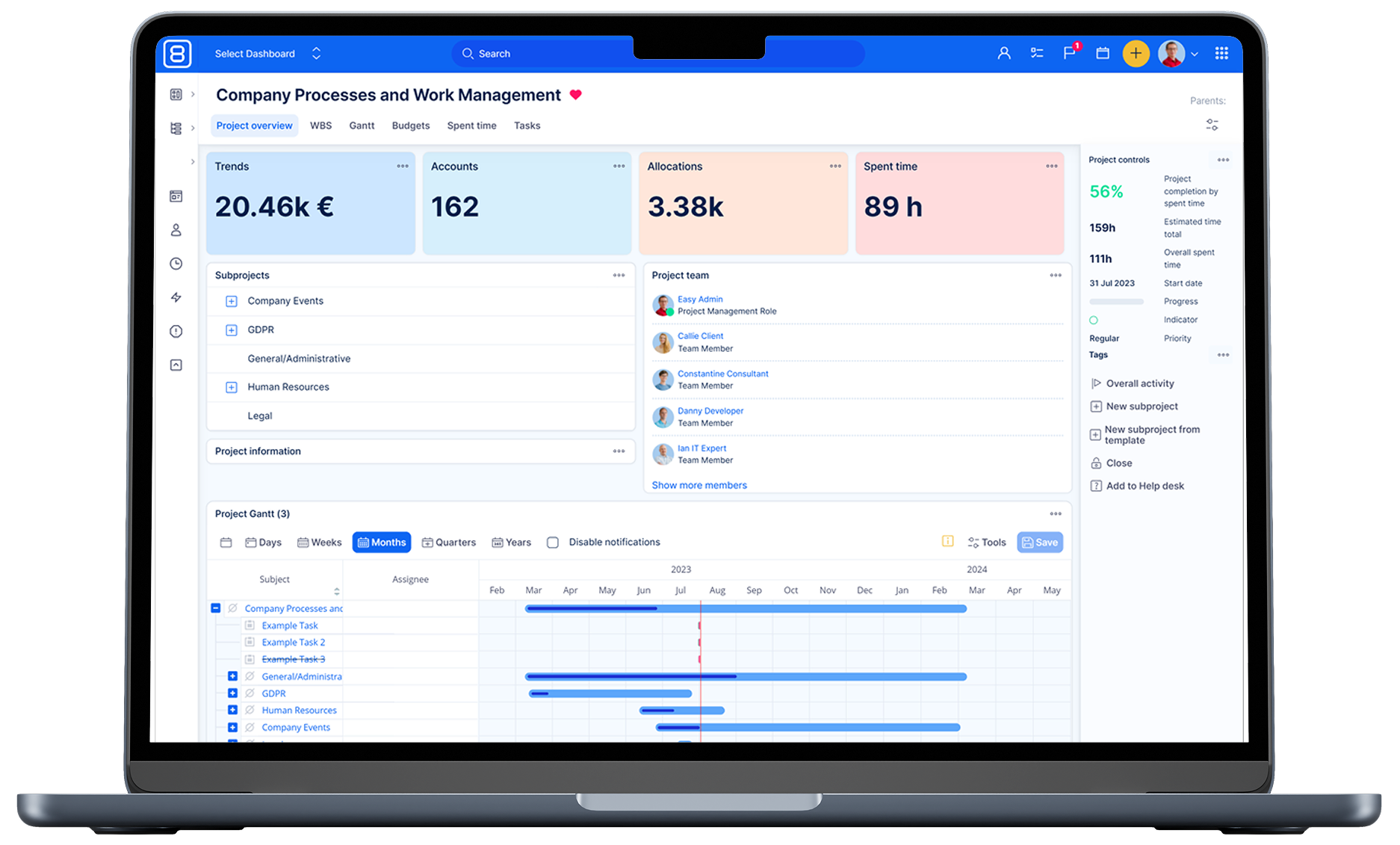
Machines Capacity Planning in 4 Steps Using Resource Management
Easy8 Resource management provides easy-to-use & configure machines capacity planning. Where machines are defined as user groups with specific per day production capacity and using trackers to define machine tasks.

Resource management tag - filter is configured to display machines and respective tasks on 1 click. Thus machine tasks and machines in Resource management are easily differentiated from standard users and user tasks. Resource management provides „Machines capacity planning“ across 1 or many projects, since machines - user groups have been added to all or just particular projects.
Define your machines as user groups (/groups)
- Just name is enough here
- You can have as many machines as you want
- You can add this groups just to particular projects
- No active user accounts are taken for machines
- /groups
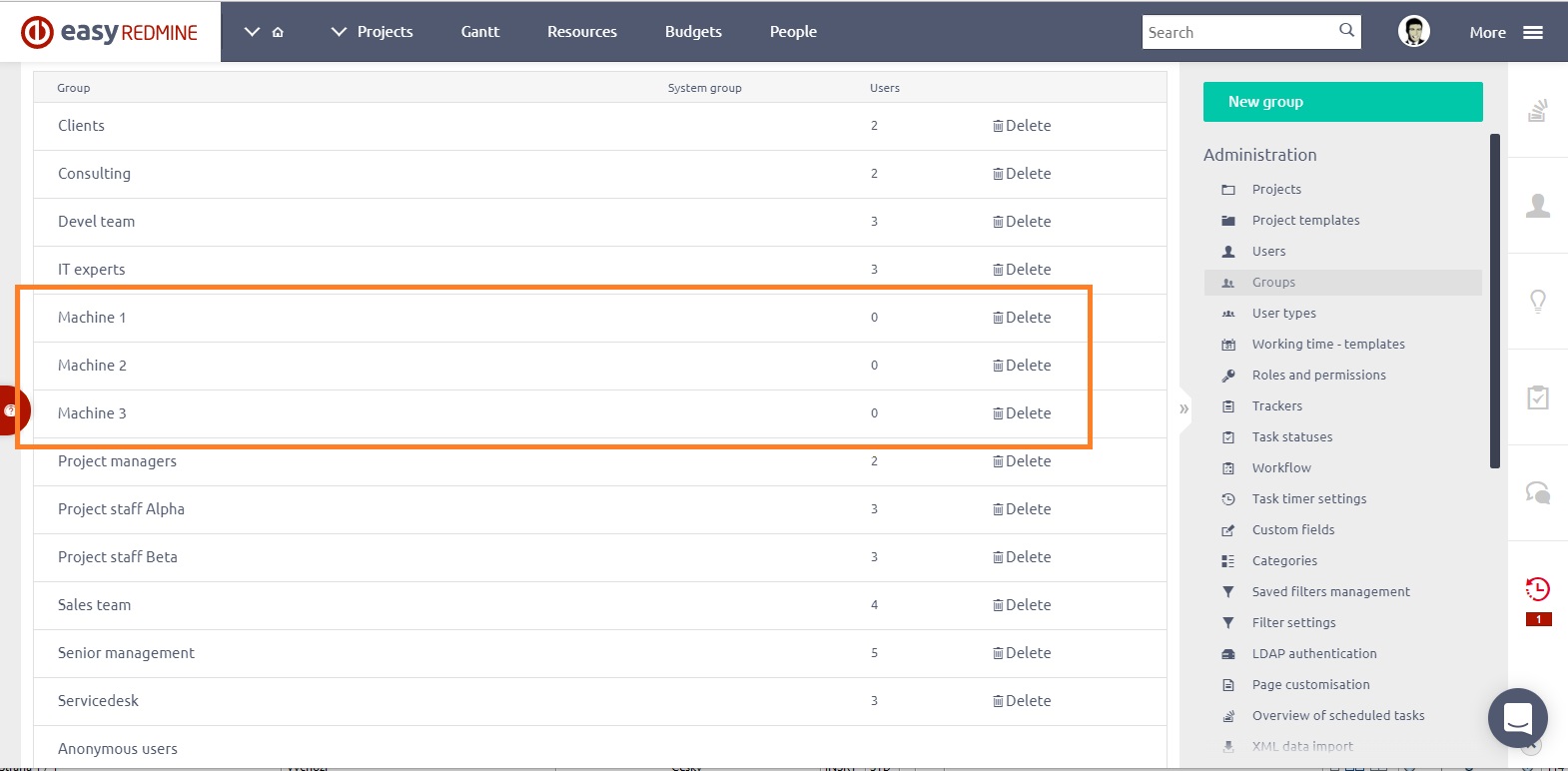
Easy8 Machines capacity planning - Groups
Define per day capacity of the Machines in Resource management Settings
- Machines can work weekends or not
- Capacity may be defined in any units (usually pieces per day)
- Each machine can have different capacity
- /easy_settings/easy_gantt_resources/edit?back_url=%2Feasy_gantt_resources%3Fset_filter%3D0
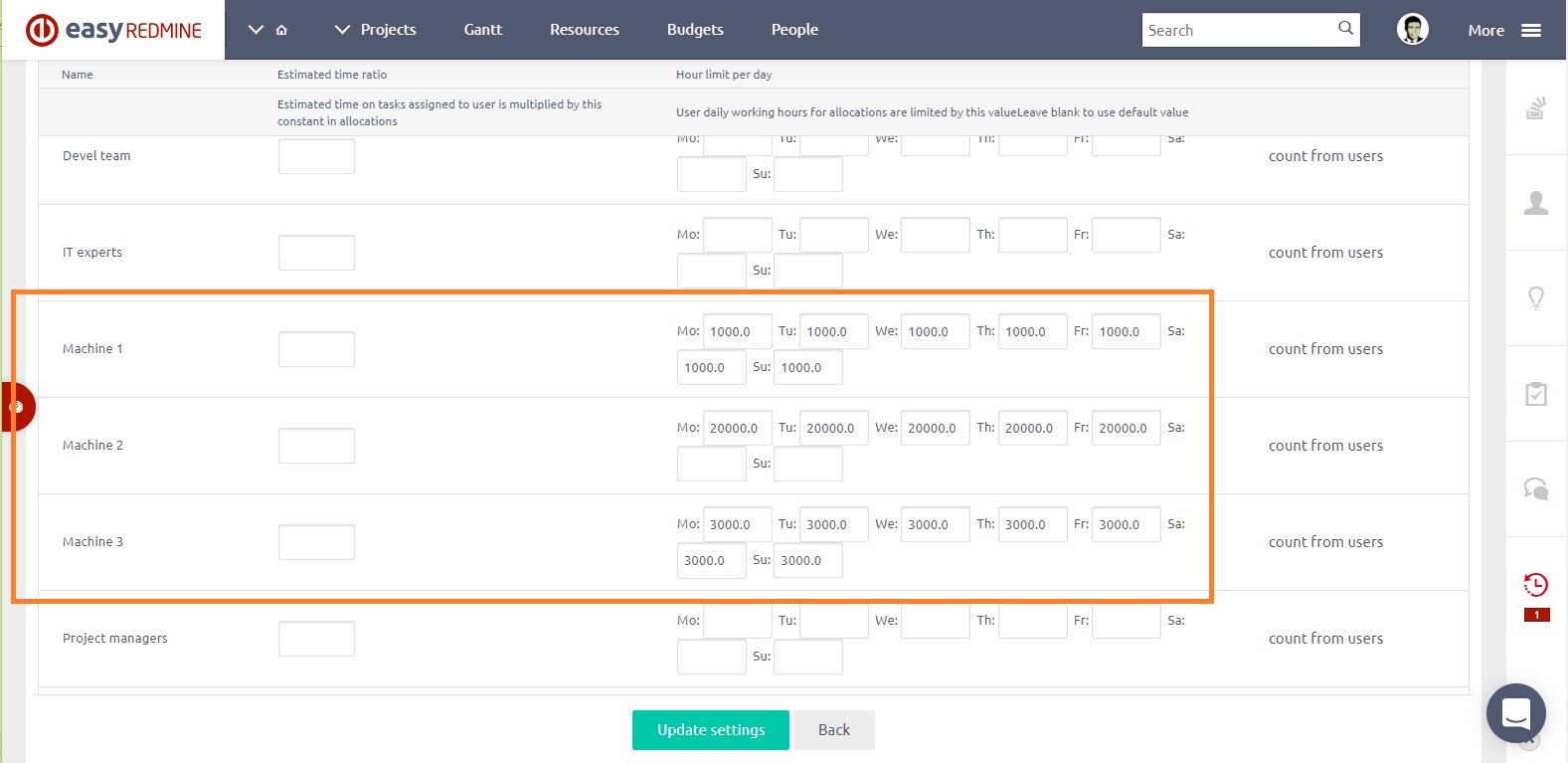
Easy8 Machines capacity planning - Capacity settings
Define „machine task“ in trackers
- /trackers
- to be able to discern machine task from standard user tasks – can be easily filtered out for standard tasks stats – spent time / payroll / invoicing
- Machine tasks (tracker) can be just in some projects
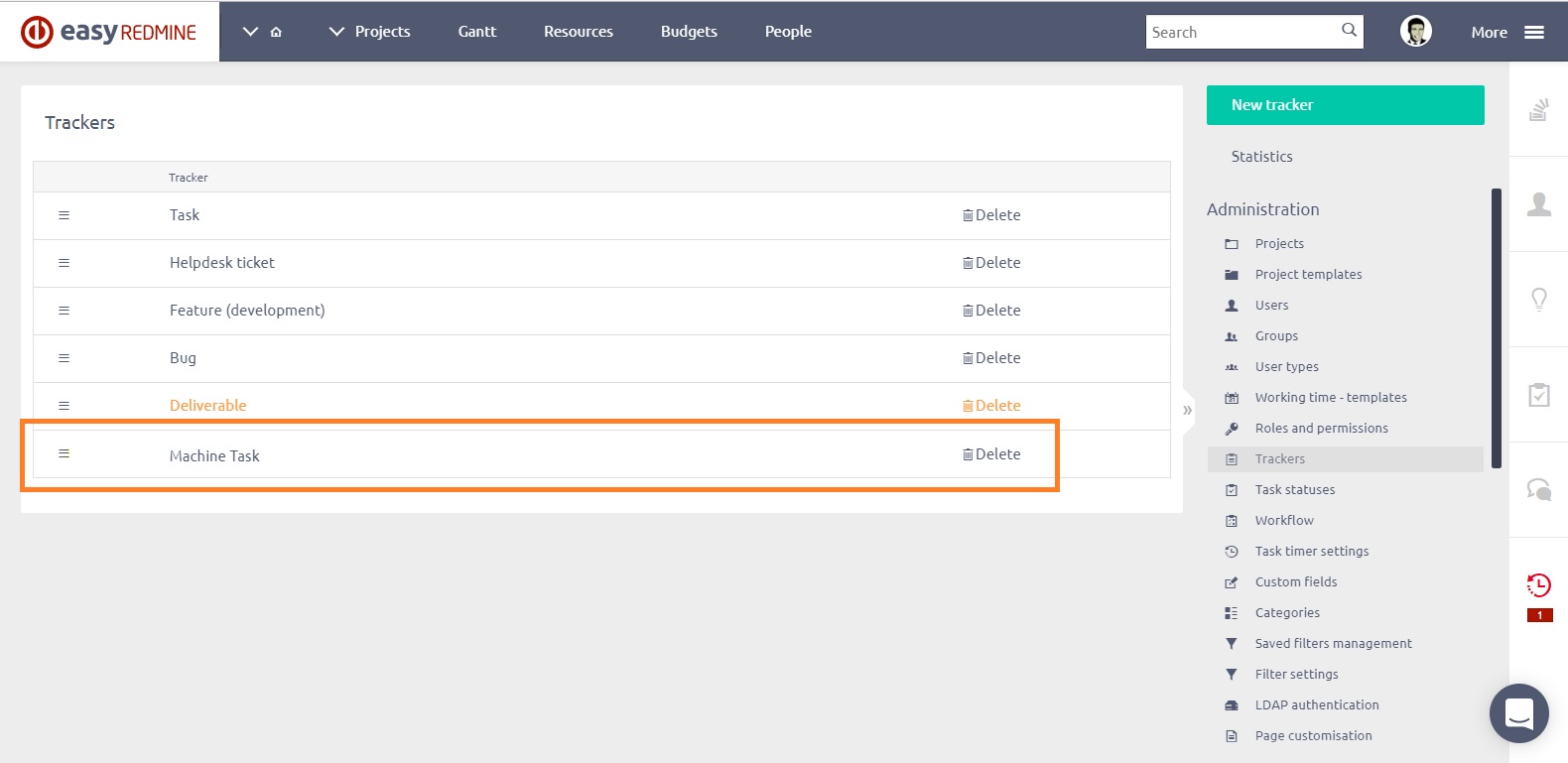
Easy8 Machines capacity planning - Trackers
Define Resource management filter for „Machine tasks“
- /easy_gantt_resources?query_id=52
- tracker = machine tasks
user selection = none of the standard users - groups selection = our machines from step 1
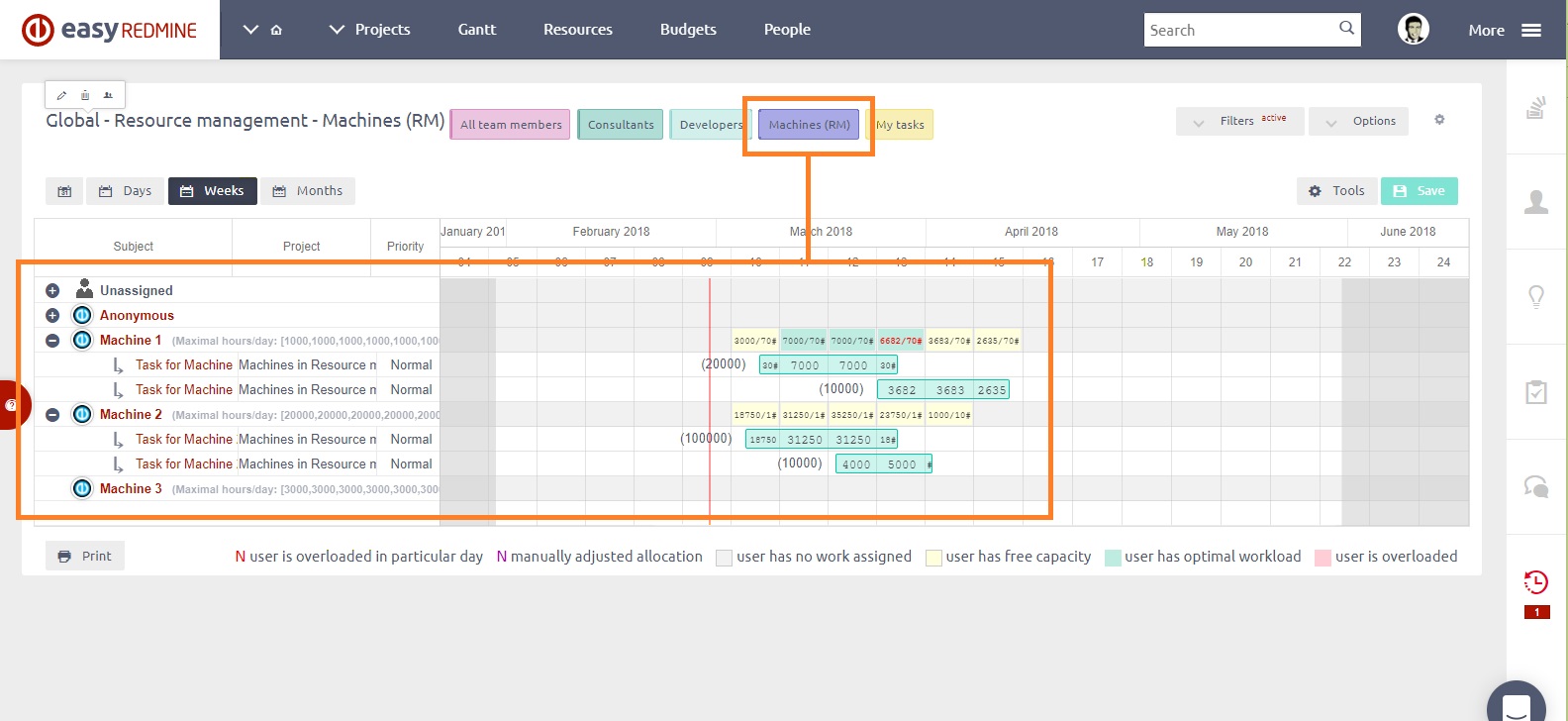
Easy8 Machines capacity planning - Resource management
Advantages of using groups for machines resource management
- Groups - machines can be loaded into any project
- Can be easily displayed in Resource management tag – 1 click to see „Machines Resource management“
- Can have the custom defined capacity per day (with weekends or not)
- No „user licenses“ are taken for machines
- „Evenly“ allocation should be used for „Machine Tasks“ in Resource management to distribute desired capacity evenly by day capacity
Workarounds for machine management
- Pieces of products to be done with particular „Machine tasks“ is entered as „estimated time“ on task detail
- Produced pieces have to be entered by a manager as the spent time to particular tasks to keep plan up to date